

Circle PanelPaid
Plan studies, interview real users and turn recordings into reviewable findings.
Sayble: real-time AI sales call assistant
Live conversation prompts and practical follow-up for important calls.
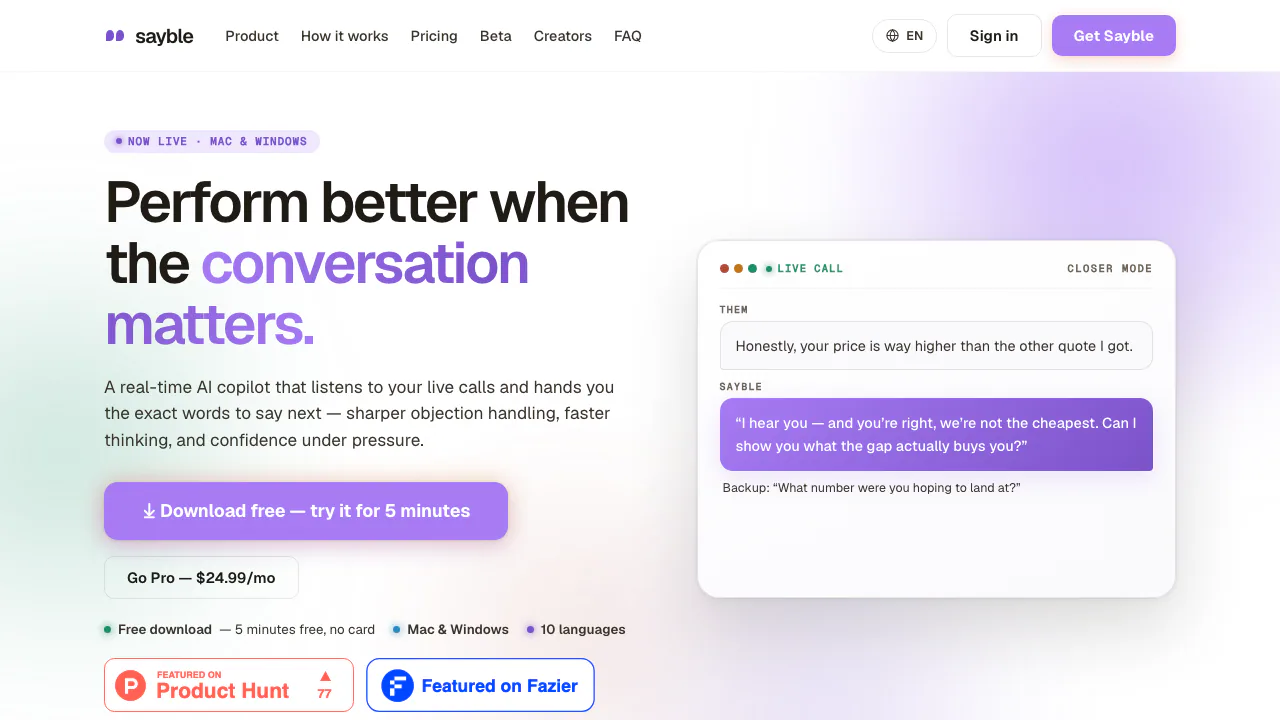
Sayble is a desktop AI assistant for people who need to respond thoughtfully while a call is still happening. It listens to a conversation, displays a short line you could say next, and turns the call into a recap and follow-up draft afterward. Sales teams are a clear fit, but the product also describes use in client, founder and recruiting conversations.
What is Sayble, in plain English?
Think of Sayble as a private prompt beside your call, rather than a person who speaks for you. When someone raises a pricing concern or asks a difficult question, it uses the live conversation to suggest a concise response on your screen. You still choose your own words and remain responsible for what you say. After the call, it helps recover decisions, objections and next steps so that a follow-up does not rely on memory alone.
Help during a sales or client call
Sayble transcribes both sides and separates speakers. Its main in-call output is one suggested line, which can be easier to scan than a long paragraph while another person is talking. The site also describes the overlay as designed to stay out of screen shares and recordings. Treat that as a product design claim, and check your own meeting setup before using it with confidential information. AI suggestions can be incomplete or wrong; verify numbers, promises and policy statements before saying them aloud.
From the conversation to a usable follow-up
The post-call recap is intended to capture what was agreed, the objection that mattered and who owes the next action. Sayble also prepares an email draft based on the conversation; review names, dates and commitments before sending. Its homepage says users can ask questions across saved conversations, such as which objection has appeared repeatedly. This is useful for spotting patterns, but it also makes data handling an important part of the decision.
How to try it on a desktop call
Download Sayble directly from the official desktop setup page: macOS uses a DMG and Windows an EXE. Install it, sign in, allow microphone access and press Listen when your call begins. That starts the one free 5-minute session without a card. Review the live suggestions while speaking, then check the transcript, recap and email draft before using them. Mobile is listed as coming soon; use the desktop app for this workflow.
Free access, Pro and data considerations
As checked on October 16, 2026, the official pricing page offers one free 5-minute live session without a card. Pro lists a standard USD 39.99 monthly price; an eligible founder code is advertised at USD 24.99 monthly for the first 12 months, then USD 39.99. Teams is custom-priced. Confirm your offer, taxes and renewal terms at checkout. The privacy policy describes processing conversation text, transcripts, screen snapshots and reference material and says private conversations are not used to train third-party foundation models. The terms put responsibility for required recording or transcription consent on the user.
Common questions about Sayble
Does Sayble answer for me?
No. It displays suggested words during the live call. You speak, decide whether a suggestion fits and check facts before making a commitment.
Can I get notes and an email after the call?
Yes. The official site describes speaker-separated transcription, a structured recap and a follow-up email draft. Review the draft before sending it.
Is Sayble free?
Yes, for one live 5-minute session without a card. Further use requires a paid plan; check current Pro pricing and any founder-code eligibility before subscribing.
What happens to my call data?
The privacy policy describes processing conversation material and account deletion, with some records retained where required by law. Check the policy and obtain any consent required for your calls.
Official resources
- Download and setup — installers, access and microphone troubleshooting.
- Pricing — current plan conditions.
- Contact and support — account, billing and privacy questions.
- Sayble Discord — community link published by Sayble's contact page.
Related tools
AI Marketing & Sales Tools →
PhonableFreemium
Read missed-call messages and send callers a useful text reply.
Speak an idea, keep the recording and find the thought again.

HemoryFreemium
Turn conversations into searchable memory for your AI agents.
DictantorFree
Record speech, find the exact passage and keep transcription on your Apple devices.
Wispr FlowFreemium
Dictate polished text into almost any app and adapt to your vocabulary