

SeaArt AIFreemium
Generate images, videos, avatars, and voices with AI
Pixelcut AI Photo Editor for Product Images & Ads
AI photo editing and product-content creation for sellers and brands
What is Pixelcut?
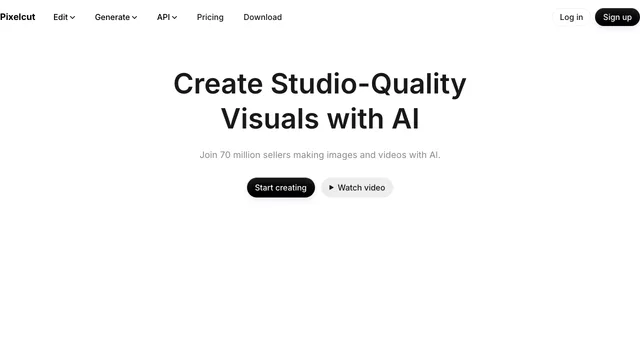
Pixelcut is an AI photo editor and visual-content workspace built around ecommerce, product photography and marketing production. Its web and mobile tools can remove or replace backgrounds, clean up and enlarge images, generate product scenes, edit batches and create short AI videos. Pixelcut also combines image and video models inside its Creative Agent, so a prompt can become a multi-step creative workflow rather than a single isolated generation.
The service is especially relevant to online sellers, social teams and small brands that need listing images, campaign variations or UGC-style ads without setting up a traditional studio. It is less like a layer-based professional editor and more like a fast, AI-led production environment.
Main Pixelcut tools
- Background removal: Remove image or video backgrounds, replace them with a color or scene and prepare transparent product cutouts.
- Product photography: Generate backgrounds, lifestyle scenes, product showcases and shadows from an uploaded product image.
- Image editing: Use Retouch, Generative Fill, Expand, color changes and object removal to revise an existing visual.
- Upscaling: Enhance low-resolution images, with Pixelcut advertising enlargement of up to 16x on supported workflows.
- Batch editing: Apply common product-photo operations to many assets; the paid plans include monthly batch-export allowances.
- AI image and video generation: Generate or edit images from text and references, and create text-to-video, image-to-video or talking videos. Generated files are saved to the Pixelcut workspace.
- AI Actors and Personas: Build reusable virtual people, turn a face image and script into a talking video, and make UGC-style product ads with lip sync.
- Text-to-speech in talking videos: Pixelcut's lip-sync and ad tools can turn a script into a natural-sounding voiceover in multiple languages and styles. This supports voice-led video production, but Pixelcut is not primarily a standalone audio editor.
- Team workflows: Pro and Business include shared seats, while Creative Agent can coordinate several generation and editing steps from one request.
Pixelcut pricing and credits
Pricing below reflects Pixelcut's official pricing page checked on August 20, 2026. Taxes, app-store pricing and model credit rates can differ, so check the live checkout before subscribing.
| Plan | Current price | Included limits highlighted by Pixelcut |
|---|---|---|
| Free | $0 | Limited background removal and upscaling; exports without a watermark. The pricing page does not promise a recurring pool of free generative credits. |
| Pro | $10/month, or $8/month when billed annually | 600 AI credits per month, all AI models, unlimited background removal and upscaling, 3 team seats, 1,000 batch exports per month and a commercial license. |
| Business | $30/month, or $24/month when billed annually | 3,600 AI credits per month at the displayed tier, all AI models, unlimited background removal and upscaling, 10 team seats, 2,000 batch exports per month and a commercial license. Larger Business credit pools may be selectable. |
Advanced image and video models consume credits, and the rate depends on the model. Pixelcut's calculator expresses video usage in five-second generations, so a 600-credit Pro allowance does not translate into a fixed number of videos across every model. Background removal and upscaling can be unlimited on the paid plans while third-party generative models remain metered.
Subscriptions can be cancelled, but renewal timing depends on the purchase channel. Pixelcut's terms say an Apple subscription automatically renews unless it is cancelled at least 24 hours before the current period ends.
pixelcut ai: Commercial use and content rights
Pixelcut's commercial-use help page says the service may be used for personal and commercial work. You retain ownership of images you upload when you already hold the necessary rights, and Pixelcut says its in-app assets and stock photos are cleared for personal and commercial use. Its AI image generator separately describes generated images as carrying a worldwide, royalty-free commercial license, and the AI Actors page permits actors created on Pixelcut in ads, marketing and social content.
There are still important boundaries:
- You must have the right to upload and use product photos, logos, faces and other source material.
- A commercial-use permission does not guarantee that a generated output is unique, registrable for copyright or free of third-party trademark, publicity or likeness issues in every country.
- The pricing page explicitly lists a commercial license under Pro and Business. For an advanced paid model or a sensitive campaign, confirm that the checkout terms and model-specific conditions cover the intended use.
- Pixelcut's terms give the company a limited license to process user content solely as needed to operate and maintain the service; they do not transfer ownership of an eligible upload to Pixelcut.
Pixelcut: Privacy and practical limitations
Pixelcut's privacy policy says it may collect account details, payment and purchase data, usage information, trackers and content communicated through the service. It uses service providers for hosting, IT, analytics, marketing and other operations, and data may be processed across borders. The US privacy notice also explains that some identifiers, network activity and commercial information can count as “sold” or “shared” under state privacy laws for targeted advertising, with opt-out rights where applicable.
Pixelcut's terms state that private content remains private and is not shared or accessed by the company without explicit consent, while public content can be publicly visible. However, the public privacy policy does not spell out a simple model-by-model media retention or training table. Because advanced features can use third-party model partners, teams handling confidential product launches, client assets or identifiable faces should review current privacy controls and contact Pixelcut before uploading sensitive material.
Other limitations to plan for:
- Free background removal and upscaling are described as limited; “free to try” should not be treated as unlimited advanced generation.
- Credit costs vary by model, and video generation can exhaust a monthly allowance faster than simple image edits.
- AI-generated shadows, text, hands, product geometry, colors and lip sync can be imperfect. Pixelcut provides the service on an “as is” basis, so important listing and campaign assets need human review.
- Paid batch exports and team seats have plan-specific ceilings.
- Real-person avatars, customer photos and branded products require appropriate consent and intellectual-property rights.
Who is Pixelcut best for?
Pixelcut is a strong fit for ecommerce sellers, marketplace operators, social-media teams and small agencies that prioritize speed, repeatable product visuals and mobile-friendly workflows. It is also useful when one team wants background cleanup, product scenes, short videos and talking ads under one subscription. A specialist photo editor, retoucher or audio-production suite may be a better fit when the work demands precise layer control, color-managed print output, advanced compositing or standalone voice editing.
pixelcut ai: Frequently asked questions
Is Pixelcut free?
Yes. The Free plan costs $0 and includes limited background removal and upscaling plus watermark-free exports. Pixelcut also describes some generators as free to try, but its pricing page does not guarantee a recurring free pool of advanced AI credits.
How do Pixelcut credits work?
Credits pay for advanced AI models, including models supplied by third-party partners. The amount used depends on the selected model, and the pricing calculator measures video estimates in five-second generations. Pro currently includes 600 credits per month; the displayed Business tier includes 3,600.
Can I use Pixelcut commercially?
Pixelcut says personal and commercial use are allowed, provided you own or have permission for uploaded material. It also grants royalty-free commercial use for AI-generated images and allows Pixelcut AI Actors in advertising and marketing. Check model-specific and checkout terms for high-risk or advanced paid workflows.
Can Pixelcut remove backgrounds and create product photos?
Yes. Background removal, product cutouts, generated scenes, shadows, retouching and batch editing are central Pixelcut workflows. Results should be checked carefully when products have transparent surfaces, fine edges, reflective materials or strict color requirements.
Does Pixelcut make AI avatars and talking ads?
Yes. AI Actors and reusable Personas can appear in product images or speak a script in UGC-style videos with lip sync. Pixelcut says actors made on the platform can be used commercially in ads, marketing and social media.
Is Pixelcut an AI voice generator?
Pixelcut includes text-to-speech voiceovers in its lip-sync, talking-video and AI-ad workflows, with multiple languages and voice styles. It is best understood as voice generation embedded in visual content creation, not as a full audio-first voice studio.
Does Pixelcut train on uploaded images?
The current terms grant Pixelcut permission to process user content solely for operation and maintenance of the service, but the public privacy policy does not provide a model-by-model training and media-retention table. For confidential assets or identifiable people, ask Pixelcut how the selected model and its providers handle the upload before use.
Pixelcut: Official sources
Related tools
AI Image & Video Generators →
ColossyanFreemium
AI avatar videos, interactive courses and multilingual training from existing content
D-IDPaid
Turn photos and scripts into talking AI avatars
Lumen5Freemium
Turn ideas and articles into branded videos with AI
FlikiFreemium
Turn ideas, scripts, articles, and slides into narrated videos with AI voices and avatars.
PictoryPaid
Repurpose scripts, articles, slides, and recordings into branded videos with AI visuals, voices, and avatars.