

IncrediblePaid
Delegate browser, app and file work by voice or text.
Rill: an AI browser for Mac with Claude Code and Codex
Turn the page you are reading into work for your own coding agent.
What does Rill actually do?
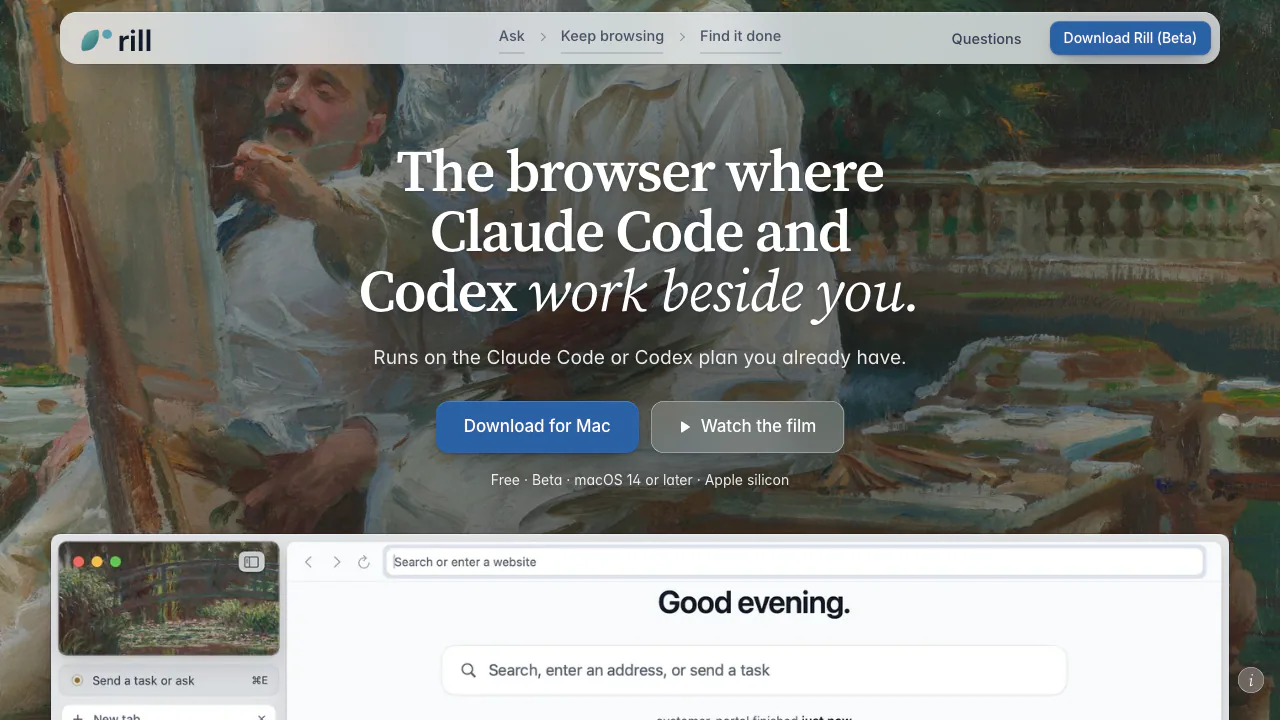
Rill is an AI browser for Mac from Manifold AI Inc. You browse a website, describe what you want done, and hand the page context to your existing Claude Code or Codex agent. Rill finds a relevant local project and lets the agent work while you keep reading. For example, a research paper can become a request to try a method on your data, or a design reference can become a proposed change to your website.
Its strongest fit is someone who already uses a coding agent and regularly moves between reference pages and project files. It also supports everyday page questions, research comparisons and web tasks. The browser itself remains usable without an AI agent.
Send a webpage into your first project task
- Get the current installer from the official Mac download section and drag Rill into Applications.
- Follow setup to sign in to Claude Code, Codex, or both. Rill discovers projects from their existing history.
- Open a relevant page and press ⌘E. Describe a concrete outcome and check the page or selected content attached to the request.
- Check the destination project before sending. Rill can choose one and asks when it is unsure.
- Follow progress and answer questions as they appear. New tasks remain read-only until you permit edits.
- Inspect the result, tool steps and file diff before using the changes. Git repositories support Undo; test changed behavior and keep backups.
A useful first request is to inspect how a documented method could apply to one project before allowing implementation. This makes the expected output and editing scope clear.
Research across tabs and delegate web steps
Ask about the current page to open an answer beside it. For a comparison, select up to six tabs and request a table quoting the source pages. This can help assemble product options or compare claims, but you should still check the quoted material and any changing prices.
Project agents open background tabs with separate website data and without your logins; website clicks and typing need permission. Tasks labeled On the web or In this tab use ordinary tabs with your sign-ins. That distinction matters when working in an authenticated service.
Web tasks are instructed to stop before payments, orders, sending, posting or deletion unless you explicitly authorize the action. The policy is an instruction to the agent, not an absolute technical barrier. Password, card and one-time-code fields cannot be filled by the agent.
Keep research, history and ongoing work findable
Rill groups open tabs by theme on its start page while keeping your tab bar arrangement. Its history turns browsing into day episodes, and Describe can find a remembered page from a description. Exact words searches the local library. A project map groups the projects your agents have worked on and marks finished work.
Talking is a beta input option: configure Settings › Talking, then hold Fn to dictate. Recognition runs on the Mac; uncertain recognized text may go to the chosen provider for correction. Audio is not sent, but recordings and text are stored locally for 30 days unless that setting is disabled.
Mac requirements, free use and beta limits
Checked October 8, 2026: Rill is free, with no separate Rill subscription or API key. AI features use your existing provider plan and its applicable usage limits; free software does not include unlimited model calls. No local-currency provider price is quoted here.
The published beta requires Apple silicon and macOS 14 or later, plus Claude Code 2.1.261+ or Codex CLI 0.144.4+ for agent features. It offers private windows, Keychain passwords and importing sign-ins from Chrome, Arc or Safari. Passkeys are not supported in this beta; the official guidance is to use a password or Safari.
The terms of use allow personal use and work on Macs you own or control. This is experimental software whose behavior can change, so review outputs and back up important projects.
What stays local and what reaches an AI provider?
History, project metadata and agent threads are stored on your Mac; passwords use macOS Keychain. AI features still send required context through your signed-in CLI to OpenAI or Anthropic. Depending on the feature, this can include tab titles and URLs, selected page text, browsing snippets, project metadata or files the agent reads.
The feature-by-feature privacy explanation is useful before enabling background organization. You can disable tab grouping or saved history, set retention and clear browsing data. Private-window content is not sent to the AI provider. Local files and CLI logs can be read by programs running as your account, and prompt injection remains a documented risk.
Frequently asked questions
Is Rill free, including AI usage?
Rill itself is free. AI work runs under your Claude Code or Codex account, whose plan and usage conditions still apply.
Which Macs and agent accounts does it need?
An Apple silicon Mac with macOS 14 or newer. AI features need a supported, signed-in Claude Code or Codex CLI; ordinary browsing works without one.
Does AI processing stay entirely on my Mac?
No. Local storage and local CLI execution coexist with sending context to the selected AI provider. Review the privacy settings and the provider account terms.
Official resources and support
- Security and data contact: the verified official reporting route. Include Rill, macOS and relevant CLI versions when reporting an agent-related issue.
Related tools
AI Browser Tools →
Pilot5 LegalFreemium
Review US legal matters with source checks and five-model deliberation.
Circle PanelPaid
Plan studies, interview real users and turn recordings into reviewable findings.
MuleRunFreemium
AI agents, cloud workspaces, and repeatable workflows
bmuxFree
Visible browser automation with split workspaces and explicit agent control
Sider CodePaid
Customize webpages with natural-language instructions