
PulseDevFreemium
Point at a website element, describe the fix and review the source diff.
AI Bridge: Manage Multiple Claude Code Sessions on Mac
Organize real coding CLIs, approvals and resumable workspaces in one Mac app.
What does AI Bridge actually do?
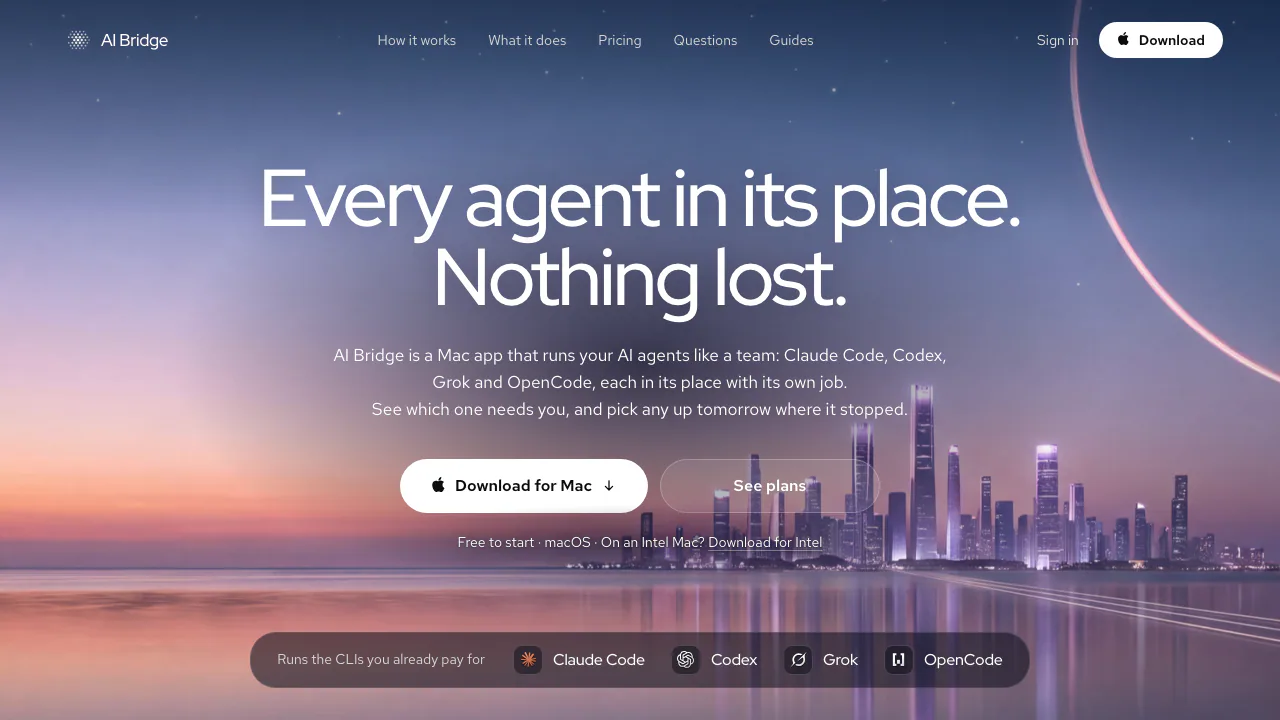
AI Bridge is a Mac desktop app for people juggling several AI coding sessions. Its website provides the installer, demonstrations and guides. The app gives your existing Claude Code, Codex, Grok and OpenCode CLIs a shared place to work, while each keeps its own terminal and conversation.
Think of it as a control desk: one agent can investigate a bug while another reviews a change, and you can see which needs an answer. It is useful for developers, DevOps engineers and technical founders who spend time checking terminal tabs. The agents continue to use your own provider accounts; Bridge supplies the organization and supervision.
Keep parallel sessions understandable
A Project holds rules for a business, client or side project. A Workspace holds the instructions, context files, repositories and tools for one responsibility, such as product development or infrastructure. New agents start with that workspace context, but their conversations remain separate. Shared workspace instructions do not establish automatic Git worktree isolation: coordinate file changes and branches when agents touch the same repository.
The sidebar reports whether an agent is working, waiting, finished or asleep. Inbox collects questions, Assist approvals and Slack jobs, with a history of decisions; terminal permission prompts lead you back to the relevant session. Grid places selected live sessions beside each other across projects.
You can put an agent to sleep and later resume its conversation, restore terminals when reopening the app, or bring in existing local CLI sessions. Assist can start, wake or message agents, asking first unless you have allowed that action permanently. Scheduled automations and unlimited manual runs provide a path for recurring work around those sessions.
Install it and complete a first supervised task
The public release checked on 28 October 2026 was version 0.9.0 Beta. AI Bridge requires macOS 14 or later and offers separate Apple silicon and Intel downloads.
- Download the matching DMG, open it and drag AI Bridge to Applications.
- Open the app. Setup checks for agent CLIs and can install missing ones; authenticate with your own provider account.
- Create a project and workspace, add the relevant repository and context, and state the task boundaries and expected checks.
- Start an agent on a small, verifiable job. Add another session when you have a separate responsibility to assign.
- Watch its state, answer Inbox or terminal requests, and inspect the resulting code, commands and tests before relying on them.
Bridge helps you follow the work; AI output can still be incorrect. Its documented platform is Mac, and the current build is a beta.
Bring operational context beside the code
For Postgres and MongoDB, enter connection details and ask a question in plain English. Bridge uses one of your coding CLIs to draft SQL or a MongoDB query. Inspect the query before execution, then read the returned rows and explanation; the table can be exported. Writes require approval. For reporting, read-only credentials add a database-level restriction that a mistaken approval cannot remove. The official database page also lists mongodb+srv connections; it does not establish every possible export format.
Kubernetes views open contexts from your kubeconfig, including workloads, logs, events, YAML and Helm releases. Change cards identify the cluster. Writes are recorded locally, destructive actions save the object's YAML, and Helm rollback is available. GitOps-managed objects warn that a manual change may be reverted.
Slack works as a reviewed job queue. Bind a Claude Code, Codex or OpenCode agent to a chosen channel, approve an incoming job, then edit, regenerate, send or reject its reply. Messages post from your own Slack account. Review is the default, but an explicitly trusted channel can post automatically; check that setting before depending on approval at every step.
Free limits and separate AI costs
Prices checked on 28 October 2026 are in US dollars before tax:
- Free includes all features, unlimited agents, terminals, workspaces and manual automation runs, without a Bridge account or time limit. It permits one cluster, database server, Slack channel and scheduled automation. Resource counting considers identities used over the previous 30 days.
- Pro costs US$9.99 monthly or US$99.99 annually for an individual and removes those quantity limits.
- Team costs US$14.99 per seat monthly or US$149.99 per seat annually, adding company-managed seats.
Provider subscriptions and API usage are separate. Unlimited agent slots do not remove model quotas or your Mac's capacity limits. Consult the current plan and licence terms for trial eligibility, cancellation, version-retention conditions and licence refresh requirements.
Local files and provider processing are different boundaries
Workspace files use YAML and Markdown under ~/Bridge. History, approvals and settings also stay locally in plain files. The company says the app has no usage telemetry, analytics or crash reporter. It checks for updates and, after sign-in, refreshes its plan licence roughly daily; optional account use involves device and account information.
Agents still communicate directly with their AI providers, and connected services receive their own traffic. Local storage therefore does not mean offline inference or that code never reaches a provider. Review the official privacy policy alongside the policies of the accounts you connect.
AI Bridge is proprietary, closed-source software. Its public GitHub repository distributes releases and tracks issues. Use of model output remains subject to the relevant provider's terms.
Frequently asked questions
Is AI Bridge free, and does it include AI usage?
Free has no time limit and includes all features within its resource limits. AI subscriptions and API consumption are paid separately to your providers.
Can I keep using my existing Claude Code or Codex account?
Yes. Bridge launches the real CLI using your existing account or API credentials. Setup can help install missing CLIs; Bridge's own paid plans cover its management features.
Does running locally mean my code never reaches an AI provider?
No. Bridge keeps its management files on the Mac, while the coding agents send their requests directly to their respective providers. Those providers' data policies still apply.
Official guides and developer support
- Product guides: practical explanations of agents and connected workflows.
- Official GitHub releases and issues: beta builds, release notes and public bug reports. The app also offers Settings › Send feedback and Help › Report a Bug.
- Official contact information: support routes for private questions; keep account, licence and payment details out of public issues.
Related tools
AI Coding & Developer Tools →
Revix AIFreemium
Repository-aware AI code review for your team’s standards
VibeiDEPaid
Queue Claude Code, Codex and OpenCode tasks, then review every result.
ManyAgentsPaid
Run Claude Code and optional Codex agents with isolated worktrees, review and live previews.
walkai-talkaiPaid
Voice commands for coding agents, with replies over radio
PaddockFree
Linux computers and controlled sandboxes for coding agents on your own VPS.