

Off Grid AIFreemium
Local AI chat, documents and optional work memory on your own devices
Paddock: a self-hosted AI agent sandbox and Linux desktop
Linux computers and controlled sandboxes for coding agents on your own VPS.
What does Paddock actually do?
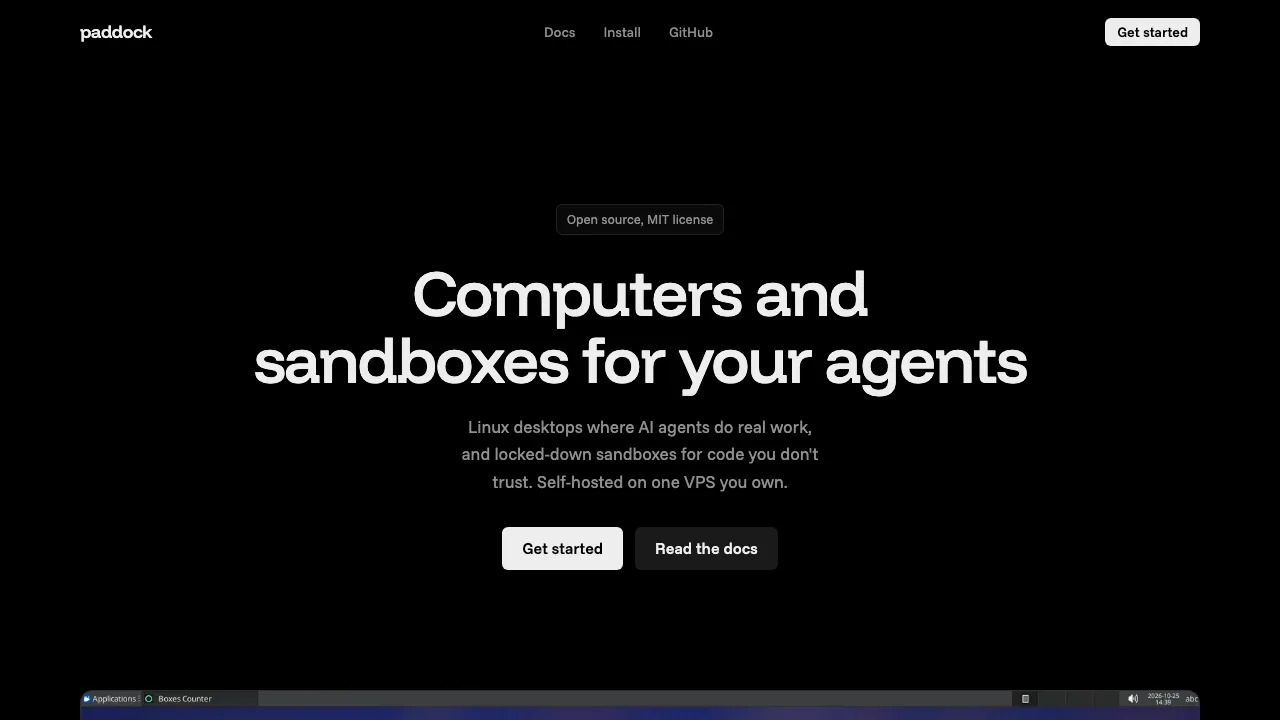
Paddock gives an AI agent a separate Linux computer on a VPS you control. Think of a box as a workbench containing project files, installed tools and a visible Ubuntu XFCE desktop. An agent can run commands, build an application and open it to inspect the result. You can keep that environment for ongoing work or create a temporary sandbox for a single task.
The website introduces software you deploy yourself. Using it requires a server and configuration; opening the public landing page does not provide a ready-made hosted desktop. Paddock supplies the execution environment, while the coding agent and its model handle the task.
Build, test and inspect an agent's work
Boxes include Docker through Sysbox, SSH access and coding tools such as Claude Code, Codex, OpenCode, Pi, Prime and Kimi. Send a task with paddock prompt, run commands directly or use the browser dashboard to watch the desktop. Agent/provider authentication still needs to be configured for your chosen service.
For graphical work, open the session with paddock desktop, launch an app with exec --desktop and capture it with paddock screenshot. This is useful for checking an actual interface after an agent builds it. The HTTP API and TypeScript/Python SDKs provide another route for integrating boxes into your own applications.
From your VPS to a first test run
The installation guide requires an Ubuntu or Debian VPS, root access, amd64 or arm64, open ports 80 and 443, and a hostname pointing to the server. The installer sets up the server and supporting components. Open its one-time owner setup link, create the account, install the local CLI and log in. The client has macOS/Linux and Windows installation paths.
Once logged in, this documented workflow copies a local Node project into a time-limited box and runs its tests:
paddock new --type small --ttl 3600
paddock push current . --to /config/project
paddock exec current -- bash -lc 'cd /config/project && npm test'
paddock stop current
Read the command output to confirm the test result. The project must already contain the dependencies and test script it needs, or you must install them with suitable network access. Stop preserves a filesystem snapshot; use pull to retrieve deliverables before deleting a disposable box. Installing the Paddock agent skill lets supported coding tools drive the CLI for you.
Set network rules before running unfamiliar code
Choose allow-all, deny-all or an allowlist of domains and IPv4 ranges. New boxes default to allow-all, so restricted networking is an explicit configuration decision. Deny-all prevents new outbound connections; existing connections may finish. Cloud metadata access is blocked in every mode.
Allow the model API, source host and package registries a task actually needs. A network-disabled box cannot automatically download dependencies or contact a remote model. Self-hosting gives you control over the execution server, but any external provider you connect still has its own data-processing terms. These controls do not establish a guarantee against every sandbox escape.
Keep useful state and understand rollback
You can stop, resume, fork and restore boxes. Named drives mounted under /mnt keep files after a box is deleted, making them useful for reusable caches or shared inputs. Snapshot rollback has an important boundary: snapshots preserve filesystem state, not RAM, running processes, the box's /var/lib/docker or mounted-drive contents. Plan drive backup separately.
Open-source licensing and the real operating cost
Checked on October 29, 2026, Paddock is distributed under the MIT license. The reviewed official materials do not list a Paddock hosted subscription. Budget separately for your VPS, storage and model-provider use; open-source software does not make those services free. Concurrent boxes also depend on available server resources.
It suits developers who want an inspectable environment for coding agents and are comfortable operating Linux infrastructure. Teams seeking a fully managed service should account for installation, upgrades, access control and backups.
Frequently asked questions
Is Paddock free to use?
The MIT software is available without a software subscription in the reviewed materials. Hosting and external AI services can still cost money, with no single monthly total applying to every deployment.
Can I use it from Windows or macOS?
Yes, the CLI has Windows and macOS installation instructions. The Paddock server and agent boxes use the documented Linux infrastructure; a Windows client does not mean a native Windows server deployment.
Does every sandbox start without internet access?
No. Allow-all is the default. Select deny-all or an allowlist deliberately, and check that required model and dependency endpoints remain reachable.
Official resources
- Official repository: source, implementation details and reference documentation.
- Release downloads: available client binaries and release information.
Related tools
AI Coding & Developer Tools →
OvermindFreemium
Prepare agent data, fine-tune models and measure the result.
ContextGemFree
Extract typed document data with source references using Python, LLMs and decision models.
Revix AIFreemium
Repository-aware AI code review for your team’s standards
PulseDevFreemium
Point at a website element, describe the fix and review the source diff.
AI BridgeFreemium
Organize real coding CLIs, approvals and resumable workspaces in one Mac app.