
CodemindFreemium
Delegate JavaScript and TypeScript tasks and receive code tested against your acceptance criteria.
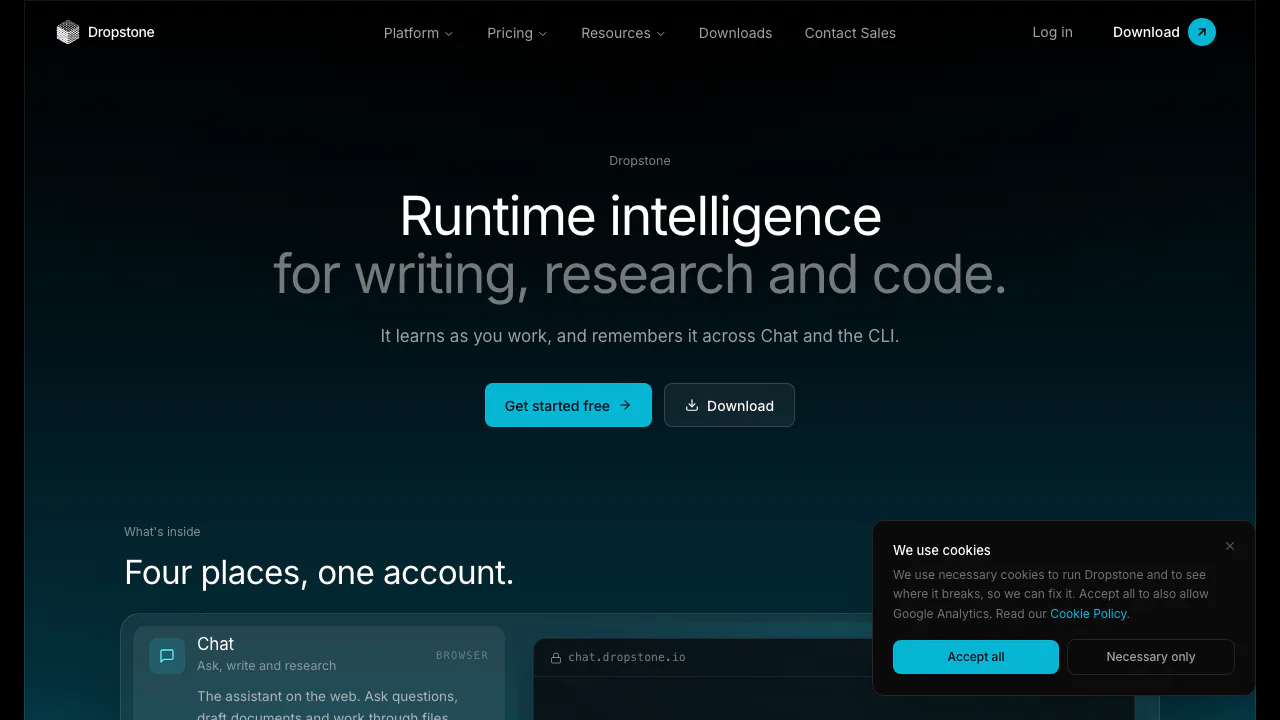
Dropstone — an AI coding agent that remembers how you work
Read repositories, review code changes and carry working preferences across Chat, CLI and SDK.
What is Dropstone, in plain English?
Dropstone is an AI coding agent from Blankline that works with an existing software project: it reads relevant files, proposes changes across the repository and can run commands to check the result. Its browser Chat also handles questions, writing, research and files. Account memory connects the work across Chat, the CLI and the SDK.
Think of the CLI as a development assistant you give a task to in ordinary language. You might ask it to explain an unfamiliar service, fix input validation, refactor a module or add tests. The useful output is a code diff and the results of verification, which you still review. It suits adults working on real projects who can judge the changes; the service requires users to be 18 or older.
From a bug report to a reviewed code change
Start with a local project and a small, testable task. The official quickstart provides current installation instructions for macOS, Windows and Linux.
- Install the appropriate CLI and run
dropstone --versionto confirm it is available. - Enter the project directory, run
dropstoneand complete the first browser sign-in. - Ask it to explain the relevant code before editing. Then describe the defect, expected behavior and an example that should pass.
- Inspect the proposed diff and the file or command permissions. Approve the changes that fit the task.
- Check the available tests, type checks and lint results, and review the final diff before committing.
For example, ask it to reject an empty search query and add a regression test. This gives you a concrete behavior to verify instead of accepting a plausible explanation. dropstone -c resumes the last session in the directory. Permissions can be allowed, prompted or denied; custom settings and Accept All change the approval behavior.
The license says you retain rights in generated code outputs. It also makes review and testing your responsibility; generated code is not a guarantee of correctness.
Memory that follows your account
Dropstone separates standing rules from facts. A preference such as “ask before adding dependencies” can become a rule applied to tasks, while a project fact is recalled when relevant. Signed-in account memory can reduce repeated explanations when moving between the terminal and Chat.
Use AGENTS.md for repository conventions the whole team should share. Personal memory belongs to your account and does not teach every collaborator the same rule. Ask what the agent remembers, inspect its standing rules and ask it to forget outdated preferences. The memory guide explains these controls. Memory depends on sign-in and service availability; a session can continue if recall fails.
Connect tools or build on the agent
MCP adds external tools through local or remote servers. It can bring a development service into the agent’s workflow, provided you configure the server and grant suitable access. Enable only the tools you need: their definitions consume context. Follow the MCP configuration guide rather than assuming every service is already connected.
The JavaScript/TypeScript Dropstone SDK, published as @blankline/dropstone-sdk, embeds the local agent and its account memory in a Node application. The separate headless HTTP API suits programmatic requests without the CLI. API-key traffic spends a prepaid balance; a Chat or CLI subscription does not include that API usage.
Free access, subscriptions and usage limits
Checked on 15 October 2026, the public individual USD monthly table lists Free at $0, Lite at $5/month, Pro at $15/month and Max from $75/month. Annual billing is a separate choice; these are not tax-inclusive quotes for every country. Pro adds access to the Heavy tier, while higher plans increase allowances.
Free has limited usage, five image uploads and five file uploads per day, a 15 MB maximum file size and two Remote MCP connectors. It is suitable for evaluating the workflow, rather than assuming unlimited development.
There is a wording conflict worth checking before paying: the pricing page labels usage monthly, while the usage guide describes a shared rolling seven-day pool for Chat and CLI. Check /usage or the dashboard for your account’s actual allowance and reset. There is no reliable fixed number of tasks: longer work and heavier models consume more. Optional prepaid usage credits can continue work after the included allowance is spent.
What happens to your code and saved context?
The privacy policy, particularly sections 5.1–5.3, distinguishes upstream inference from Dropstone’s own storage and training. Derived knowledge, lessons and summaries are saved as account memory; items can be reviewed and deleted.
The policy lists Free, Pro and Max consumer accounts as having Improve Dropstone and Full coding sessions enabled by default. Full sessions can include your task, generated diffs and test or tool output, used to improve Dropstone’s own models. Turn off the relevant settings before starting confidential work. Turning collection off stops future collection; it does not automatically delete previously saved samples. Enterprise accounts are excluded from these training programs.
Masked text used for certain safety checks may also be retained by TypeSafe when Full coding sessions is enabled. “Zero retention upstream” therefore should not be read as “nothing is ever stored.” The policy does not clearly state the Lite defaults, so verify those rather than extrapolating.
Frequently asked questions
Is Dropstone free and unlimited?
There is a free tier, with usage, upload and connector limits. The quota is not a promise of unlimited requests; check your account before a long task.
Can I use it without installing the CLI?
Yes. Browser Chat supports questions, writing, research and files. To work through a local repository, use the CLI or supported editor integration. The standalone CLI does not need a Node runtime.
Will my code be used for training?
Consumer Full coding sessions may be used to train Dropstone’s own models when enabled. That is separate from its no-third-party-training commitment and from retained account memory. Review the settings and the policy before sharing confidential code.
Official resources and developer channels
- Developer documentation: installation, permissions and CLI reference.
- Help center: account, plans and data controls.
- Blankline on GitHub: official developer repositories; check each repository’s license.
- Service status: current incidents and availability.
- Contact Dropstone: technical, billing or sales questions.
Related tools
AI Coding & Developer Tools →
KernoFreemium
Validate backend changes and critical user flows inside your coding agent’s workflow.
CrewTowerPaid
Monitor coding agents and answer supported requests from your Mac’s notch.
OpenPilotFree
A desktop coding agent that works in your project folder with the model you choose.
RillFree
Turn the page you are reading into work for your own coding agent.
DevPitFree
Keep coding sessions, task boards and call costs together on your desktop.