

Napkin AIFreemium
Turn text into editable diagrams, infographics and presentation decks
Gamma AI: Review: presentations, exports and AI design
AI presentation maker for turning prompts, outlines and files into editable decks, documents and webpages.
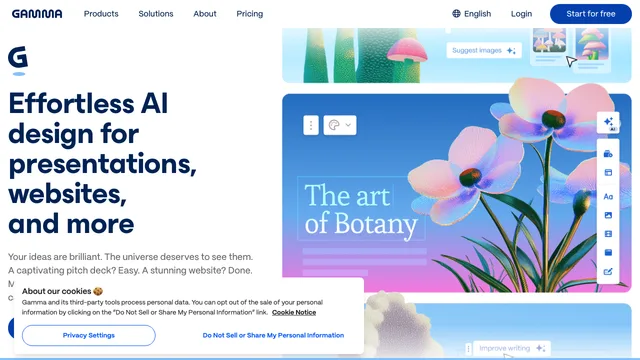
Gamma AI is a visual content platform for turning prompts, outlines and existing files into presentations, documents, webpages and social assets. Its strongest use case is creating an editable first draft of a slide deck quickly, then refining the narrative, layout, sources and brand details. This Gamma review examines presentation generation, imports and exports, collaboration, pricing, privacy, limitations and the checks users should complete before presenting generated content.
What Gamma AI creates
Gamma can start from a short prompt, a pasted outline or an imported document. It generates structured cards or slides with copy, layouts and suggested visuals. The same workspace can also produce visual documents, simple websites and social content.
That breadth is useful when one idea needs several formats, but it can also encourage teams to publish too quickly. Decide the audience, purpose and central claim before generating. Treat the result as a draft that needs editorial and factual review.
Explore Gamma's official presentation product
AI presentation maker: presentation workflow
A practical workflow begins with a specific brief: audience, desired action, length, evidence and tone. Gamma can then propose a structure, create a deck and apply a theme. Users can edit blocks manually or ask the AI agent to revise individual sections.
Review the story at outline level before polishing visuals. Remove duplicated points, make transitions explicit and ensure every slide advances the argument. A well-designed deck can still fail if its reasoning is unclear.
Gamma AI imports, themes and brand controls
Gamma can import existing material, including common document and presentation formats, then transform it into its card-based layout. Themes control typography, color and spacing. Paid and team plans add stronger branding and workspace controls.
Imports are not always visually identical to the source. Check tables, charts, speaker notes, embedded media and complex formatting. Teams should test a real company template before relying on Gamma for a deadline-sensitive migration.
AI presentation maker: export and sharing options
Official pricing information lists export options such as PowerPoint, PDF, PNG and Google Slides, depending on the current workflow and plan. Gamma projects can also be shared as links or presented directly, with analytics and advanced sharing available on higher plans.
Always test the final export on the device and presentation software that will be used. Fonts, animation, spacing and page breaks can change. Keep a PDF backup for important events and verify that public sharing permissions do not expose private work.
Compare current Gamma plans and export features
Gamma AI collaboration and analytics
Teams can edit together, organize shared work and reuse themes. Higher plans add detailed engagement analytics, custom domains, API access or administrative controls. These capabilities suit sales enablement, consulting, education and marketing teams that repeatedly turn briefs into visual communication.
Analytics show interaction, not understanding or agreement. Avoid treating viewing time as proof that a prospect accepted a claim. Define how analytics will be used and limit access to people who need it.
AI presentation maker: pricing and credits
Gamma uses a freemium model with Free, individual paid and team or business options. AI actions consume credits, and features vary by plan. The free tier is suitable for testing basic generation, while paid plans add recurring credits, branding removal, more advanced models, customization and broader organizational features.
Pricing and generation limits can change. Check the live pricing page before purchasing, particularly for per-seat billing, credit refreshes, export requirements and business commitments. Do not select a plan only by the number of slides generated.
Read Gamma's official subscription feature matrix
Gamma AI privacy, training and sharing
Gamma states that projects are private by default, with sharing controlled by the user. Its official homepage also explains that Team and Business workspace content is excluded from AI training, while individual workspaces may allow training by default with an opt-out setting.
Organizations should verify the current setting, retention policy, subprocessors and contractual controls before uploading confidential material. Remove customer identifiers and unpublished financial information when they are not needed for generation.
AI presentation maker: accuracy and design risks
Generated copy may invent statistics, citations or product claims. Suggested images may be decorative, misleading or inappropriate for the audience. Check every name, date, number and quotation against primary sources, and confirm that images have suitable rights and context.
Also review accessibility: color contrast, reading order, alt text, font size and the amount of information per slide. AI speed does not replace inclusive design or a speaker's responsibility to understand the material.
Who should use Gamma AI
Gamma is most useful for people who need fast, editable visual drafts: founders preparing pitch structures, educators creating lesson decks, consultants summarizing research and teams repurposing documents. It is less suitable when a project requires pixel-perfect PowerPoint compatibility, complex animation or strict offline workflows without export testing.
Compare it with existing presentation software using the same brief. Measure editing time, export fidelity and audience clarity rather than judging only the first generated screen.
AI presentation maker: frequently asked questions
Is Gamma AI free?
Gamma offers a free tier with limited AI usage and core creation features. Paid plans add recurring credits and advanced capabilities. Current limits should be checked on the official pricing page.
Can Gamma AI export to PowerPoint?
Gamma lists PowerPoint export among its supported options. Because complex formatting can change, test the exported PPTX before an important presentation.
Can Gamma AI import a PDF or presentation?
Gamma supports importing existing content, including common document and presentation formats. Review the converted structure, charts and formatting after import.
Does Gamma AI create websites?
Yes. Gamma can generate and publish visual webpages as well as presentations and documents. Custom domains and advanced publishing features depend on the plan.
Does Gamma AI train on user content?
Gamma's official information distinguishes individual workspaces from Team and Business workspaces. Review the current account setting and organization policy before uploading sensitive content.
Does Gamma AI guarantee an accurate presentation?
No. Generated slides require fact checking, source review, design editing and audience-specific judgment before they are presented or published.
Related tools
AI Productivity & Document Tools →
LightPDFFreemium
AI PDF editor, converter, and document chat on web, desktop, and mobile
Z.aiFreemium
A GLM-powered web assistant for chat, files, slides, apps and agent tasks.
ContextGemFree
Extract typed document data with source references using Python, LLMs and decision models.
PapermarkFreemium
Share confidential files, track readership and review documents with AI.
NovastartFreemium
Arrange real app windows, follow AI agents and share a working canvas.