

AnythingLLMFreemium
Build local or team AI workspaces with document knowledge, agents and workflows
LM Studio Local LLM Review and Hardware Guide
Download, test and serve open models locally with chat, documents and APIs
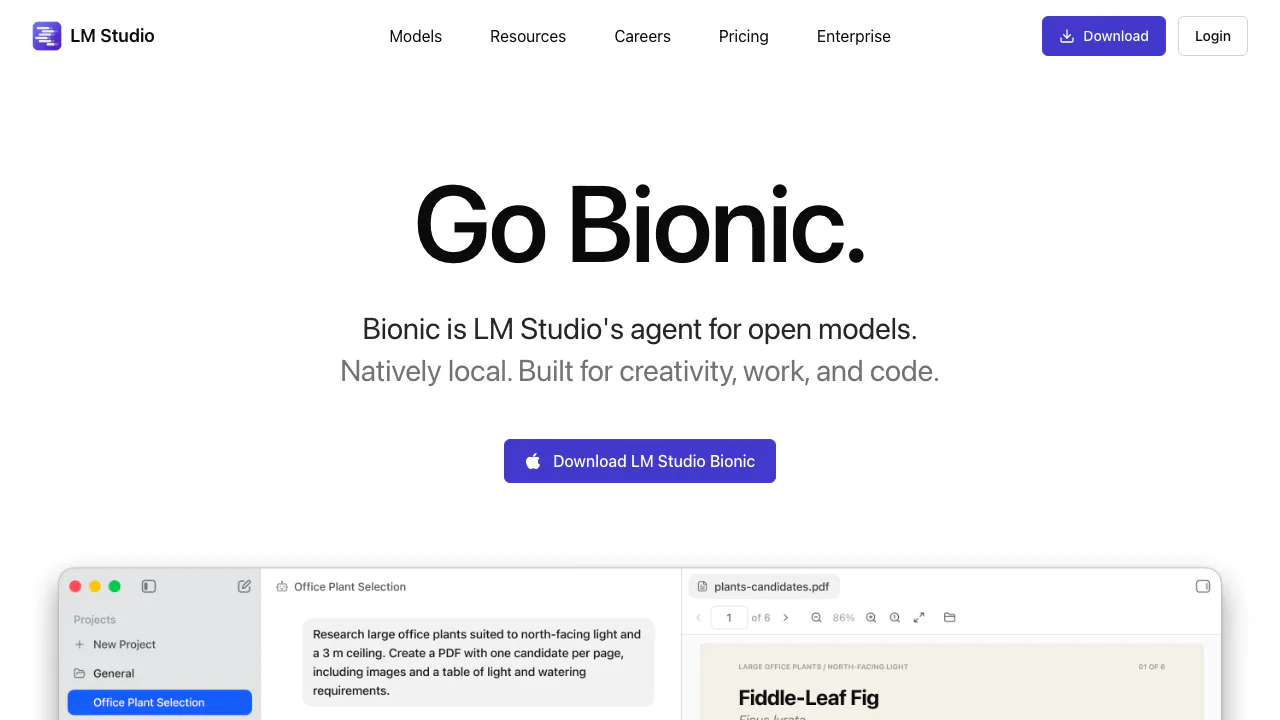
LM Studio is a desktop application for downloading, running and comparing language models on a user's own computer. It provides chat, document retrieval, model controls, a command line and local REST endpoints compatible with common API formats. Local inference can keep prompts, files and histories on the device, but privacy depends on selecting a local model and local tools rather than optional cloud models or web search.
Choose a model the machine can actually run
Start with the official system requirements, then compare available RAM or unified memory, GPU support and free storage with the model download. A parameter count is not the same as required memory: quantization, context length, cache and concurrent requests all affect usage. Begin with a smaller quantized model and modest context, close memory-heavy applications, load the model and measure response speed before downloading a much larger variant. A model that loads but swaps heavily may be impractical.
Use a harmless evaluation set: ask the same factual, extraction and formatting questions of two models, record latency and memory, and verify answers against source material. For document chat, inspect the quoted passage instead of trusting a fluent answer; retrieval can miss a page, table or scanned text. Model licenses also differ. Check the model card and license before redistributing weights, generated output or a product built on top.
Offline use, local API and paid cloud features
After the app and model files are downloaded, local chat and document workflows can operate offline. Searching for models, downloading updates, cloud inference and web search require network access. The desktop privacy policy separates on-device processing from optional cloud services, so confirm which model and tools are active before entering confidential data.
Developers can expose models through the LM Studio API, including native and compatible endpoints. Bind the server to localhost unless another device truly needs access. If network access is enabled, configure authentication, firewall rules and trusted clients; a local model does not make an exposed endpoint automatically safe.
The local app is available at no cost, while cloud inference is pay-as-you-go and other offers may change. Check the current pricing page for token prices and limits. Hardware electricity, storage and model downloads remain user costs.
Does LM Studio work fully offline?
Yes for downloaded local models and local files. Model search, downloads, updates and cloud features still need Internet.
Is LM Studio free?
Local use has a free tier. Optional cloud inference uses purchased credits; verify current terms.
Related tools
AI Assistants & Chatbots →
LightPDFFreemium
AI PDF editor, converter, and document chat on web, desktop, and mobile
Chat.shFreemium
A public help center that answers from your own documentation.
FlipHTML5Freemium
Interactive Flipbook Maker and AI Digital Publishing Platform
NINFreemium
Local chat, voice typing and approved tools in NINX, with optional app connections.
Off Grid AIFreemium
Local AI chat, documents and optional work memory on your own devices