

PapermarkFreemium
Share confidential files, track readership and review documents with AI.
Off Grid AI: A Private Offline AI Assistant
Local AI chat, documents and optional work memory on your own devices
What does Off Grid AI actually do?
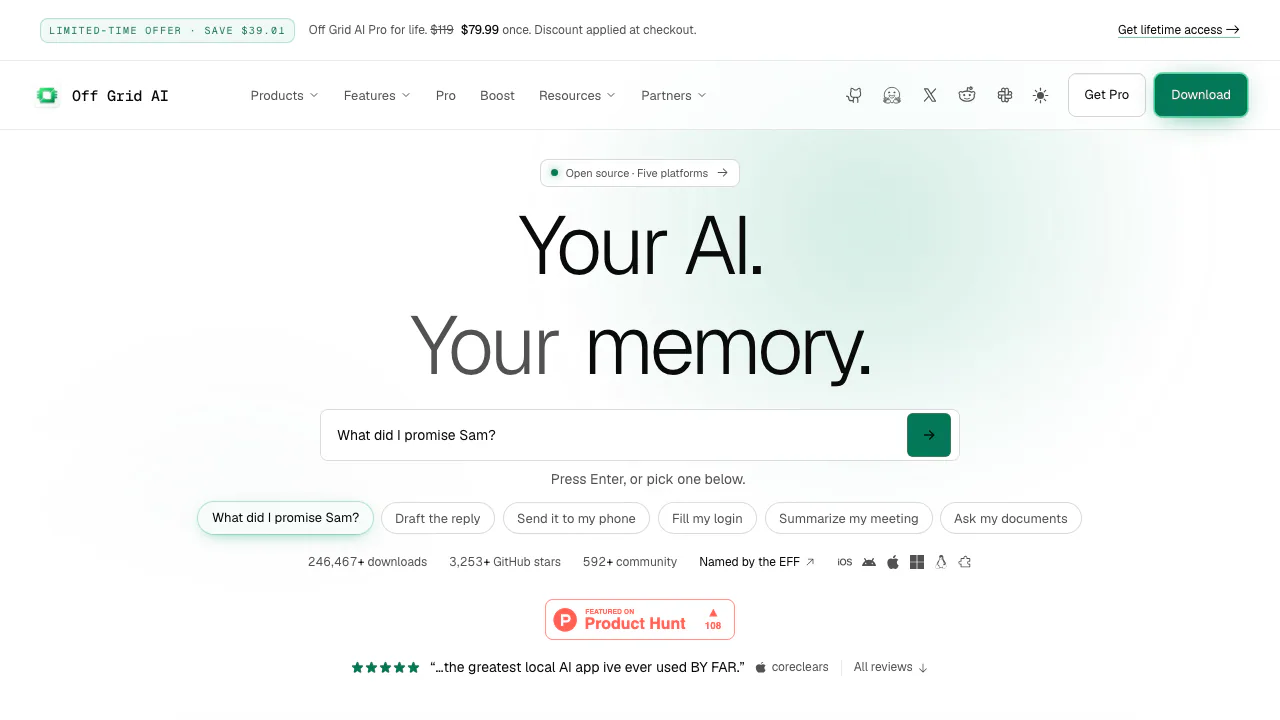
Off Grid AI is a personal AI assistant that runs models on your own computer or phone. In plain terms, you download the app and a model, then ask questions, draft text or work with your files without sending every prompt to a cloud chatbot. It is built by Wednesday Solutions. It suits people who want an assistant while travelling, studying or working with material they prefer to keep locally.
Get your first offline answer
- Install the app for your device from the official quick start.
- Open Models and download a text model that fits your available memory. On a phone, tap Load.
- Open Chat and ask a short question. After the download, disconnect from the internet and repeat to check your local setup.
Model downloads need a connection. Start with a manageable model rather than assuming the largest one will run well. Speed, response quality and language ability depend on the model and hardware; web search and remote models still need a network.
Ask about your documents and check the evidence
Projects let you ask questions from a set of documents and receive sourced answers. For recurring material, create a project, add files to its Knowledge base and wait for indexing. Ask a focused question such as “Which deadlines does this document specify?” and compare the cited passage with the original.
The Mac PDF walkthrough also describes attaching files directly to chat. Page-level citation controls depend on the installed build. Long documents may be searched for relevant passages rather than passed in full to the model, so an exhaustive list can miss items. Check unreadable scans and important claims yourself. Supported local models also enable image understanding, image generation and voice input.
Turn selected work into useful memory
Pro adds searchable work memory, meeting transcription and actions you approve. Depending on platform and release, you can recall captured screens, find meeting context, review activity or use Clipboard and Vault. Capture is something you choose, not a reason to record everything.
Desktop lists Zoom, Meet and Teams transcription, MCP connectors and supervised computer/browser tasks. Pro actions include connected services such as Gmail, Linear, Jira and Notion. You approve changes and can pause or take over. Developers can also use the desktop OpenAI-compatible local API; this is optional for ordinary chat.
What is free, and what needs Pro?
Basic local chat, document questions, vision and supported image-generation features are free without an account. Pro adds memory, approved actions and encrypted device-to-device Sync; mobile hands-free voice mode is also a Pro feature. One Pro license covers up to five devices.
Checked on 29 October 2026: Pro offers lifetime and monthly options. Current amounts are loaded dynamically and promotional displays vary, so verify the checkout price, currency and applicable taxes instead of relying on a fixed amount here.
Devices, privacy and practical limits
Downloads cover Apple Silicon Macs, Windows x64, Ubuntu 24.04+ x64, iPhone 12 or newer with iOS 17+, and Android 10+ with at least 4 GB RAM. These are entry requirements, not a promise that every model fits. Features differ between desktop, mobile, stable and preview releases.
Local models process prompts on your devices. The privacy policy distinguishes this from payment and licensing data, aggregate analytics, optional diagnostics and services you choose to connect. A remote model or web tool changes the data path. Protect your local files and backups. The terms distinguish open-source portions from paid components; check each model’s license before commercial use.
Frequently asked questions
Can I chat with AI without internet?
Yes, after downloading a compatible local model. Keep remote models and online tools out of that workflow.
Is the basic app free?
Yes. Local chat and document features are free; Pro pays for additional memory, actions and Sync.
Will it run on any phone or PC?
No. Check supported platforms and memory first, then test a smaller model. A Pro purchase does not remove hardware limits.
Official resources
- Downloads and platform builds: choose the appropriate installer.
- Guides: setup and task walkthroughs.
- Off Grid AI on GitHub: source repositories and release history.
Related tools
AI Assistants & Chatbots →
sideOSPaid
Voice commands, local dictation and tasks in your Mac apps
QuelloFree
Ask across your documents and tools, verify the sources, and write with workspace context.
NINFreemium
Local chat, voice typing and approved tools in NINX, with optional app connections.
KiwiFree
Timely reminders and everyday actions through messaging, with approval before spending
OpenCharmFree
A face, voice and push-to-talk key for the AI agent you already use.