

N8N Chat UIFreemium
Design a branded chat interface for your n8n workflows
Kiwi: a personal AI assistant that reaches out first
Timely reminders and everyday actions through messaging, with approval before spending
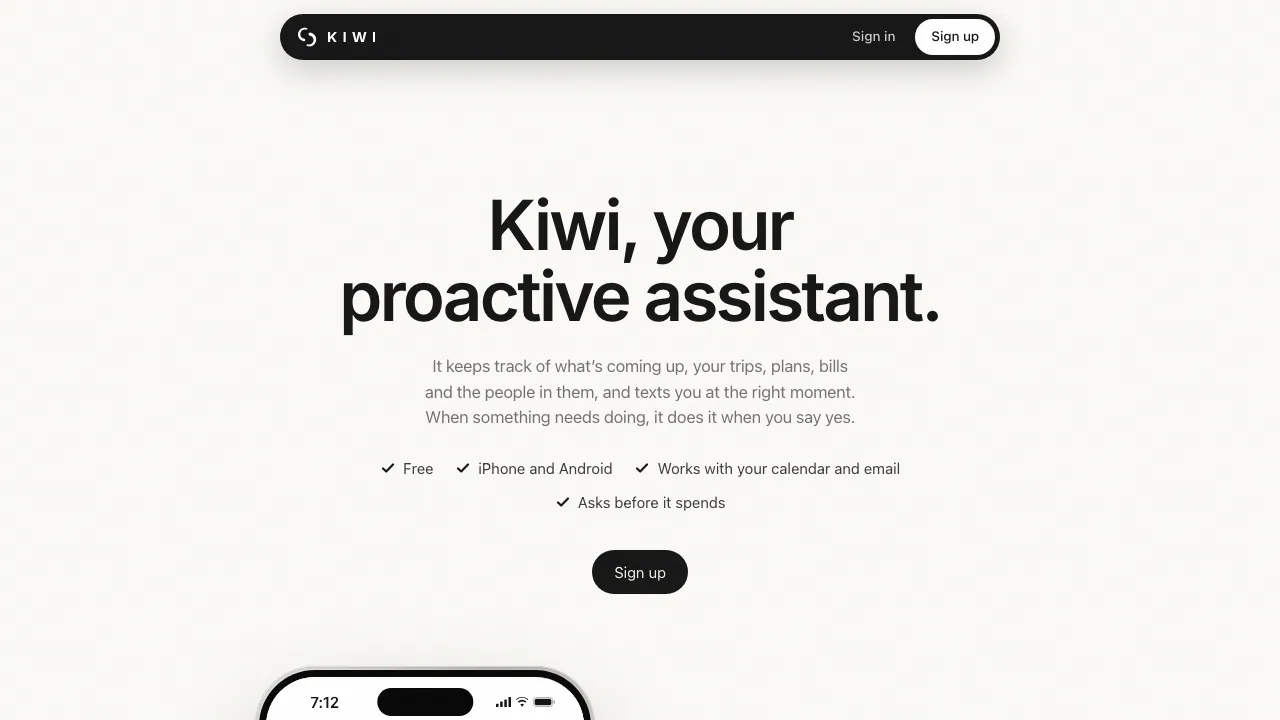
What does Kiwi actually do?
Kiwi is a personal AI assistant operated by The Nudge L.L.C-FZ. In everyday terms, you tell it what needs attention and connect relevant accounts; it uses your calendar and email to bring up the next useful action. It can message you first, rather than waiting for another question.
It is aimed at adults juggling trips, plans and personal errands. A flight change, for example, can lead to a suggestion about transport home. The examples describe advertised capabilities, not independently verified success on every task.
Timely reminders and monitoring
Reminders can arrive with the information needed to act: a meeting link, an event ticket or a flight update. Less urgent items can go into a morning summary. You can also ask Kiwi to watch for a change, such as a lower flight price, so you do not have to keep checking manually.
Give a precise condition, date and destination when asking for monitoring. Demonstration fares are examples, not current offers; the public page does not establish a guaranteed checking interval.
From a suggestion to a confirmed action
Kiwi advertises booking, ordering, delivery changes and replies across connected services or websites. Spending and messages to other people wait for your agreement, with the price shown before payment. It can add your own plans to your calendar and set reminders without repeating that approval step.
Before agreeing, check the time, recipient, location and cost. The homepage says bookings are called complete only after the provider confirms them. Keep the provider confirmation and review the result: third-party restrictions or AI errors can still prevent a task from working as intended.
Start with one message
- Open the official sign-up choices and select your phone.
- Send the prefilled “Hi Kiwi” message through Messages on iPhone or WhatsApp on Android, then answer the setup questions. iPhone users can choose WhatsApp too.
- Once access is granted, authorize only the calendar or email connections needed for your task.
- Start with a specific reminder or travel task, review any proposed external action, and check its final confirmation.
Sending the first message does not guarantee immediate access: the terms currently specify invitation-only entry.
Free access, costs and practical limits
Checked on October 28, 2026: Kiwi is currently free, subject to limits it sets. The service terms do not publish a numeric allowance and permit future paid plans with agreement. Merchant purchases and bookings still cost money; provider cancellation and refund rules apply, and Kiwi may receive a commission.
Access is for people aged 18 or over. The license is personal and non-commercial, and the service is in early development. Regional and language availability are not fully documented. Kiwi Band is announced for later, not available now.
Your email, accounts and privacy
The site names Google Calendar, Gmail and Outlook among its connections. The privacy policy describes authorized Google Gmail, Calendar, Contacts and Tasks access, while excluding Drive, Docs, Sheets and Slides.
Kiwi says conversation and connected-account content is not used to train general-purpose AI models, and personal data is not sold. It describes encrypted saved passwords that its AI cannot see. This remains a cloud service: model and browser providers process relevant task data, potentially internationally. You can disconnect accounts and delete information or your account; backup deletion follows backup cycles.
Frequently asked questions
Is Kiwi free to use?
Currently yes, with invitation access and unspecified usage limits. Third-party purchases remain payable, and the terms allow future pricing changes with agreement.
Do I need an iPhone?
No. Android onboarding uses WhatsApp; iPhone offers Messages or WhatsApp. The homepage says messaging can be used without installing a separate app.
Can Kiwi manage my calendar and email?
Yes, through accounts you authorize. Check the connection permissions; Google access does not include every Workspace file or app.
Official resources
- Current subprocessors: inspect which providers handle messages, AI and website tasks.
- Official support: support@heykiwi.co for account help and data requests.
Related tools
AI Assistants & Chatbots →
AI BridgeFreemium
Organize real coding CLIs, approvals and resumable workspaces in one Mac app.
TheySaidFreemium
Understand product friction with AI-moderated studies and feedback you can inspect.
Strawberry BrowserFreemium
A desktop browser with AI companions for research, recurring work, meeting notes and reviewed actions across your tabs.
JevModelFreemium
Turn text or JSON into labels, scores and probabilities with Jev.
OpenStatusFreemium
Open-source monitoring, status pages and reviewed AI incident workflows