

WavefunctionFree
Parallel coding tasks with your own cloud or local models.
Nana: Windows Terminal for AI Coding Agents
Run coding agents side by side with worktrees and persistent terminals.
What does Nana actually do?
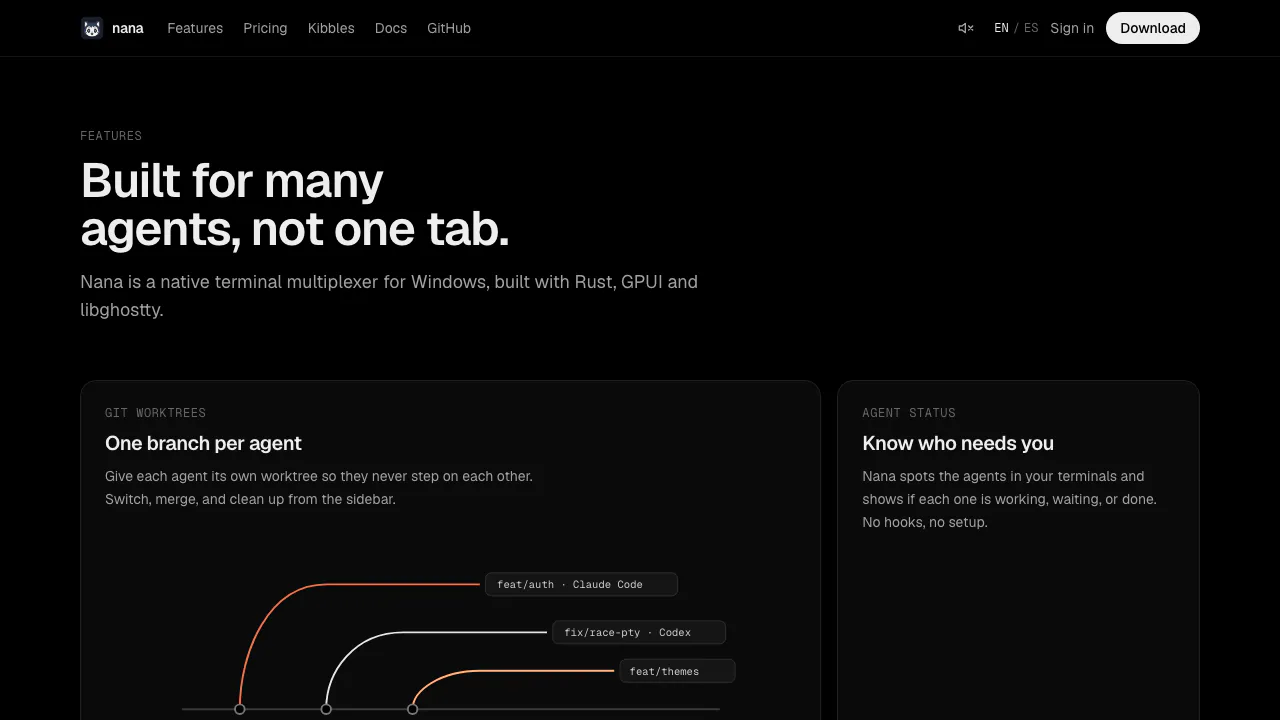
Nana is a Windows terminal for AI coding agents. It puts the command-line tools you already use, such as Claude Code, Codex and OpenCode, into one workspace with tabs, split panes, Git worktrees and code review. Think of it as a control desk: one agent can work on a feature while another tackles a separate fix, and you can see which session needs a reply.
Nana does not provide its own coding model. Install and authenticate your preferred agents separately. It suits developers who already work with Git and want to manage several tasks without constantly hunting through terminal windows.
Give each coding task its own worktree
A Git worktree is another checkout of the same repository in a separate folder, normally on its own branch. This separates agents' working files while sharing repository history. It does not remove the need to review changes when branches come together.
For a first parallel workflow:
- Install the Windows x86_64 MSI from the official releases. It is a per-user installation without administrator rights.
- Choose Add Project, or press Ctrl+Shift+O, and select your repository.
- Enable Worktrees → Show Worktrees in the project menu. Choose New Worktree… for each independent task and create its branch.
- Open a terminal in each worktree and start an installed agent, for example
claudeorcodex. - Use Ctrl+Shift+D for a right split or Ctrl+Shift+Alt+D for a lower split. Review each branch's results and run its tests before merging.
Each checkout still needs dependencies and build outputs. Assign different ports to simultaneous development servers. The official parallel-agent guide explains the full setup.
Notice waiting agents and review what they changed
Nana recognizes supported agent processes and shows Working, Waiting or Idle on tabs, worktrees and projects. Notifications can take you back to the pane that needs attention. Detection is best effort; Idle is a session state, not proof that a task passed its tests.
The Review tab displays current diffs, previous commits and stashes. Inspect changes before committing. GitHub pull request features require an authenticated gh CLI on the project's server; the documented Create PR path also requires a GitHub remote named origin. An existing AI CLI writes commit or PR text, while Nana performs the Git actions.
For longer instructions, open the composer with Ctrl+Shift+I. Attach files or images, then send to the active terminal or choose Send to All Split Panes for visible live terminals. Check recipients before retrying a failed broadcast because some panes may already have received it.
Keep sessions alive and use an SSH development host
Terminals run in nana-server, so quitting the desktop window preserves running sessions. Stopping the server, ending the program or closing its last pane ends a session. Persistent history does not mean a process survives a server restart.
For remote projects, choose Remote → Add Server…, test the SSH connection, then use Add Project → Remote. Supported hosts include macOS 14+ and Linux with glibc 2.35+, on x86_64 or ARM64. Versions must speak a compatible protocol; musl Linux is unsupported. Some Linux hosts need lingering enabled to retain processes after logout. See the remote-server requirements.
Nana also offers a CLI for sessions and worktrees, reusable layout files, and Kibbles extensions for panels and commands. Review an extension's permissions before enabling it.
Free beta, licensing and saved terminal data
Checked on November 5, 2026: the public pricing page lists all current features at USD 0, with unlimited projects, terminals and agents. Future paid plans are announced without prices. Your agent subscriptions or API usage remain separate.
The current native release is proprietary; the older MIT-licensed Electron edition is a different branch. Consult the current license before redistribution or modification.
The server saves terminal screens and scrollback to disk, and remote attachments are uploaded to the selected host. The server documentation says ended sessions and saved output are removed after seven days. These facts do not establish a comprehensive telemetry or model-training policy. Data sent by an agent is also governed by that agent and its provider.
Frequently asked questions
Is Nana free, including the AI?
The current Nana beta is free. It does not include free usage of Claude Code, Codex or other model services; use your existing access and billing arrangements.
Can I mix Claude Code and Codex?
Yes. Nana recognizes both, plus OpenCode and other documented agents. Give separate coding tasks separate worktrees and inspect the results before merging.
Can I install the desktop app on a Mac or phone?
The documented desktop package targets Windows 10+ x86_64. Linux and macOS are remote-server targets; iOS and Android companions are marked coming soon.
Is Nana an open-source coding model?
No. It is a proprietary terminal that runs existing agent CLIs. Its GitHub repository distributes releases and accepts issues.
Official downloads and help
- Windows releases: installers and release notes.
- Nana documentation: setup, CLI, layouts and extension guides.
- Issue tracker: search known problems or report your version and Windows details.
Related tools
AI Coding & Developer Tools →
Navier AIPaid
An engineering agent for CAD, simulation, code and reports
One RoofFree
Bring coding-agent sessions, approvals and bounded loops into one Mac app.
FlockbayFreemium
Build and playtest editable Godot games with AI
AgentMashFreemium
A shared workspace that tells coding agents what teammates are changing before their work overlaps.
FayleeFreemium
Record a web bug once and share its screen, console, requests and steps with your team or coding agent.