

NanaFree
Run coding agents side by side with worktrees and persistent terminals.
Flockbay: an AI game maker built on Godot
Build and playtest editable Godot games with AI
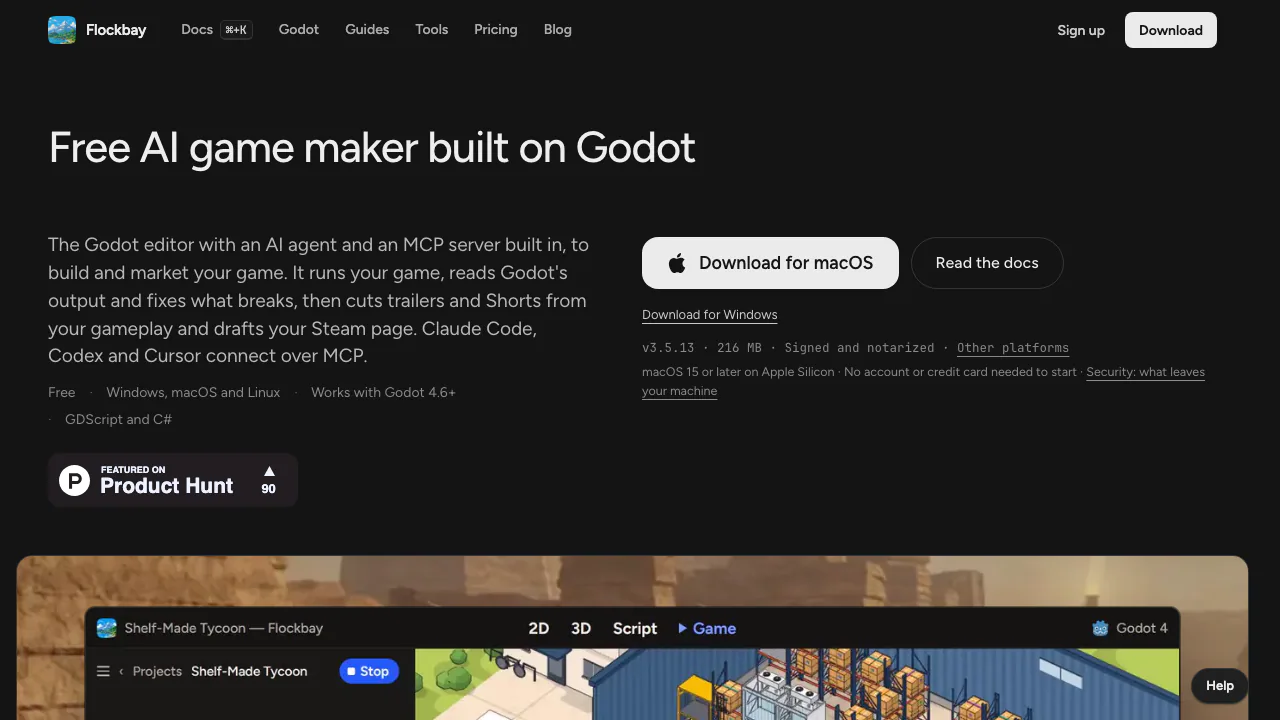
Flockbay is an AI game maker for people who want a real Godot project they can inspect, change and play on their own computer. It combines the official Godot editor, an AI agent and a local MCP server, with tools for preparing a game’s launch materials as development progresses.
What does Flockbay actually do?
Think of a game editor with an assistant working beside you. You describe a change, such as adding a character’s movement or fixing a broken interaction. The AI writes scripts and scenes into your project, runs tools to check its work, and shows the changed files. You play the result and decide what needs improving.
It supports 2D and 3D work, GDScript and C#. The output remains an ordinary Godot folder that stock Godot can open. This makes it useful for adult solo developers and learners who want help implementing ideas while retaining access to the code. AI output still needs human review and testing.
Build, inspect and play a Godot project
The official quickstart follows a practical loop:
- Install the desktop app and open an existing
project.godot, or create a blank/template project with a name, folder and 2D/3D setting. - Choose the daily free Demo model or a supported AI account/key. For an existing game, use Ask to explain its scenes, autoloads and main loop before changing anything.
- Request one small, testable change in Build. Read the file receipt and diff when the turn finishes.
- Press F5 for the main scene, F6 for the current scene and F8 to stop. Check the interaction and Godot’s output; revert a file or the whole turn if the change is wrong.
Windows 10/11 on x64 Intel/AMD, macOS 15+ on Apple Silicon and x86_64 Linux are supported. AI building needs internet; playing an already built game runs locally. Hardware requirements follow the renderer: the docs list 4 GB RAM minimum and recommend more headroom for the editor and chat.
Give your coding agent access to the running game
The agent can read parse errors and stdout, run headless checks, inspect the scene tree, send input events and capture the viewport. Those tools provide feedback beyond a text-only code suggestion, but a successful run does not establish that the game is fun or finished.
To use an existing external agent, open Connectors → Connect your agent (MCP) → Set up → Turn on, then copy the client-specific setup line. The MCP connection guide covers Claude Code, Codex, Cursor and other compatible clients. You can continue inspecting scripts in Godot or your own editor.
Make 3D assets with explicit limits
The modeler turns an AI-written shape specification into GLB meshes, materials and optional skeletons under assets/Models/, without a generation key or per-model charge. Its editable specification remains beside the model. It produces a sculpted style rather than textured photorealism; supplied movement clips are limited to humanoids, whose models travel to the server for animation fitting. Provider-generated 3D is a separate route using your own Tripo key.
Prepare gameplay videos and a Steam page
Publishing tools prepare Steam copy, capsules and other fields as a ZIP for you to review and upload to Steamworks. Website work produces ordinary HTML, CSS and JavaScript with ZIP export and optional hosting. Video studio uses your gameplay for devlogs, trailers and Shorts. Social scheduling and ad tools extend that workflow; campaigns launch when you press Launch and ad spend belongs to your own platform account. Feature access depends on the plan.
What is free and when do plans matter?
Checked on 4 November 2026: Free includes the editor, Play, export, daily hosted Demo usage and the own-AI path. Demo resets at 00:00 UTC; it is an allowance, not unlimited AI. Free also includes one Video studio video and manual Steam-page/website ZIP preparation.
The site displays monthly Hobby at $20, Indie Developer at $60 and Studio at $200. Plans add hosted usage and publishing features; trailers, ads and scheduled posts start at Indie Developer. Your own AI provider’s charges and limits still apply. Check the current pricing and checkout conditions for currency, taxes and precise access before paying.
Local files, AI data flows and rights
Local project storage does not mean offline AI. Hosted requests send messages and needed project context through Flockbay to the model provider; its security page states that sent message text is retained for 90 days. Your own AI uses its provider, while the first message of a new game and asset-generation requests still reach Flockbay. Review the documented data flows before using confidential material.
The service is operated by 9560-9970 Québec inc. and is for adults 18+. Flockbay’s app is proprietary, while Godot is open source. You keep your content subject to third-party rights and must check code, plugins, art and audio licences before release; the terms do not guarantee a finished or commercially successful game.
The AI runs scripts on your computer. Review permission modes and your agent’s settings because they affect approvals and file access.
Frequently asked questions
Is Flockbay free?
Yes: the app, editor and export are free, with a daily hosted AI allowance. Optional plans add usage and features; bringing your own provider does not remove that provider’s costs or limits.
Can it make 2D and 3D games?
Both are supported through Godot. Plan to iterate on scripts, scenes and assets, then playtest the result yourself.
Can I use my own coding agent?
Yes. Compatible MCP clients can work on the open project through Flockbay’s local tools after you enable the connection.
Official resources and developer community
- Documentation: installation, projects, debugging and export.
- Official Discord: questions and bug reports.
- Flockbay on GitHub: public plugins and agent connectors; the desktop app itself is closed source.
Related tools
AI Coding & Developer Tools →
WavefunctionFree
Parallel coding tasks with your own cloud or local models.
Navier AIPaid
An engineering agent for CAD, simulation, code and reports
AgentMashFreemium
A shared workspace that tells coding agents what teammates are changing before their work overlaps.
FayleeFreemium
Record a web bug once and share its screen, console, requests and steps with your team or coding agent.
Revix AIFreemium
Repository-aware AI code review for your team’s standards