

walkai-talkaiPaid
Voice commands for coding agents, with replies over radio
SpeechFast: Mac dictation with local AI cleanup
Dictate into Mac apps, with local recognition and optional Apple Intelligence cleanup.
What does SpeechFast actually do?
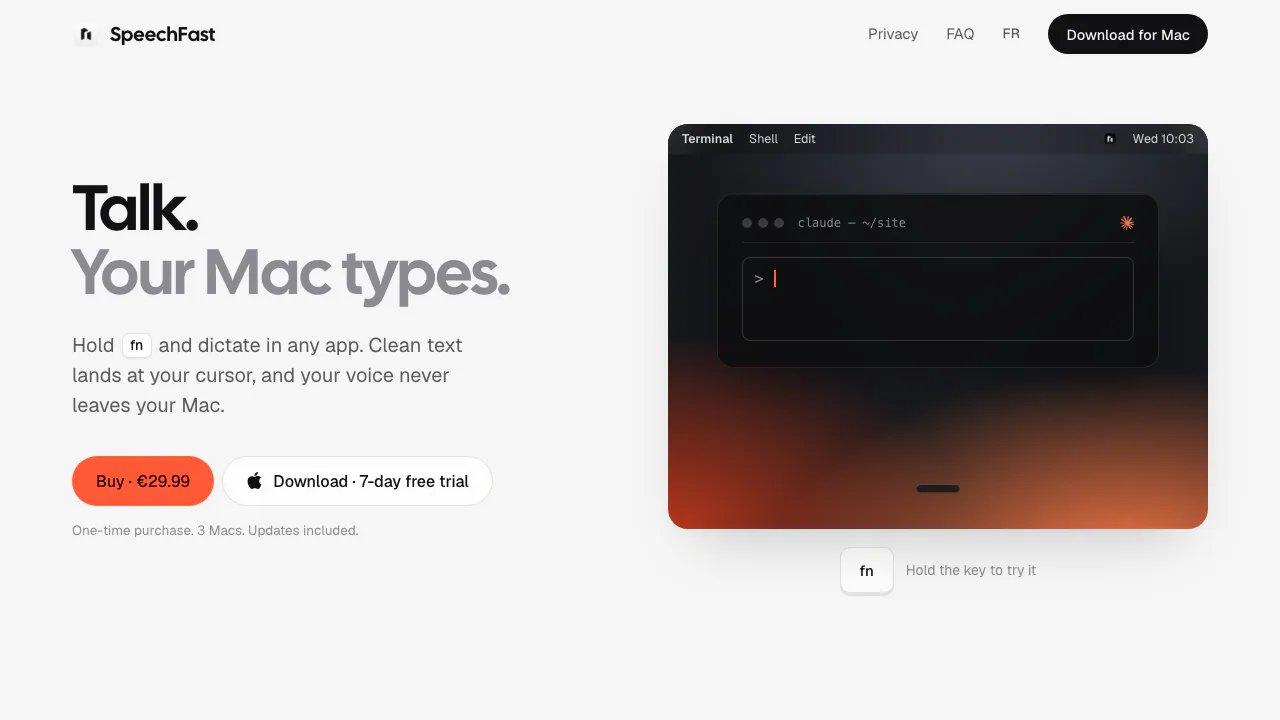
SpeechFast is a Mac dictation app: you speak, and your words become text in the field where your cursor sits. It is useful for drafting email, chat messages, notes and prompts without typing every sentence. Speech recognition runs on your Mac; Apple Intelligence can then remove verbal clutter before the result is inserted.
The website supplies the desktop app rather than a browser recording workspace. The verified workflow is live voice typing. The public pages reviewed do not establish audio-file transcription, meeting speaker identification, subtitle exports or a developer API.
Turn a spoken draft into usable text
SpeechFast cleans up fillers, repeated phrases, false starts and punctuation. That makes it relevant when you know what you want to say but would otherwise spend time deleting the “um” and restarting sentences. You can dictate in the text fields of apps such as Mail, Slack, Notion or a coding assistant.
Cleanup depends on Apple Intelligence being available. If it is switched off, SpeechFast inserts the transcript without that cleanup pass. Review names, numbers and important instructions before sending; local processing does not guarantee perfect recognition.
How to dictate in another Mac app
- Check that you have an Apple Silicon Mac, M1 or newer, running macOS 26. Download the app and finish its first-launch setup and model download.
- Configure the requested Accessibility access. SpeechFast uses it to detect the shortcut across apps and insert text, saving and restoring your clipboard around the paste.
- Put the cursor in your destination field. Hold fn, speak, and release to process the recording and insert the text.
- For a longer message, use Shift + fn for hands-free listening, then tap fn to finish. Press Esc to cancel.
- Read the inserted text and correct it before posting or running a dictated command.
If fn opens the emoji picker, the first-launch guide opens the relevant keyboard setting so you can set the Globe key to “Do Nothing.” Right Command is another supported shortcut.
Pick a local recognition engine
- Parakeet: the default, with automatic detection of 25 European languages. The site explicitly names English, French, German and Spanish. Its one-time download is about 600 MB; the advertised release-to-text time is about one second, rather than a guarantee for every recording.
- Cohere Transcribe: an optional local engine positioned for accuracy, with a 2 GB download and a few more seconds of processing per sentence.
- Apple: macOS on-device transcription with one fixed language selected in settings.
Engines can be changed in Settings. A multilingual directory page does not establish recognition support for all of those languages. Check your actual language during the trial, especially if it is outside the verified Parakeet examples.
Local dictation, history and network activity
According to the official privacy policy, audio is held only in memory while being transcribed and is never saved or uploaded. Dictated text remains in local history for 30 days by default; you can shorten retention, disable history or erase it.
The speech and cleanup work can run offline after downloading the models. Other activity still uses the network: model downloads, activation or deactivation through Polar, and update checks. License activation sends the key and Mac name; the policy says there are no background license checks. Daily update checks can be disabled.
The app also sends usage events to EU-hosted PostHog. These exclude audio and dictated text but include a random identifier, processing duration, engine, word counts, destination app name and settings or license events. Consider that distinction if you require more than local content processing.
Trial and one-time purchase
Checked on October 20, 2026: the public site advertises €29.99 once, with updates included. The seven-day trial includes all features and requires neither an account nor a credit card. Dictation stops when the trial ends until a license is activated; history and settings remain.
Polar handles payment, invoices and applicable taxes. The checkout determines the final charge; this euro price is not a converted US price. Read the purchase and license terms for the personal license and refund process.
Frequently asked questions
Can I use one license on several Macs?
Yes, on up to three Macs at the same time. To move an activation, deactivate the old Mac under Settings › License. The personal key may not be shared, resold or redistributed.
What if I dictate without selecting a text field?
SpeechFast puts the result in your clipboard and local history. Select the intended destination and paste it there, checking the text first.
Is SpeechFast free forever?
No permanent free dictation tier is documented. The free offer is a full-feature seven-day trial, followed by license activation to continue dictating.
Official resources
- Product FAQ: requirements, shortcuts and activation questions.
- SpeechFast support: setup, licensing and refund requests; refunds are processed through Polar.
Related tools
AI Speech-to-Text Tools →
sideOSPaid
Voice commands, local dictation and tasks in your Mac apps
LoquiFreemium
Speak naturally and insert polished text into the app you are using.
OpenbrocaFreemium
Dictate, refine, and translate text in your Mac apps.
IncrediblePaid
Delegate browser, app and file work by voice or text.
Willow VoiceFreemium
Dictate into your apps or turn spoken ideas into a complete draft.