

Off Grid AIFreemium
Local AI chat, documents and optional work memory on your own devices
Overmind: fine-tuning models for your AI agents
Prepare agent data, fine-tune models and measure the result.
What is Overmind, in plain language?
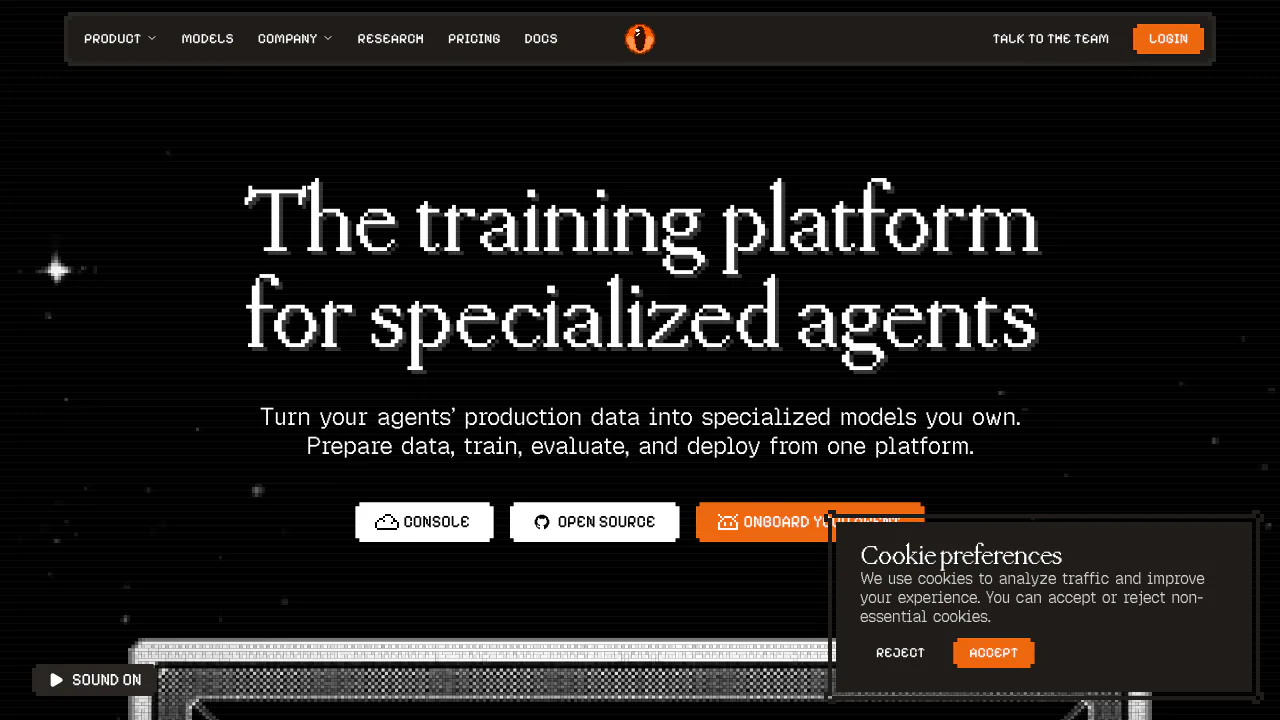
Overmind helps engineering teams turn examples of an AI agent’s work into a model trained for that task. Instead of assembling separate tools for traces, datasets, fine-tuning and deployment, you can connect those stages in one platform. Typical goals include classifying messages, producing structured answers or improving tool-call behavior. It is intended for teams building AI applications and agents; a finished training run still needs evidence that it works better.
Find failures and build a reusable dataset
Link repository capabilities to production traces to inspect prompts, tool calls, token use, latency and cost. Collection options include the Python SDK, OpenTelemetry and imports from Langfuse, LangSmith, Braintrust and Galileo.
Data Workshop accepts traces, uploaded files or API rows. Your coding agent can write Python preparation steps that Overmind runs in a sandbox. Versioned cells preserve changes, while downstream runs pin their input. Check duplicates, truncated examples, leakage and task coverage before training.
Compare evidence before changing the model
Use evaluation sets with model judges and deterministic checks to compare candidates against a baseline on the same data. Inspect sample failures and missing outputs alongside scores. Classification tasks can expose precision, recall, F1 and confusion matrices. Overmind also supports experiments on prompts, tools and code, so training is one improvement path rather than the only action available.
Run a first fine-tuning experiment
The official language-model walkthrough provides a concrete starting path:
- Connect your coding agent, select a project and supply examples with the answers you want.
- Prepare training, development and held-out data separately; define what counts as a correct output.
- Review model compatibility, the supported training method and expected compute cost before launching.
- Follow training, then compare the base and trained models on the same held-out examples. Inspect errors as well as improvements.
LoRA and full fine-tuning depend on the selected model. Lower training loss alone does not establish better task performance.
Serve the result and keep the weights
Chat models can be called through an OpenAI-compatible endpoint. A ready deployment and switching a capability alias are separate decisions; verify the endpoint and application behavior before sending traffic. Download weights and checkpoints through Console or CLI for hosting elsewhere. Native decision models use a different, typed probability contract rather than chat completions.
Free access, paid compute and credit limits
The pricing page, checked on 29 October 2026, lists public dollar prices:
- Free: $0/month, one seat per project, all features and a one-time $50 credit.
- Pro: $120/month, $120 credits each month, unlimited seats and priority support.
- Enterprise: custom terms and support.
Training, Overmind inference, evaluation and optimizer runs consume credits. Trace collection, dataset preparation and Console, CLI and MCP access do not. One credit is $0.01; unused credits do not expire. Review the selected model’s estimate and ongoing serving cost separately.
Self-hosting, licences and data boundaries
The platform can run with Docker Compose, but its current supported training backend is Modal. Hosting the application yourself does not make GPU training fully local. The licensing guide distinguishes the AGPL-3.0 platform, MIT SDK/CLI and paid commercial alternative.
The privacy policy explains that selected model, evaluation, training and inference providers may process workflow content. Revoking a connected client’s authorization does not delete previously stored content. Review those conditions before submitting production examples.
Frequently asked questions
Can I start with a file instead of production traces?
Yes. Data Workshop accepts uploaded files and API rows as well as traces. Prepare task-specific examples and verify their compatibility with the chosen model.
Does Free include unlimited training?
No. Free includes every feature and a one-time credit, while training and inference consume credits. Additional paid execution needs an available balance.
Does self-hosting mean fully offline training?
No. The platform can be self-hosted, but the current training path depends on Modal and configured external services. Downloading weights gives you another hosting option.
Official resources and developer community
- Connect your coding agent: connection and project checks.
- Overmind on GitHub: platform source and issues.
- Official Discord: community support.
- Talk to the team: technical and enterprise questions.
Related tools
AI Model Training & Fine-Tuning →
PaddockFree
Linux computers and controlled sandboxes for coding agents on your own VPS.
ContextGemFree
Extract typed document data with source references using Python, LLMs and decision models.
tabshFree
Keep local shells, coding agents and project status together in your browser
TelegramFreemium
Cloud messaging for personal conversations, communities and connected bots.
NuvioPaid
Nuvio AI accounting software for small businesses