

FayleeFreemium
Record a web bug once and share its screen, console, requests and steps with your team or coding agent.
ResourcesHunt: useful websites, tools and resource collections
Find useful websites, compare resources and keep related discoveries in collections.
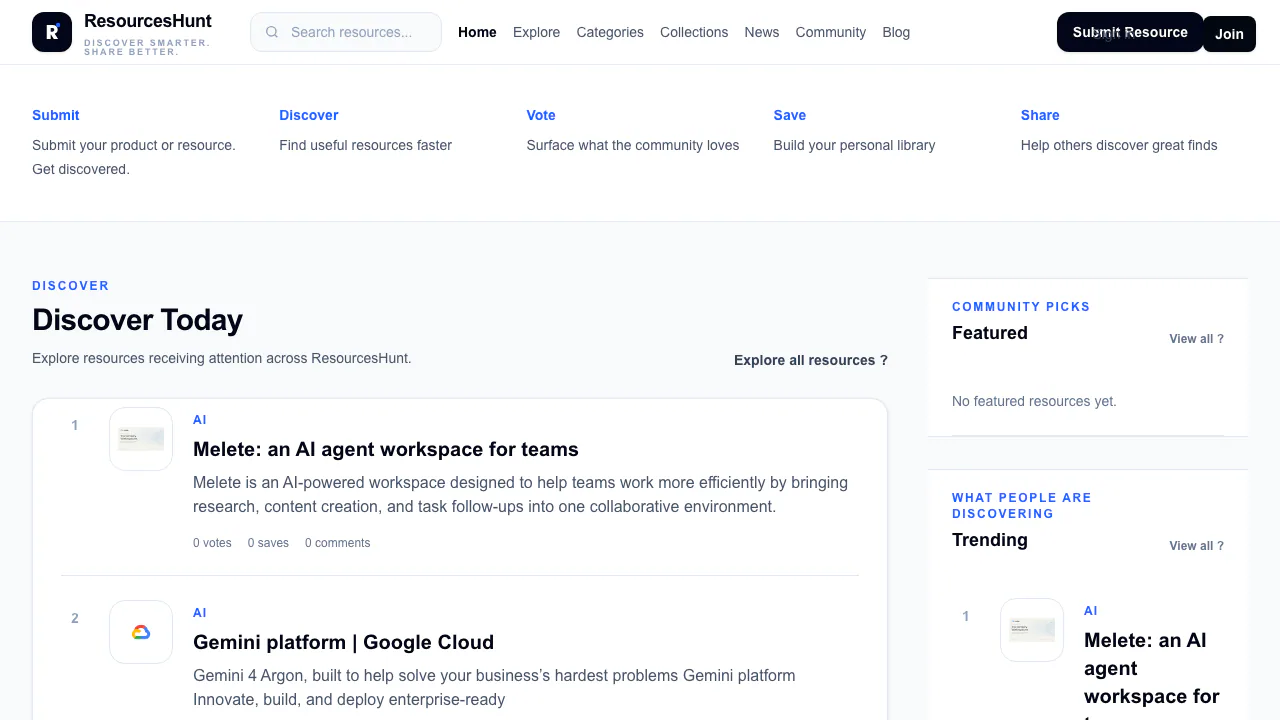
What is ResourcesHunt, in plain English?
ResourcesHunt is a website for finding other useful websites, tools and learning resources. Think of it as a resource directory with personal collections and community participation: you browse possible solutions, investigate a promising resource and keep the link for later. It can help a student assemble study materials, a designer shortlist tools or a developer explore resources for a project.
The catalogue covers AI, Data Analytics, Programming, Design, Business, Education, Finance and Career. AI is one subject within the directory. The verified workflow is discovering and organizing resources; this listing does not establish that ResourcesHunt itself generates images, writes code or performs the tasks offered by the sites it links to.
Find useful websites for a specific task
Start with a concrete task, such as finding a design tool or a programming learning resource. Open Explore, enter a relevant search term or choose a category. The page offers Trending, New, Top and Most Saved views, which provide different ways to browse the catalogue.
Read the description and available tags, pricing information and community context before opening the original website. Votes and saves can help you decide what to inspect, but they do not establish that a tool suits your requirements. Check the provider's current plan, supported features and usage conditions, then save candidates worth revisiting. The useful result is a shortlist you have checked, rather than an unexamined list of popular links.
Separate directory access from the price of a tool
At the 19 October 2026 public-page check, browsing did not require a payment step. A consumer subscription table, fixed account quotas and a permanent free-use guarantee were not established. The separate advertising page offers sponsored resources, featured placements and content promotion, with campaign details discussed individually. External tools retain their own prices and policies.
Turn discoveries into a reusable collection
The collections page offers topic-based discovery and a sign-in entry point for creating your own collection. Group resources around a purpose—course preparation, a design project or a set of development tools—so that the next visit starts from a manageable selection.
ResourcesHunt describes both private and public collections. Choose the intended visibility before sharing and check which resources belong in the public selection. Its privacy policy covers account information, saved resources, collection details and technical usage data. Public contributions may be visible on the internet; private collections are intended for your account and authorized functionality. Saving a resource should not be treated as a promise of an offline copy or browser bookmark synchronization.
Recommend a resource or ask the community
You can ask questions and discuss recommendations through the community. To suggest a resource, use the site's Submit Resource route and sign in when prompted. Submissions are reviewed; a submission does not guarantee acceptance, a particular position or immediate publication. Provide material you are entitled to share and review the submission and content terms.
Questions before you start
Is ResourcesHunt free to use?
Public browsing was accessible without payment at the latest check. That does not establish unlimited free account features, and it does not make the linked products free. Check any account conditions and the original provider before committing.
Can students find learning resources here?
Yes. Education is one of the directory subjects, alongside areas such as Programming and Data Analytics. Use it to find candidates, then check the learning level, language and access conditions on the source website.
How can I share a collection without making everything public?
ResourcesHunt describes private and public collections. Sign in to create a collection, select the intended visibility and share the public selection. Check the contents before publication; public collection information can be visible to other users.
Official help and next steps
Related tools
Tool & Resource Directories →
fastbrowseFreemium
Give AI agents a browser and inspect the evidence.
VaaniPaid
Build multilingual calling agents with business knowledge, tools and memory.
CluinnPaid
Ask during calls, follow up afterwards and dictate into any Mac app.
Norah StudioFreemium
Separate songs, practise passages and export stems or MIDI on your Apple device.
NuvioPaid
Nuvio AI accounting software for small businesses