

TheySaidFreemium
Understand product friction with AI-moderated studies and feedback you can inspect.
Strawberry Browser: an AI browser that works in your tabs
A desktop browser with AI companions for research, recurring work, meeting notes and reviewed actions across your tabs.
What is Strawberry Browser, in plain English?
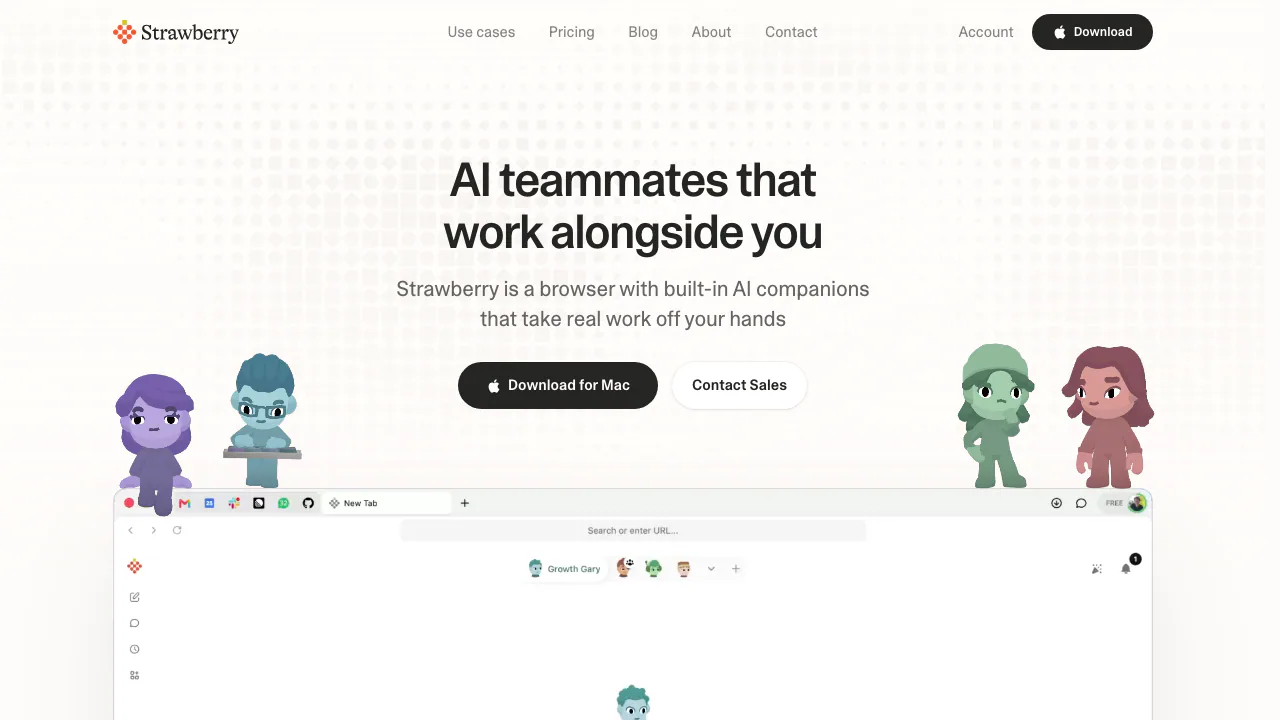
Strawberry Browser is a desktop AI browser with built-in assistants called Companions. You open websites and sign into your accounts, then ask a companion to do a defined piece of work: compare suppliers, collect company information into a table, or prepare a follow-up email. It can read pages and operate websites as well as answer questions.
Think of it as sharing your browser workspace with an assistant. You supply the goal, relevant context and permission; the companion handles research and repetitive steps while you check the result. Strawberry Browser Inc. offers the desktop app for macOS and Windows. Its value is easiest to assess with a real, bounded workflow rather than an open-ended promise to automate everything.
Research across tabs and deliver something usable
Sales, recruiting and operations work often involves finding information in one place and entering it somewhere else. Strawberry can navigate pages inside your existing signed-in browser session, or use a connected app when that is a better route. Gmail, Slack and Notion are examples listed on its pricing page.
A useful first assignment is a supplier comparison. Specify the region, selection criteria, fields and output destination. For example, ask for five suppliers with their minimum order, delivery estimate and source page, marking unpublished prices as requiring a quote. This is a suggested task design: check the returned evidence before treating the shortlist as a purchasing decision.
The official browser-agent description says it asks before sending or changing a record. The homepage also describes configurable permissions by app and action. Review those settings, inspect drafts and keep approval points around changes to business systems.
Repeat a tested process with Routines
Routines combine a trigger, instructions and a companion. They can start on a schedule or after an event in a connected app. A weekly pipeline review, for example, can identify items needing attention and prepare follow-up drafts. Each run appears in a chat so you can inspect its work; a saved skill can supply a repeatable method.
Start by running the task once and adjusting the instructions. Then schedule the version that produces useful results. There is a significant operating condition: the official Routines guide says Strawberry must be open on your computer. Tasks that fall due while it is closed wait until you reopen it. Account for that before relying on a recurring deadline.
Turn meetings into decisions and follow-ups
Strawberry can record Google Meet, Zoom and Microsoft Teams meetings, or an in-person conversation through your microphone, without adding a meeting bot to the call. The transcript attaches to a companion chat. You can then request a recap, decisions, action owners or a follow-up email draft, and ask about earlier recorded discussions.
For a useful handoff, ask it to separate confirmed decisions from unresolved questions. Check names, numbers, ownership and any deadlines before sharing the output. Obtain the appropriate permission to record and process the conversation; the absence of a meeting bot does not resolve those requirements.
Make visual drafts from the same context
Companions can turn supplied data or web material into charts, tables, slide drafts and one-pagers. Tell the assistant who the deck is for, what decision it should support and which sources to use. Revise the outline or chart after the first version rather than assuming the initial draft is ready to present.
Charts can switch to tables for checking exact values, copying or exporting. The product also describes image creation/editing and short video generation. The reviewed feature pages do not establish an exhaustive list of export formats or a fixed credit cost for each output. Memory across chats helps retain useful project details and preferences, but changed requirements should still be stated explicitly.
Install it and complete your first task
- Use the official desktop download page for the appropriate macOS or Windows version.
- Bring over the browser data you need, such as bookmarks, passwords and extensions, and sign into the necessary work sites.
- Give a companion a small objective with clear sources, fields, output and review boundaries.
- Compare the result with the original pages and approve any sending or record changes only after review.
- Measure usefulness and credit consumption before turning it into a recurring workflow.
It is particularly relevant to people who repeatedly move between websites, documents and business tools. Someone who only needs occasional question answering should also consider the effort of adopting another desktop browser.
Free allowance, subscriptions and credit rollover
Checked on October 28, 2026, the public Individual monthly USD prices are Free with 500 credits; Intern at $20 with 6,000 credits; Part-Time at $85 with 25,000 credits; and Full-Time at $250 with 75,000 credits. Paid Individual plans add Expert mode, model selection and priority access during busy periods.
Ordinary browsing does not use credits. AI research, drafting and actions do. Monthly plan allowances refresh without rolling over; purchased top-ups cost $0.01 per credit, or $10 per 1,000, and roll over separately. Credits are not a guaranteed number of completed tasks.
Team adds shared companions, skills, team context and administration. Enterprise has custom arrangements including pooled credits. These figures describe the public Individual monthly USD view, not a tax-inclusive price for every market. Check the current plans and credit rules before purchasing.
Understand the scope of its data statements
The homepage says passwords, history and cookies stay on your device and passwords are not exposed to Strawberry or model providers. The current pricing page also states that your content is not used for training. Local password storage does not establish that every AI operation runs offline, or explain all retention and deletion conditions.
Before using customer records, internal documents or recordings, confirm that the workflow fits your organization's data rules. Set app/action permissions deliberately and start with material you can readily verify.
Frequently asked questions
Is Strawberry Browser free?
Ordinary browsing is free, and the Free plan includes 500 monthly credits for AI work with no credit card needed to start. More intensive use may require a paid allowance or top-ups.
Is it a Chrome extension or a desktop browser?
It is a standalone desktop browser for macOS and Windows. Its onboarding supports bringing browser data and extensions across; no mobile or Linux release was established by the reviewed official download information.
Can it work inside websites where I am signed in?
Yes. Its browser agent can use your existing sessions as well as connected apps. What it can complete depends on access, task conditions and permissions, and outputs and consequential changes need review.
Official resources and community
- Contact the team for product or account questions.
- Official Discord community for workflow discussion.
- Official X account for announcements.
- Product updates for recent changes.
Related tools
AI Browser Tools →
LoquiFreemium
Speak naturally and insert polished text into the app you are using.
sideOSPaid
Voice commands, local dictation and tasks in your Mac appsKente LabsFreemium
AI tools for family memories, voice journals and jewellery ideas.
Lexmount BrowserFreemium
Search, extract and automate webpages with managed cloud browsers
Retriever AI (rtrvr.ai)Freemium
Turn browser instructions into checked tables and completed web tasks.