

OpenStatusFreemium
Open-source monitoring, status pages and reviewed AI incident workflows
Lexmount Browser: cloud browser automation for AI agents
Search, extract and automate webpages with managed cloud browsers
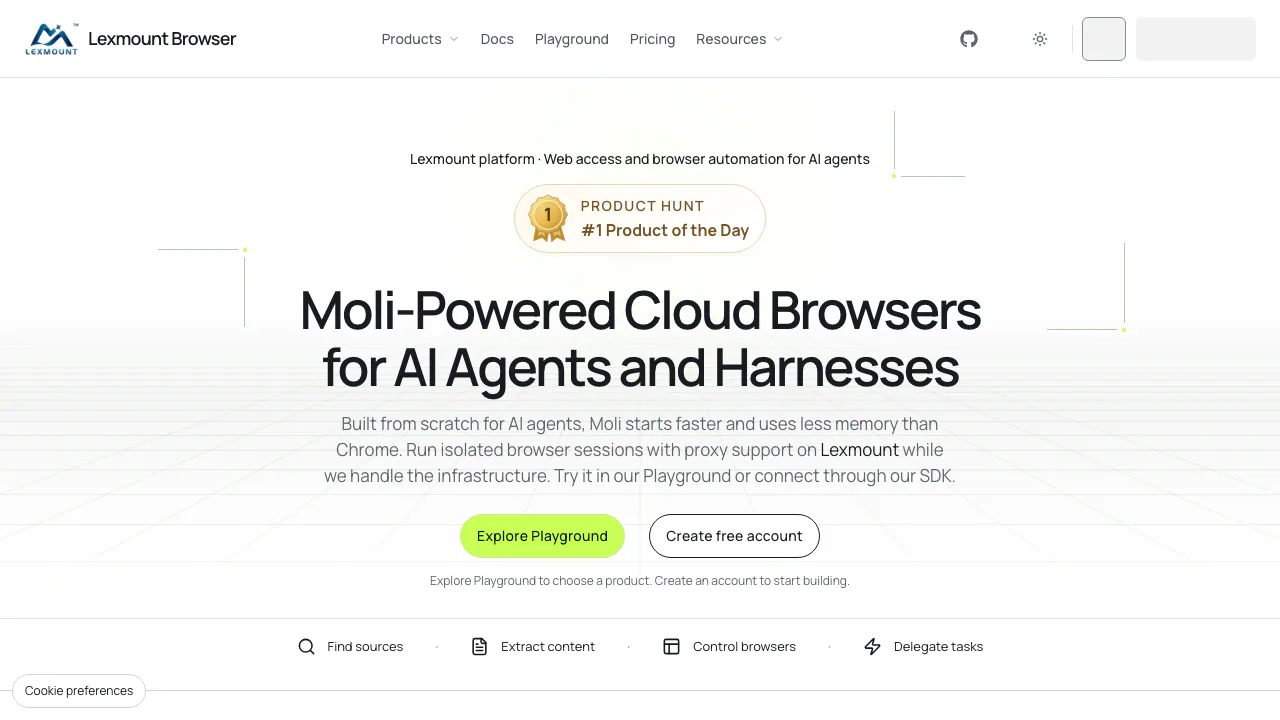
What does Lexmount Browser actually do?
Lexmount Browser is a cloud browser automation platform for developers building AI agents and web workflows. Your application can find webpages, extract their content, or control a remote browser that clicks, fills forms and works with signed-in websites. Lexmount runs the browser infrastructure; your code or agent supplies the task and checks the result.
Think of it as a browser your software can operate on another computer. It suits teams connecting agents to real websites, moving browser workloads off local machines, or collecting public documentation for a knowledge base. The controlling application still needs an online runtime: moving the browser to the cloud does not automatically host your entire program.
Choose between search, extraction and browser actions
- Web Search: submit a query and receive ranked URLs, titles and snippets. Domain filters narrow the sources; language and region settings are preferences rather than guarantees.
- Web Fetch: submit a public URL to obtain structured page content or HTML. The extraction response can include
main_text,title,final_urland links, although optional fields may be missing. - Cloud Browser: create an isolated session when the task needs navigation, clicks, forms or authentication. Available configuration includes cookies, proxies and file workflows, subject to engine and plan.
- Agent: supply a goal and inputs through a Run, then inspect its results and sources. Confirm that Agent execution is enabled for your project.
For a documentation assistant, search for source pages, extract a few representative URLs, check the text and preserve source metadata before chunking and embedding it in your own RAG pipeline. Use browser interaction when content requires a login or another action; extraction alone is not an interactive session.
Run a first remote Playwright task
- Create a project on the global site and obtain an API Key and Project ID from Settings → API Keys.
- Follow the official integration documentation for Python or Node.js. Set the matching global API endpoint explicitly to
https://api.lexmount.com. - Create a Chromium session with
browserMode: 'normal', then connect Playwright usingchromium.connectOverCDP(session.connectUrl). - Open an authorized target URL, perform one small task, and check a concrete result such as the page title or returned record.
- Close the browser connection, cloud session and SDK client in cleanup code. Put session cleanup in
finally; a script ending does not necessarily stop its remote browser. In Playground, use Stop when finished.
Start with one complete workflow before increasing concurrency. Keep connection URLs and API keys out of shared logs.
Moli or Chromium: choose by required features
Moli uses the SDK value light and is intended for lightweight, content-oriented agent tasks. Chromium uses normal and is the documented choice for persistent contexts, extensions and persistent replay. Moli always disables persistent replay and does not implement every Chromium CDP capability. Validate screenshots, complex layouts and special framework methods on your actual pages. The engine compatibility guide explains these boundaries.
Reuse logins without mixing account state
A Session is a running browser; a persistent Context stores reusable browser state. With Chromium and persistence permissions, attach a Context, pause automation for manual login in Remote View, resume the task, and close normally so state is saved. Reuse the Context once it becomes available. Keep separate Contexts for separate accounts, and run tasks that modify one Context sequentially. A website can still expire the login or request verification. The current Browser Playground does not attach a persistent Context.
Free allowance and paid-plan boundaries
Checked on 27 October 2026, the global USD pricing page lists Free with 10 browser hours, 1,000 Web Fetch requests and three concurrent browsers per month, plus 30 MB of official proxy traffic. Persistence, custom extensions, custom proxies and downloads are excluded from Free. Web Search separately includes 1,000 requests per account per month, shared across projects.
Pro is displayed as US$12 for a one-month, one-time purchase, with 100 browser hours and 25 concurrent sessions. Other tiers raise limits. Included browser hours expire with the plan period; concurrency limits how many sessions can run together, rather than total tasks. Check current pricing and checkout conditions for regional availability, taxes and additional resource costs.
Data handling to check before connecting accounts
The Browser Data Notice says temporary instance data enters cleanup when a session ends, while persistent contexts require separate deletion or expiry. Recordings and artifacts can contain page content, inputs and credentials, so disable unnecessary collection and choose short retention. The policy excludes general-purpose model training, fine-tuning and evaluation unless separately opted in through a written agreement with the required permissions. You retain rights in your content and remain responsible for authorized access and reviewing outputs.
Frequently asked questions
Can I try Lexmount Browser for free?
Yes. Free provides limited browser time, Web Fetch requests and concurrency. It is useful for validating a real task; it does not include every persistence or file feature.
Can I use Python or existing Playwright code?
Official Python and Node.js SDKs are available. Chromium supports Playwright through CDP. Adapt session creation, connection and cleanup, then test special APIs and file operations rather than assuming full local-browser parity.
Can the browser reuse a login?
Yes, through a persistent Chromium Context on a plan with persistence permissions. Normal closure saves state, and later sessions can reuse it; target-site expiry and verification still apply.
Official resources for developers
- Help Center: integration and troubleshooting guidance.
- Moli on GitHub: the browser engine repository.
- Service status: check availability before diagnosing your code.
- Contact Lexmount: project, billing and support questions.
Related tools
AI Browser Tools →
JevModelFreemium
Turn text or JSON into labels, scores and probabilities with Jev.
Strawberry BrowserFreemium
A desktop browser with AI companions for research, recurring work, meeting notes and reviewed actions across your tabs.
sideOSPaid
Voice commands, local dictation and tasks in your Mac apps
BasedashPaid
Ask business questions, check the SQL and build live dashboards from connected data.
LookoutFree
Watch selected Slack channels and turn matching messages into useful actions.