

Bicep Heart AIPaid
Make a short, silent arm-heart video from one consenting adult’s photo.
Cardboard AI Video Editor for Browser and Mac
Turn footage or an idea into an editable cut, then refine it through chat or the timeline.
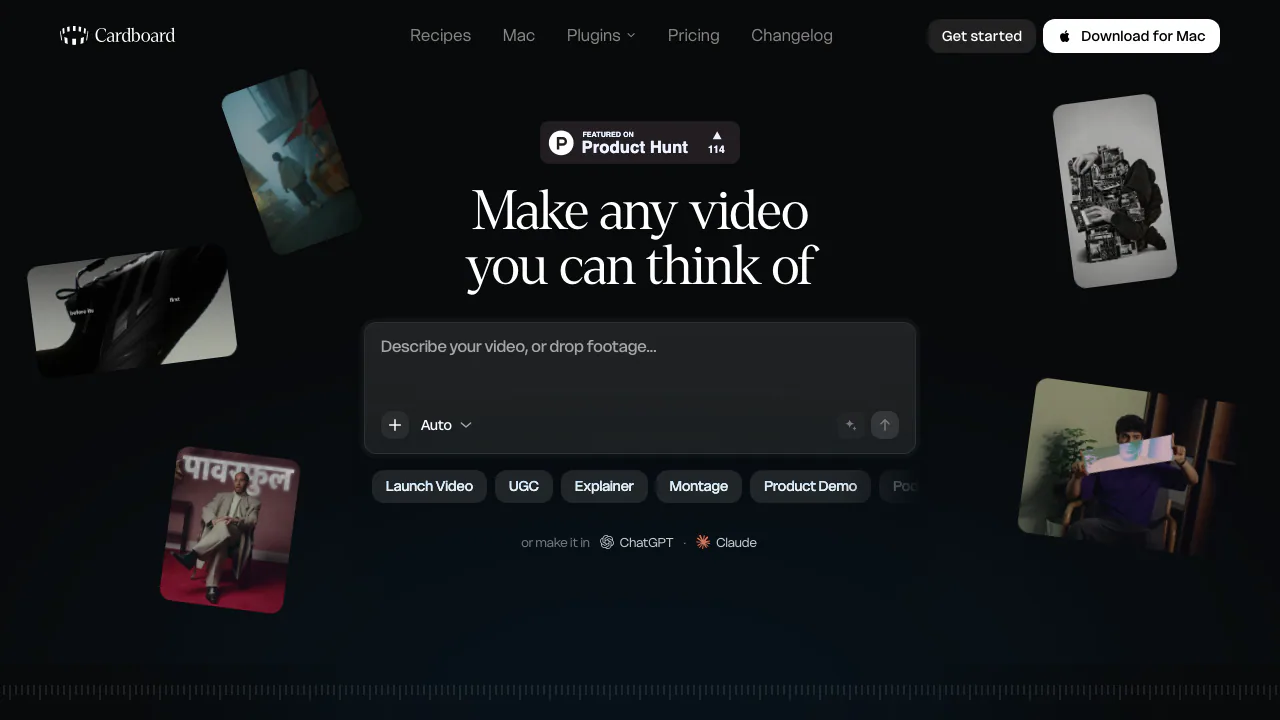
What does Cardboard actually do?
Cardboard is an AI video editor that turns your footage, a written request, or both into an editable first cut. Tell it what you want to make, review the result, and request changes in chat or adjust the timeline yourself. It suits product demos, talking-head videos, interviews, podcast clips and social content when you want help assembling an edit while retaining control of the finished project.
From raw footage to an editable first cut
- Gather video, audio and images you have permission to use. Import your material; on Mac you can drag local files into a project.
- Describe the audience, length, format and essential moments. For example: “Make a 30-second vertical product demo, keep the three main steps and add captions.” This is a suggested brief, not a guaranteed outcome.
- Review the first cut. Ask for a tighter opening, change a section or take over on the timeline. The Mac Director shows its plan and supports undo.
- Check captions, cuts, framing and audio levels. Then export a video or share a link for comments. Check your plan before promising a particular delivery format.
Turn one recording into useful clips
Cardboard can remove dead air, filler words and retakes, find moments in longer recordings, add captions and reframe clips. That helps turn an interview or demonstration into shorter material without manually locating every segment. Review the selected context and the crop before publishing.
You can also generate video, images, music, sound effects and motion graphics. Creator adds voice cloning, web-sourced B-roll and reference-video matching. These functions depend on the plan and available credits; finding media on the web does not establish permission to reuse it.
Choose browser editing or the Mac app
Video export includes MP4 and MOV; maximum resolution depends on your plan.
The full editor runs in Chrome on a computer. The Mac app requires Apple Silicon, M1 or later; Windows and Intel Mac users can use the browser. Web and Mac projects stay separate, although the account, subscription and credits work across both.
Browser Starter and above can export timelines for Premiere Pro or DaVinci Resolve. Mac cannot export those timelines, but the November 2, 2026 update added .prproj import. Import and export are different capabilities.
The ChatGPT and Claude plugin connects your Cardboard account without an API key and works in those mobile chat apps too. Their plans handle planning; Cardboard credits fund editing. On Mac, eligible paid Claude or ChatGPT accounts can supply Claude/Codex, or you can use the built-in Director. CLI and MCP access are also documented.
Free access, credits and export limits
Verified November 11, 2026: Mac Lite is free, with three watermarked 1080p exports and a one-time usage allowance. Web Lite is paid, has no generative credits and retains a watermark.
Starter includes 400 monthly generative credits and unlimited watermark-free 1080p exports; Creator includes 1,500 and 4K, voice cloning and web B-roll; Pro includes 5,000 and priority processing. Usage credits cover agent analysis, editing, captions and cloud editing time. Generative credits cover generated media. Unlimited exports do not mean unlimited AI work.
The site has monthly, annual and introductory offers and says billing uses local currency. Check current plans and pricing for your billing period and checkout total.
What happens to your footage?
Mac media and rendering stay local, but frames and transcripts needed by AI are sent for processing, including to an agent you connect. Browser editing and rendering use the cloud.
The privacy policy describes default-on desktop improvement sharing, which can include Director conversations and tool activity. You can disable future uploads in Settings. The policy also permits using user content to train, test and improve technology, so a no-training claim would be inaccurate. The terms require rights to submitted materials, treat user content as non-confidential and include a service-use license. Review those conditions before using unreleased client footage.
Common questions
Is Cardboard a free AI video editor?
Mac Lite is free within its export and one-time usage limits. Browser Lite is paid; watermark-free delivery starts with Starter.
Can I edit online without installing an app?
Yes, through Chrome on a computer. Mobile chat-plugin access is separate from the full editor.
Can AI make the edit while I keep control?
Yes. The first cut remains editable through chat and timeline controls. Review the result rather than assuming automated cuts preserve every important detail.
Official resources
- Support: editing, export and account help.
- Service status: check processing or export incidents.
- Changelog: verify recent feature changes.
Related tools
AI Video Editing & Workflow Tools →
Genjutsu AIPaid
Recast a short video or replace a selected subject using reference images.
PopcraftFreemium
Create AI videos, images, audio and product ads in one workspace
ngramFreemium
Turn briefs, documents and screen recordings into editable videos.
Shot.videoFreemium
Record your screen and phone cameras together, then refine an AI first cut.
ClipsPalPaid
Turn multiple takes into an editable video with captions, then cut vertical shorts.