

LaunchReelPaid
Edit recordings and build product launch videos with Claude Code.
OpenVids: Open-Source AI Video Editor for Desktop
Direct AI edits in an open-source desktop timeline you can take over.
What is OpenVids, in plain English?
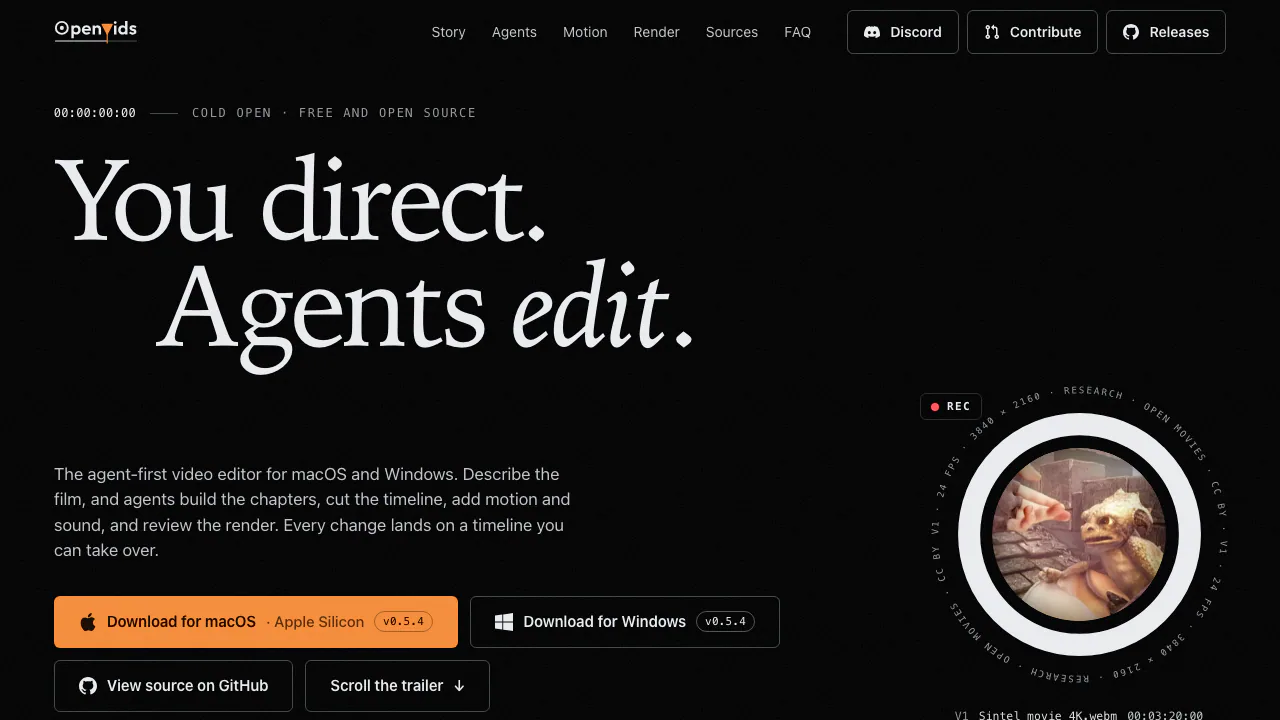
OpenVids is an AI video editor that lets you describe an edit and inspect the changes inside a real project. The website introduces the product and provides downloads; editing takes place in a desktop application for macOS or Windows. You bring footage and creative direction, while agents help assemble the cut, add graphics and sound, and inspect a render.
Think of it as a video editing workspace with an assistant who can operate the timeline. It suits interview, explainer and other recorded-footage projects where a creator wants help producing a first cut while keeping manual control. Expect some setup and review: this is an early-stage application, and its output still needs an editor's judgment.
From recorded footage to a story-led rough cut
Story Graph represents a film as chapters with a purpose and duration. Each chapter can collect primary footage, B-roll, music, narration, effects and motion graphics. Missing shots appear as placeholders, making gaps visible before the timeline is assembled. Build turns the chapter structure into a cut you can refine.
Long-recording analysis can produce local transcripts with word timestamps, speaker information, pauses, shots and retakes. Reusing this analysis helps agents build a rough cut without starting over on every request. Check the transcript and selected takes before trusting the assembly.
A practical first pass is to install the official desktop build and rendering dependencies, connect a provider in Settings → Models & Providers, bring in footage, organize the Story chapters, then Build and review in Edit. Rendering and thumbnails need Chrome and FFmpeg. The documented builds target Apple Silicon with macOS 11+ and Windows 10+ x64; there is no Intel Mac build listed.
Direct edits, motion and sound with text
Ask answers a question, Plan proposes work, and Edit changes the project. Start a complicated task in Plan, then make bounded edits. A useful brief identifies the material, the desired outcome and a limit—for example, an interview rough cut that preserves the speaker's conclusion. This is a suggested task, not a promised one-shot result.
Motion Designer creates editable title animations, lower thirds, logo stings and caption styles. Audio work can balance dialogue and trim a music bed. Narration uses a connected text-to-speech provider. Review timing and readability on the timeline; a turn-level checkpoint lets you revert an unwanted edit and continue manually.
Check the render and the rights to your footage
Render QA looks for problems such as black or frozen frames, audio gaps and text layout collisions. Corrections and re-renders run within a configured pass limit. Watch the final result yourself, especially where pacing or the meaning of an interview matters.
Research can locate external footage and preserve its source, author, license and attribution. Uncertain rights are flagged without blocking export. An export succeeding does not establish permission to reuse a shot; inspect the conditions in the source and license workflow.
Free software, model costs and local data
Checked on October 11, 2026: OpenVids is free software with Apache-2.0 source licensing. Agents use your connected model provider, and provider billing or limits are separate. No universal included AI credit allowance was verified.
Editing, analysis and rendering run locally, but prompts, transcripts and sampled video frames can go to the model provider. Narration text goes to the selected speech service. Anonymous app statistics can be disabled; bug-report text and screenshots can become public issues. Read the application data notes before working with sensitive recordings. The website privacy notice only covers the website.
The builds are still early-stage, and the installation guide documents unsigned or unnotarized packages. The README also identifies an unauthenticated loopback Studio server while a project is open; assess the official security guidance for sensitive production work. No blanket format, resolution or perfect-caption guarantee is established here.
Frequently asked questions
Is OpenVids free to use?
The application is free and open source. Connected model and speech services may charge under their own terms; free software does not mean unlimited free AI calls.
Does it work offline?
Editing and rendering run on your computer, but connected agents send selected information to model providers, and Research retrieves outside material. Do not assume the full AI workflow is offline.
Can I keep editing the timeline myself?
Yes. Agent edits land in an editable project, and the manual editor works without a model connection. Review changes, revert a turn or adjust the timeline yourself.
Official downloads and community
- GitHub project and setup: source, configuration and limitations.
- Official releases: desktop installers and release notes.
- Issue tracker: known problems and reports.
- Discord: community help linked by the official website.
Related tools
AI Video Editing & Workflow Tools →
SocialGPTPaid
Direct your video edit in chat, then refine the timeline yourself.
SupacutPaid
Find interview soundbites and build an editable first assembly
Together AIPaid
Connect AI models to your app, customize them with your data, and scale deployment on cloud GPUs.
AgentSDRFree
Self-hosted sales outreach, enriched leads and AI reply drafts in one workspace.
BusabaseFreemium
Keep agent-written records, documents, skills and apps in a workspace your team can review and reuse.