

Gojiberry AIPaid
Find relevant B2B prospects and prepare personalized LinkedIn and email outreach.
Tables — AI lead generation for B2B prospecting
Find, research and qualify prospects before your next sales conversation.
What does Tables actually do?
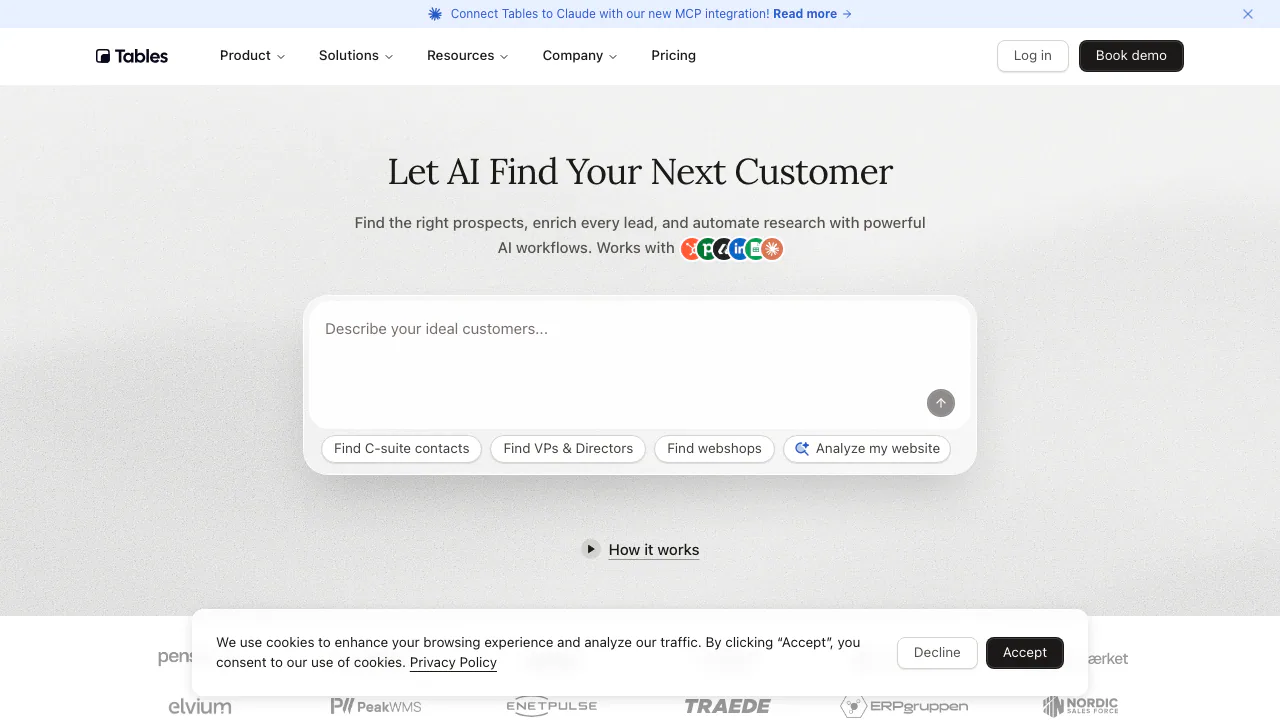
Tables is an AI lead generation platform for sales teams that need a usable list of potential business customers. Describe the companies and decision makers you want to reach; it helps find matching prospects, fill in business contact details and research whether they fit your offer. The result is a list you can review and use in your sales workflow.
Operated by Denmark’s Theoflow ApS, it is particularly relevant to outbound sales, business development and growth teams. A useful starting point is a clear ideal customer profile: the type of company, relevant roles and characteristics that make a lead worth pursuing.
Turn a target description into a prospect list
AI Search accepts everyday language. The official examples include founders at particular kinds of companies and businesses using specific ecommerce technologies. Company and contact search also supports criteria such as job title, seniority and technology.
Use those criteria to keep research focused. A technology vendor looking for suitable online retailers has a different target from a consultancy looking for senior executives. Tables can support that initial targeting; a search match alone does not establish purchase intent or guarantee a meeting.
Research the leads that deserve attention
Contact enrichment supplies work emails and mobile numbers. Custom Outputs adds another layer: you can organize research as scores, dropdown values or yes/no answers. The answers include reasoning and sources, so a sales representative can inspect why a prospect received a particular assessment.
For example, a question about whether a company is hiring sales staff can inform prioritization. Check the linked evidence before relying on the result. Tables’ terms do not guarantee that every contact record is accurate, complete or continuously available.
Build and check your first list
- Create a workspace and describe the customer segment you want to reach.
- Search for companies or contacts and narrow the results with the criteria available on your plan.
- Reveal the contact fields you need and add relevant AI research columns.
- Read the sources behind important scores, remove unsuitable records and select the leads worth following up.
- Export the list as CSV, or use an available CRM integration on an eligible plan. Confirm the transferred records before starting outreach.
Free credits and the cost of enrichment
Checked on 10 September 2026, the public pricing page offers 100 starting credits in Free. It includes core search, enrichment columns, lists and CSV export. This is an initial allowance; the page does not establish a recurring monthly free refill.
The shared balance pays for different operations: a company/contact record is 0.5 credits, an email 1, a mobile number 10 and an AI column 1 per row. Company phone numbers are listed at 0 credits. A mobile number that cannot be found is not charged. Several operations on the same lead can therefore consume more than one credit.
Team adds advanced filters, CRM connections, the LinkedIn extension, Claude MCP and shared workspace controls. Team and Enterprise require a quote; there is no universal public monthly currency price. Billing cycles and limits are specified at purchase, and taxes may apply.
Connect the list to HubSpot or Claude
The integration directory marks HubSpot, Claude MCP and the Chrome extension as live. Pipedrive and Attio are coming soon; Salesforce, Close and Zapier are on the roadmap as of the review date.
To use the Claude connector, choose Add to Claude on the official page, add the prefilled connector and sign into your Tables workspace. The connection supports prospect search and enrichment in conversation. Check the Team plan requirements before choosing this route.
Understand the data-handling boundary
Customer-uploaded data is processed under the DPA; Tables describes its own contact database separately in its privacy policy. Its processor list includes external AI providers. A database location in Frankfurt does not mean all processing is confined to the EU.
The terms retain your rights in uploaded data and require lawful business use. Review the conditions before uploading a list or redistributing contact information.
Frequently asked questions
What part of lead generation does Tables help with?
Finding B2B prospects, enriching their records and researching qualification criteria. Its sourced assessments help you decide whom to contact.
Can Tables find work email addresses?
Yes. Work-email enrichment is an advertised capability, priced at 1 credit per email. Availability and accuracy still need checking for your target segment.
How can I use the resulting list?
Free includes CSV export. For CRM handoff, HubSpot is currently live and integrations are listed in Team; do not assume the upcoming connectors are available.
Official help
- Contact Tables for product questions, a demonstration or a team quote.
Related tools
AI Marketing & Sales Tools →
Client GénieFreemium
Describe your business, find suitable prospects and start more relevant sales conversations.
Fuse AIFreemium
Find suitable prospects, enrich contact data and review AI-written outreach in one sales workflow.
WidgoFreemium
What does Widgo do? A sales assistant on your website
TadataFreemium
Bring customer research, meeting briefs and reviewed follow-up work into Slack.
BrandJet AIPaid
Find prospects, coordinate six outreach channels, and manage every reply from one workspace.