

TablesFreemium
Find, research and qualify prospects before your next sales conversation.
Widgo: AI Sales Chatbot for Website Leads and Demos
What does Widgo do? A sales assistant on your website
What does Widgo do? A sales assistant on your website
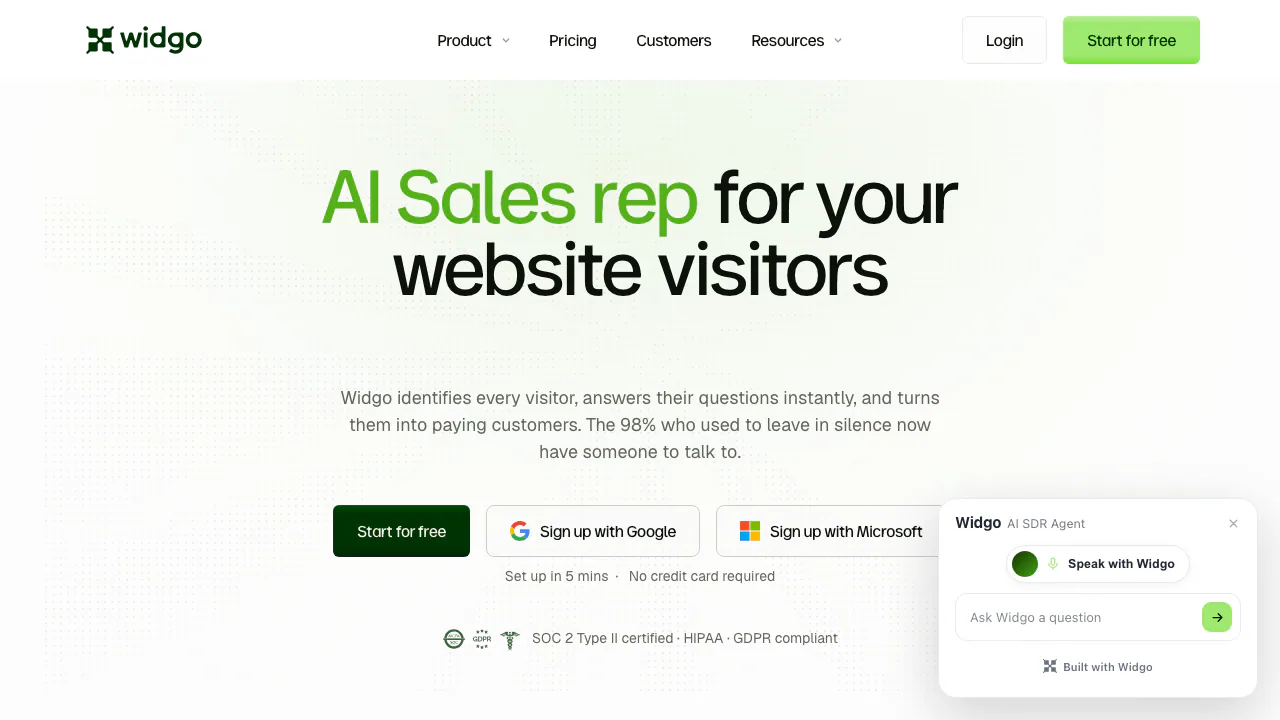
Widgo is an AI sales chatbot for businesses that want to turn website questions into qualified conversations and demo bookings. It uses your company content to answer visitors, assess their needs and help them take the next step. Your sales team can then follow up with the conversation context instead of starting from an empty contact form.
The clearest fit is a business with an existing website, documented products and a sales process that includes discovery or demos. A SaaS visitor, for example, can ask about a capability before deciding whether to book a meeting. Widgo supports that journey; conversion results still depend on traffic quality, your offer and the information you supply.
Qualify interest and hand the conversation to sales
Widgo scores leads from 0 to 100 and provides reasons, helping teams prioritize follow-up. Its company identification uses licensed IP intelligence and attaches a company only when the match is confident. Unknown visitors stay unknown. It does not discover a person's identity merely from their visit: an email voluntarily supplied in conversation provides that additional information.
In-chat demo booking uses Cal.com. The Growth plan lists CRM synchronization with HubSpot, Attio and Close, plus Slack and Microsoft Teams alerts and automated workflows. These connections are useful when the next step is a scheduled sales discussion and a record in the tools your team already uses.
Build answers from information you have reviewed
Widgo scans public website pages to create its knowledge base. Review what it learned, correct outdated claims and set your ideal customer profile and guardrails. A guardrail defines topics the agent should avoid; an accurate customer profile helps guide qualification.
For missing material, add individual URLs or upload documents, including PDFs, through Sources. After processing, test a question a visitor would actually ask and check the result. The documentation warns that added content cannot currently be removed item by item, so select material deliberately before uploading it. The language guide currently instructs customers to maintain the knowledge base in English; test the resulting answers in visitor languages.
Do not treat source-based answers as an accuracy guarantee. Widgo's privacy policy explicitly describes generated answers and scores as probabilistic outputs that can be wrong. Its pages also give inconsistent language counts. Test your intended visitor language in the live widget rather than relying on a single advertised total.
Understand the free plan and the visitor allowance
Checked on September 10, 2026: Free lists 500 visitors per month and one workspace, without a credit card requirement. Growth lists 2,000 visitors and two workspaces; Scale lists 10,000 and five. Team members are unlimited across the listed plans. Monthly and annual billing options are shown; confirm the selected billing period, current amount and taxes on the official pricing page and at checkout.
The allowance measures visitors, not messages. Repeat visits from the same browser do not count again, and one visitor can ask multiple questions without each message becoming a separate billable unit.
At the limit, the website widget continues answering, qualifying and booking. New dashboard records become blurred. Upgrading unlocks them, including earlier blurred records; a monthly allowance reset only makes new records readable and does not unlock the old ones. This distinction matters if a campaign brings more visitors than your team can access under its current allowance. Free entitlement to replay and some additional features is described inconsistently across official pages, so confirm those features separately.
Install and test a complete visitor journey
- Create an account in the Widgo app and let it scan your website.
- Review the knowledge base, add missing sources and set qualification goals and guardrails.
- Copy your organization-specific snippet from Widget > Install into your platform's site-wide custom-code setting.
- Check live status in the installation screen, then ask a product question and test the booking path.
The setup guide points to instructions for WordPress, Webflow, Framer, Shopify, Wix, Squarespace and Google Tag Manager. Knowledge changes typically take about three to five minutes to propagate. Check that installation targets the live domain visitors use.
Check data handling before supplying sales material
Widgo, Inc. is the operator. Its policy says the website operator controls widget visitor data and Widgo processes it on that customer's instructions. It states that customer conversations are not used to train foundation models. This is a cloud service with processing locations including the US and EU, rather than a promise of local-only processing.
Review the privacy policy for retention, deletion and optional session replay. If you enable recording, check the masking and notices associated with that configuration. Lead scores support human judgment; they should not be treated as verified facts about a buyer.
Common questions
What makes Widgo a sales chatbot?
It combines company-content answers with lead qualification and demo booking, helping a sales team take over a conversation with context.
Can I start for free?
Yes. The published Free allowance is 500 monthly visitors and one workspace. Read the over-limit record-access rules as well as the headline allowance.
Do I need to rebuild my website?
No rebuild is described in the setup workflow. You embed the provided snippet, verify the widget's live status and test it on your existing site.
Official resources
- Widgo Help Center: installation, knowledge, calendar and CRM instructions.
- Document uploads: supported input workflow and removal limitation.
- Visitor counting and limits: billing units and blurred-record behavior.
Related tools
AI Marketing & Sales Tools →
Gojiberry AIPaid
Find relevant B2B prospects and prepare personalized LinkedIn and email outreach.
Client GénieFreemium
Describe your business, find suitable prospects and start more relevant sales conversations.
TadataFreemium
Bring customer research, meeting briefs and reviewed follow-up work into Slack.
BrandJet AIPaid
Find prospects, coordinate six outreach channels, and manage every reply from one workspace.
ClayFreemium
AI GTM platform for lead enrichment, account research, provider waterfalls, signals, CRM sync and outreach workflows.