

Teamily AIFreemium
People and AI agents work together in one messenger
Voyager — an AI file manager for your existing Mac files
Browse local folders, save searches and give selected files to your own AI agents.
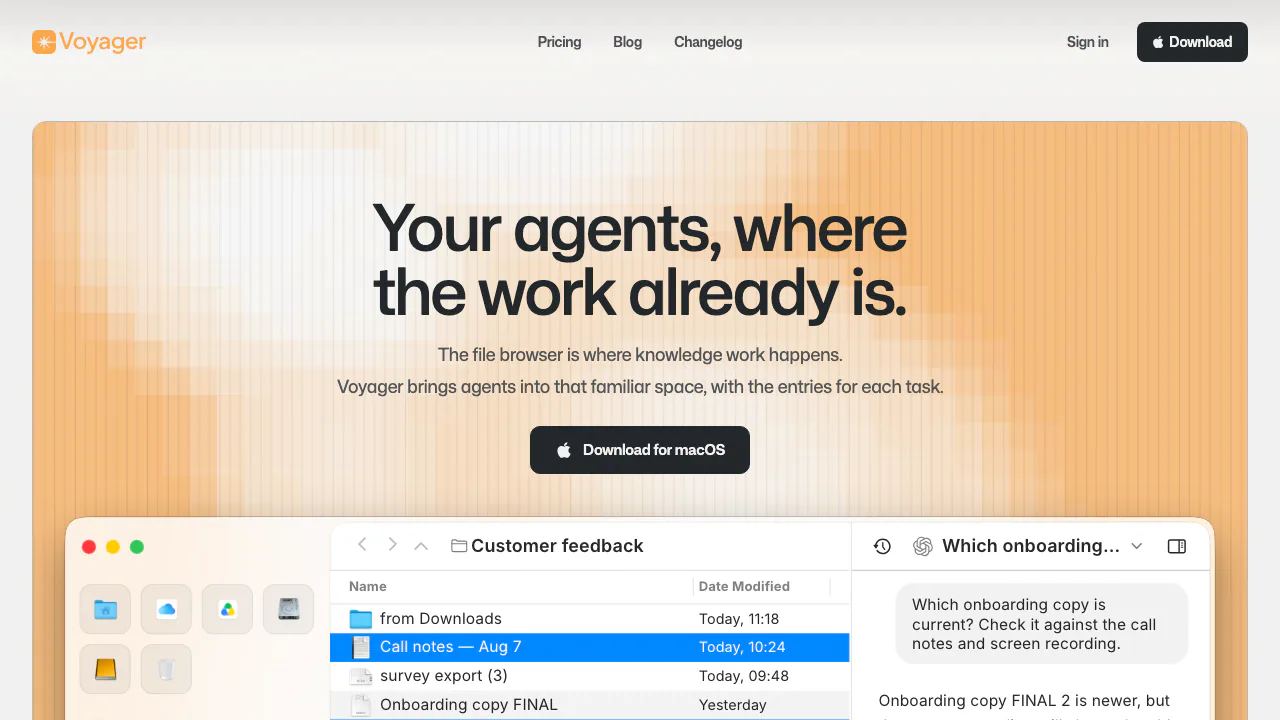
Voyager is an AI file manager for macOS that connects the folders you already use with your own AI agents. It suits people who repeatedly collect project documents, compare versions and ask questions across existing work.
What does Voyager actually do?
Think of Voyager as a familiar file browser with a place to work with an agent beside your files. You can browse and move local files, keep a project open in tabs, save a useful search and turn selected material into the context for a conversation. You can continue using Finder alongside it.
The starting point is your existing folder structure. Core browsing does not require importing your library into a new cloud workspace. AI availability and what an agent can do depend on the external service you connect.
Find a reusable set of files with Collections
A Collection saves a search setup: included folders, exclusions, subfolder scope and editable filters. For example, use it to return to this week's project PDFs without moving every matching document into another folder.
- Choose the folders to search and the locations to leave out.
- Describe the files you need in ordinary language.
- Inspect the resulting filters and correct the scope or conditions.
- Save the Collection and reopen it when the task returns.
- Check the current matches before starting a chat or acting on them.
The official Collections walkthrough explains this workflow. A saved Collection is a live search, not a frozen file list; previous selections are not restored. Initial background indexing can also temporarily leave results incomplete.
Ask an agent about the files you choose
Open a folder or Collection, select the relevant files and start a conversation. Choose your connected agent and inspect the context it will receive. A useful request is to compare two drafts against meeting notes and identify what changed. Add further source files when the question requires them, then check the answer against the originals.
Voyager's changelog confirms ACP connections for Claude and Codex. Those are connections to services you bring, with their own accounts and costs. File reading or modification depends on the agent, permissions and supported environment; keep independent backups and review proposed or completed changes.
Keep a project ready to return to
Folders and chats can stay in tabs. Group related tabs, give a group a name and pin work you revisit. Groups and their tabs can return after relaunch, reducing the need to reconstruct a research or client-review workspace.
Get the app from the official macOS download. The current requirement is macOS 26 or later. Allow time for the first folder index to finish before judging search completeness.
Free access, separate AI costs and future plans
Checked on November 12, 2026: core local browsing is available free, without a Voyager sign-in, trial or purchase. Your external AI subscription or usage fees are separate.
The public USD price list shows Plus at $10 monthly or $84 billed yearly, and Pro at $20 monthly or $168 billed yearly. Both are marked not yet available. Plus lists one external app and S3-compatible storage; Pro adds more connections and cloud sync. Treat these as future paid capabilities.
The $200 Early Supporter Pass is a preorder limited to the first 100 reservations, for lifetime Plus after launch, with a full refund before Plus launches. It does not activate Plus today. Check current pricing and availability; final currency and taxes appear at checkout.
Local browsing and AI data sharing are different
Your library stays on the Mac for core file browsing. When you ask an external agent to work, selected files or excerpts, prompts and task context may be sent to that provider. Review the scope before sending sensitive material and check the provider's conditions.
The Voyager privacy policy says local files and prompts are not used by Voyager to train general-purpose models. It also describes operational and diagnostic processing; local storage is not a blanket promise that no information leaves the device.
Frequently asked questions
Can I use Voyager free without an account?
Yes, for core local file browsing. Connecting an AI service can require that provider's account and paid access.
Can I keep using Finder?
Yes. Voyager works with files in their existing locations, and Finder can remain part of your workflow. Voyager currently requires macOS 26+.
Does a Collection move or preserve its matching files?
It saves the search settings. Matches change with your files, and reopening does not restore earlier selections.
Official help and updates
- Changelog: compatibility and connection changes.
- Official Discord community: feedback and product discussion.
- Voyager product support: app, account and purchase questions.
Related tools
AI File Managers →
MagpieFreemium
Magpie brings social saves and browser bookmarks into one visual library, with AI tags, semantic and colour search, projects, and clear free-plan limits.
ClawsGO ScienceFreemium
Research papers, run analyses and prepare figures and LaTeX drafts in one workspace.
UnoRouterFreemium
One key for multiple AI models, with provider routing and browser chat
Bicep Heart AIPaid
Make a short, silent arm-heart video from one consenting adult’s photo.
ScroogeFrog AIPaid
Investigate paid traffic, review AI recommendations and prepare Google Ads evidence.