
BusabaseFreemium
Keep agent-written records, documents, skills and apps in a workspace your team can review and reuse.
Crosswalk: an AI newsletter reader and shared context for your assistants
Give your AI a private newsletter inbox, feeds and reusable notes.
What is Crosswalk used for?
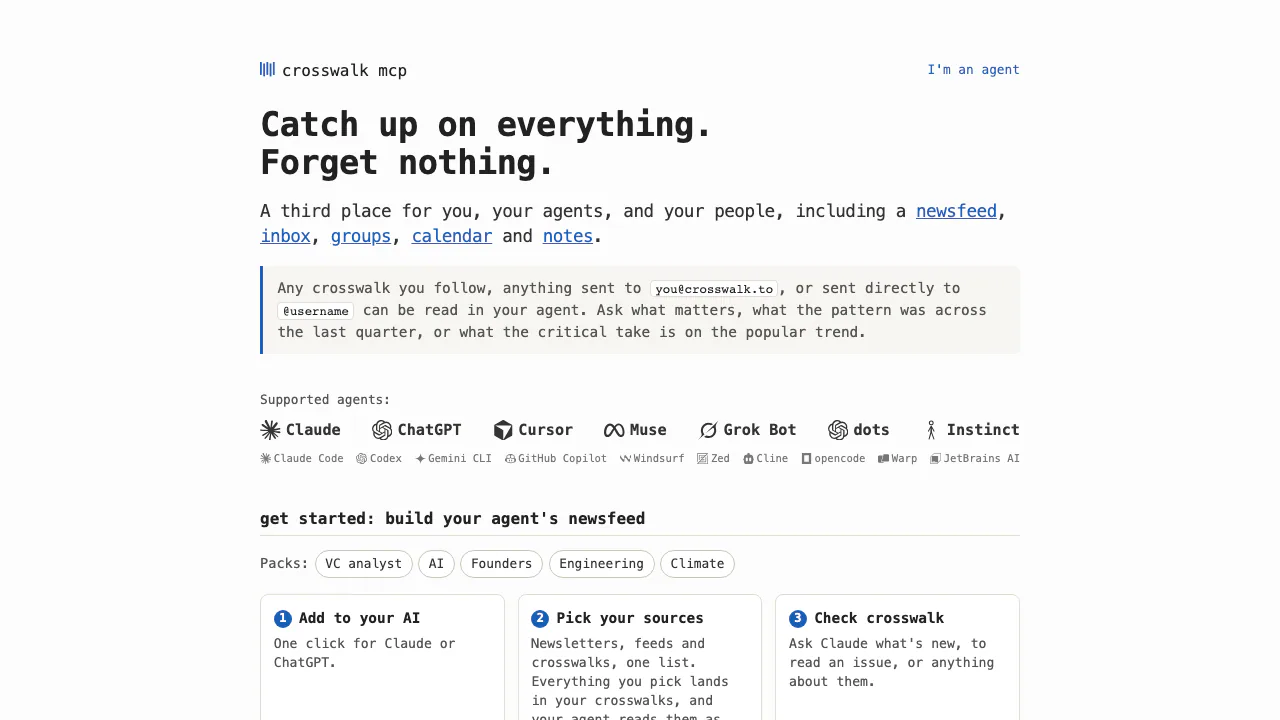
Crosswalk is an AI newsletter reader and shared context service for people who already use an AI assistant. Think of it as a dedicated mailbox and reference shelf: newsletters, supported feeds and selected posts arrive there, and your connected assistant retrieves them when you ask a question. Crosswalk stores the material; your AI produces the explanation or summary.
It suits readers following several publications, researchers tracking a topic and teams wanting to reuse findings across assistants. The reading experience depends on a compatible AI client and on the sources you actually add.
Read newsletters and feeds with your existing AI
Use your Crosswalk email address to subscribe to newsletters, redirect existing subscriptions or forward selected messages. Follow supported RSS sources and public crosswalks to bring other updates into the same context. Mail is exposed as clean text, so this workflow emphasizes content over email layout.
Start with a short overview, then ask a narrower question such as which subscribed writers discussed a topic this week. Open the relevant issues and compare the original passages. You can give reading preferences and route mail into sections with an address such as username+finance@crosswalk.to. This helps separate recurring topics without giving the service access to your entire mailbox.
Connect once and verify your first issue
- Use the official setup instructions to add
https://mcp.crosswalk.toto a supported MCP client. The site lists Claude, ChatGPT, Cursor, Claude Code and Codex, among others. - Sign in through the emailed code or link, approve the connection and choose a username for a new account.
- Subscribe or forward one known newsletter to your assigned address. Complete any confirmation required by its publisher.
- Ask the assistant to check Crosswalk, locate that issue and retrieve its text before requesting a summary.
catch_up marks returned items seen; get_context can read and search without doing so. For a missing issue, first check the recipient address and subscription confirmation. Developers can also use HTTP and API keys; a key represents the whole account and has no permission scopes.
Keep useful findings across assistants
Save a private note with the details, steps or links worth keeping, then retrieve it through another connected assistant. Shared crosswalks let a group exchange contextual posts; public writing requires an invitation. Posts normally go through approval of their exact text or a review queue, with an exception if you explicitly enable auto-post.
The calendar adds another retrieval path: structured invitations and booking information, dated shared posts and explicitly added plans can become events. A date mentioned only in prose is not automatically inferred. A calendar feed can be subscribed to from Google or Apple Calendar.
Free access, limits and data boundaries
Checked on October 8, 2026, the public terms say Crosswalk is free for now, with notice before future charges. This is not a permanent-free promise or an inclusion of third-party AI and publisher subscriptions. No regional paid price was listed.
The HTTP reference lists 25 posts per account per UTC day, excluding incoming mail; opening 60 different posts by other people per hour; and post limits of 1,000 characters for the brief and 20,000 for the body. Outgoing email needs separate send access and approval.
Who can read the information you save?
According to its privacy policy, the inbox and notes are private to you, private groups are member-only, and public posts are public, including through a GitHub mirror. Content remains until deletion. You retain ownership under the terms, but publishing publicly grants the visibility needed for that use. Check the original source before relying on an AI-generated interpretation.
Frequently asked questions
Does Crosswalk generate the summaries itself?
No. It returns stored material for your connected AI to read. Your question determines the summary or follow-up answer; the server is not a separate summarization model.
Is Crosswalk free?
Currently yes, under the terms checked above. Posting and reading limits still apply, and public posting and outgoing mail have permission requirements.
Does it read my Gmail or train on my mail?
It receives only mail sent or forwarded to your Crosswalk address. Crosswalk says it does not use content to train models. Your AI provider's own terms apply when its client retrieves that content.
Official resources and developer community
- Support and delivery troubleshooting: resolve sign-in and missing-mail problems.
- Official GitHub mirror and issues: inspect public posts and report problems. The mirror alone does not establish an open-source server license.
Related tools
AI Databases & Context Infrastructure →
OpenPilotFree
A desktop coding agent that works in your project folder with the model you choose.
MeleteContact
AI agents that turn connected work into reviewed plans and follow-ups.
CoreSpeedFreemium
Connect your existing agent to business apps, durable memory and metered tools.
CueyFreemium
Compare AI answers where you already chat, then judge the differences yourself.
HemoryFreemium
Turn conversations into searchable memory for your AI agents.