

AgentSDRFree
Self-hosted sales outreach, enriched leads and AI reply drafts in one workspace.
Busabase: an AI agent database for reusable, reviewed work
Keep agent-written records, documents, skills and apps in a workspace your team can review and reuse.
What does Busabase do, in plain English?
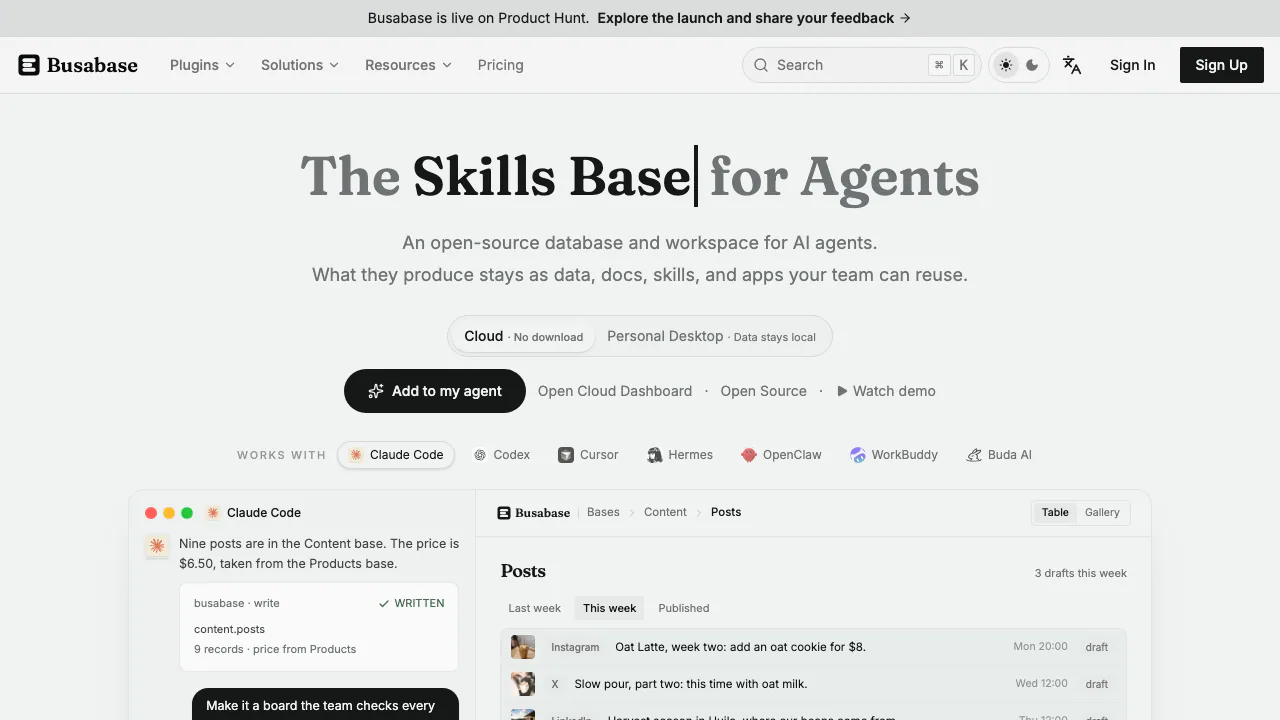
Busabase is an AI agent database and workspace: a shared place to keep the useful work your agents produce. Instead of leaving a product list, research notes or draft inside a conversation, you store it as records, documents, files or an app that a teammate or another agent can use later.
For a content team, that might mean keeping product facts in one Base and having an agent propose new campaign records from those facts. Reviewers can inspect the changes before making them authoritative. Busabase provides the data and review layer; you connect the agents that do the work.
Turn proposals into trusted records
The central distinction is between a proposed change and the canonical record. In the official quick start, you create a Cloud account, open the starter Base, then inspect an Inbox item. Its preview, field-level diff and commit history show what would change.
Approve marks a request ready to merge. Merge into Base is the separate action that makes it take effect. If the result needs work, leave revision feedback; reject a proposal you do not want to merge. Read back the record after merging to check the final result. The public demo is read-only, so complete approval actions in an activated workspace.
Review enforcement depends on credentials. A normal agent can receive changeRequest permission to propose edits, while broader write access enables direct write and review operations. Do not assume every credential imposes the same human checkpoint.
Connect an agent and verify its destination
Busabase documents integrations for Claude Code, Codex, Cursor and other clients. Cloud MCP uses https://busabase.com/api/mcp with Streamable HTTP and browser-based OAuth. The MCP guide explains the supported connection paths.
Choose an appropriate permission and expiry, connect, then ask the agent to run auth_verify. Select the intended space when several exist and list its Bases before submitting a small test change. Check the returned status and resulting record. Scoped REST access provides another path for applications and integrations.
Cloud MCP, REST/OpenAPI and webhooks currently require Plus or higher. The free local engine has a different feature boundary from the hosted Free plan.
Keep more than conversation history
Bases hold typed records; Docs hold maintained documents; Skills retain agent-readable files; Drives organize ordinary files. Together they give teams a way to preserve facts and working instructions across tasks.
AirApps add an interactive interface over workspace data, such as a dashboard a person can open and use. They run in the browser, so they cannot be treated as unrestricted hosting for native binaries or operating-system processes. The node documentation also distinguishes the Workflow editor from an execution engine: its P0 implementation saves and validates definitions without executing them.
This makes Busabase relevant to content operations, research and agent implementation teams that need reviewable shared state. A person who only wants a one-off answer may not need to set up this additional data layer.
Free local use and paid Cloud access
Checked on October 10, 2026, the pricing page lists Cloud Free with one owned space, three seats per space, 5,000 records, 20 nodes and 1 GB of attachments.
Plus is USD 10 per seat per month when billed annually, or USD 120 per seat per year. It adds MCP, REST and webhooks, with 50,000 records and 20 GB of attachments per space. Pro is USD 20 per seat per month on annual billing, or USD 240 annually, and includes AirApps, HTML nodes and 100 GB of attachments.
These are annual equivalents, not monthly billing quotes. Taxes and the final payable total are determined at checkout. Currently, an operation that exceeds a Cloud quota is paused rather than automatically billed as an overage; existing data stays readable.
The MIT engine is free to run locally. For multiple people signing into a private server, check the commercial self-hosted editions, which add accounts and roles beyond the single-user open-source engine.
Local storage and external AI processing
Desktop stores data in a local folder, and server deployment can keep the database inside your network. Connecting an external model or integration still requires checking what data that connection sends.
The Cloud privacy policy covers workspace records, files, review history and agent interactions. It states that workspace content is not used to train third-party foundation models for general use, while describing service providers and configured outgoing integrations. Local database storage alone is not a promise that all model processing stays local.
Frequently asked questions
Is Busabase itself the agent?
Its main role is to hold and manage agent work. Connect an existing supported agent to read knowledge and propose changes; keeping data is distinct from running the agent's reasoning.
Can I use MCP on Cloud Free?
The current pricing matrix reserves Cloud MCP, REST/OpenAPI and webhooks for Plus and higher. Free local deployment is a separate option.
How can several agents share knowledge without silently replacing it?
Use shared records and documents with appropriately scoped credentials. For reviewed proposals, use changeRequest, inspect the diff, then approve and merge deliberately.
Official resources
- GitHub repository: source code and local setup.
- Community forum: implementation discussions and troubleshooting.
- Support: account, billing and connection help.
Related tools
AI Databases & Context Infrastructure →
OpenVidsFree
Direct AI edits in an open-source desktop timeline you can take over.
DENRAKEIWContact
Creative AI production, custom ComfyUI workflows and open-source image tools
DevPitFree
Keep coding sessions, task boards and call costs together on your desktop.
bmuxFree
Visible browser automation with split workspaces and explicit agent control
NOANFreemium
Approved company facts for agents, apps and teams.