

Retriever AI (rtrvr.ai)Freemium
Turn browser instructions into checked tables and completed web tasks.
Context.dev web scraping API for AI agents
Scrape, search, crawl and monitor the web through one API for AI agents and RAG applications.
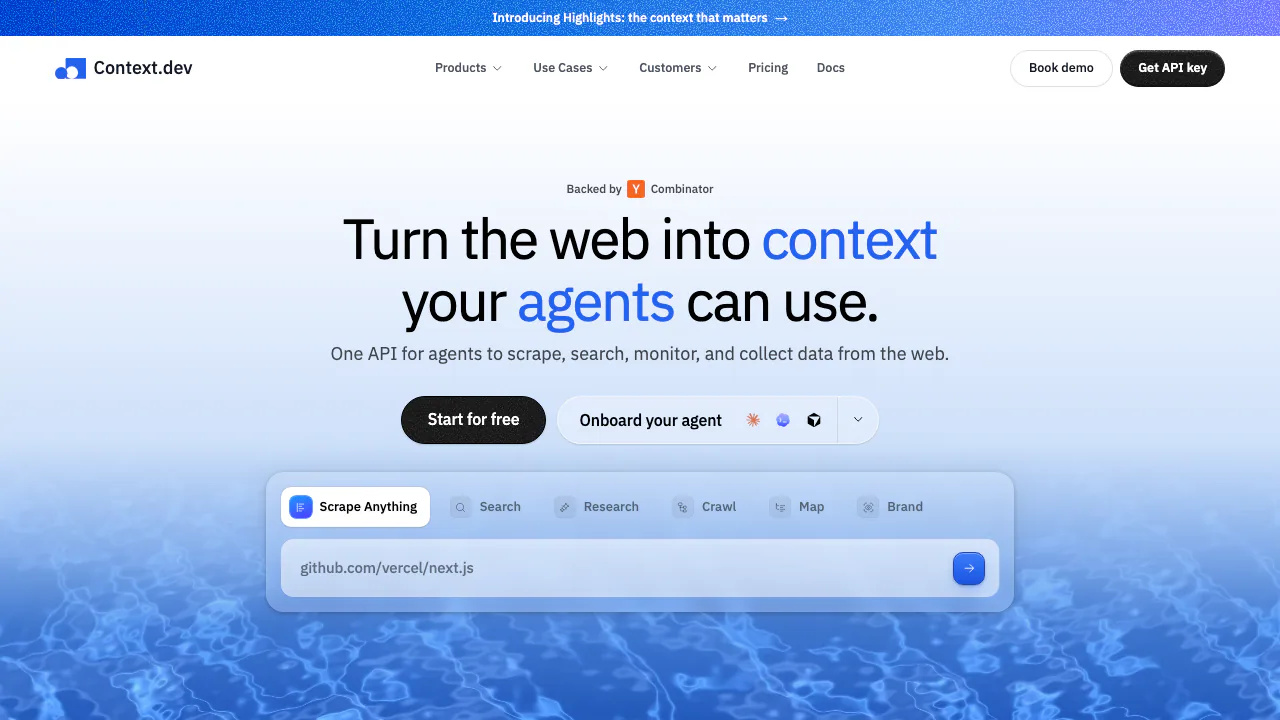
What does Context.dev do, in plain English?
Context.dev is a web scraping API that lets an application send a web address and receive useful page data. Instead of maintaining browser servers and proxy infrastructure, a developer requests Markdown, rendered HTML, screenshots or structured fields. Markdown is a readable text format; it is useful when an AI application needs a page's content without its surrounding interface.
Operated by Context Dev Inc., the service also searches the web, crawls websites and monitors changes. It suits developers building AI agents, retrieval augmented generation (RAG), research tools and data enrichment workflows. Your application still decides what to store, index and show to users.
Choose between a page, a website and a research question
Scrape reads a known URL and can return multiple requested formats. Use Markdown for model context, HTML for page structure, a screenshot for a visual record, or JSON extraction when your application expects a schema. Browser rendering and proxies are included in the base scrape price.
Map discovers URLs without collecting every page's content. Crawl follows links and returns Markdown for up to 500 pages in one call, with page, depth and path controls. For larger jobs, Batches runs URL lists or crawls asynchronously; collect completed results through polling or a webhook.
A practical RAG workflow starts by mapping a documentation site, narrowing the useful paths, then crawling a small sample. Check that the content contains the actual instructions, preserve source URLs, and send the approved text to your own indexing pipeline. Scrape can reuse cached outputs for three days by default; use maxAgeMs: 0 when a fresh capture matters.
Search, sourced answers and ongoing monitoring
Search starts with a query and returns ranked page URLs, titles and descriptions, optionally with Markdown. Answers starts with a research task and an example JSON object, then returns structured findings and source URLs. These solve different tasks: finding pages, reading one page and researching an answer should not be treated as interchangeable operations. Check the cited pages before relying on consequential findings.
Monitors establish a baseline and check a page, sitemap or selected site content on a schedule. They can report exact text differences or relevant changes under instructions. Verify the baseline completed, validate webhook signatures and inspect failed runs: the initial baseline does not itself generate a change notification.
Brand retrieval adds company details, logos and colors from a domain. Styleguide extracts design information such as typography, spacing and component styles, useful for application onboarding and brand personalization.
Run a first request, then connect an agent
- Create an account and obtain a secret API key. Keep it on your server.
- Follow the official quickstart, using cURL or a TypeScript, Python, Ruby, Go or PHP SDK.
- Send
POST https://api.context.dev/v1/web/scrapewith anAuthorization: Bearerheader, aurl, andformats: { "markdown": true }. SetsharedParams.mainContentOnlyif appropriate. - Read
markdown.successbefore usingmarkdown.data. HTTP 200 can contain a failed output; record the request ID when debugging. - After checking a representative page, expand to a bounded crawl or batch.
For compatible assistants and coding agents, the MCP setup guide documents https://mcp.context.dev/mcp and OAuth sign-in. MCP calls use the connected organization's credits.
Free credits, paid plans and the real unit of cost
Checked on 15 October 2026, the public USD monthly plans are:
| Plan | Monthly price | API credits per month |
|---|---|---|
| Free | $0 | 1,000 |
| Developer | $19 | 7,500 |
| Pro | $99 | 125,000 |
| Growth | $299 | 500,000 |
| Scale | $499 | 1,000,000 |
Enterprise pricing is custom. Refer to current pricing for annual terms and applicable checkout conditions.
A standard scrape starts at one credit. Browser actions make the base two; successful JSON extraction adds four. Thus 1,000 free credits do not mean 1,000 structured extractions. Logo Link has a separate quota, including a one-time 10,000-request Free allowance. Partial successes and target 404s can be billed. Paid Auto-Topup can add chargeable credit blocks; spend alerts are not a hard spending cap. Check effective rate and concurrency limits in your dashboard.
Data handling and reuse conditions
The privacy policy permits queries and results to be used for improving the service and training models, subject to applicable agreements and restrictions. Do not assume ordinary requests have zero retention.
Zero data retention requires an organization entitlement and an explicit request setting. Verify X-Context-ZDR: true. Batches, Monitors and Brand retrieval do not support this request mode, and PDF OCR is skipped under ZDR. Your application remains responsible for its own storage and logs. API access also does not grant rights to redistribute third-party pages or logos.
Frequently asked questions
Can I test Context.dev without paying?
Yes. Free provides 1,000 API credits each month without a credit card. Actual page counts depend on the operations and options used.
Can it handle a whole documentation site?
Crawl handles up to 500 pages per call. Use path and depth limits for a focused collection, and Batches for larger asynchronous jobs.
Why can a successful HTTP response still contain missing content?
Scrape reports success separately for each output. Inspect its success and error fields, rather than assuming HTTP 200 means every requested format succeeded.
Is private scraping enabled automatically?
No. ZDR must be enabled for the organization and requested on supported calls. Review the service terms and your own data requirements before sending sensitive material.
Official resources and developer channels
- API documentation and SDKs: client libraries and integration requirements.
- Service status: investigate availability issues.
- Official contact: support and business inquiries.
- Context.dev on X: product announcements.
Related tools
AI Databases & Context Infrastructure →
CoreSpeedFreemium
Connect your existing agent to business apps, durable memory and metered tools.
AIsaPaid
One API key for models, research APIs and agent workflows.
TavilyFreemium
Search, extract, crawl and research the live web for AI agents through one API
SuperLocalMemoryFree
Keep project facts, decisions and rules available to your connected AI assistants.
CrosswalkFree
Give your AI a private newsletter inbox, feeds and reusable notes.