

IncrediblePaid
Delegate browser, app and file work by voice or text.
Opposable: an Android AI agent that operates your phone
Give AI agents the ability to read and operate your phone apps.
What does Opposable actually do?
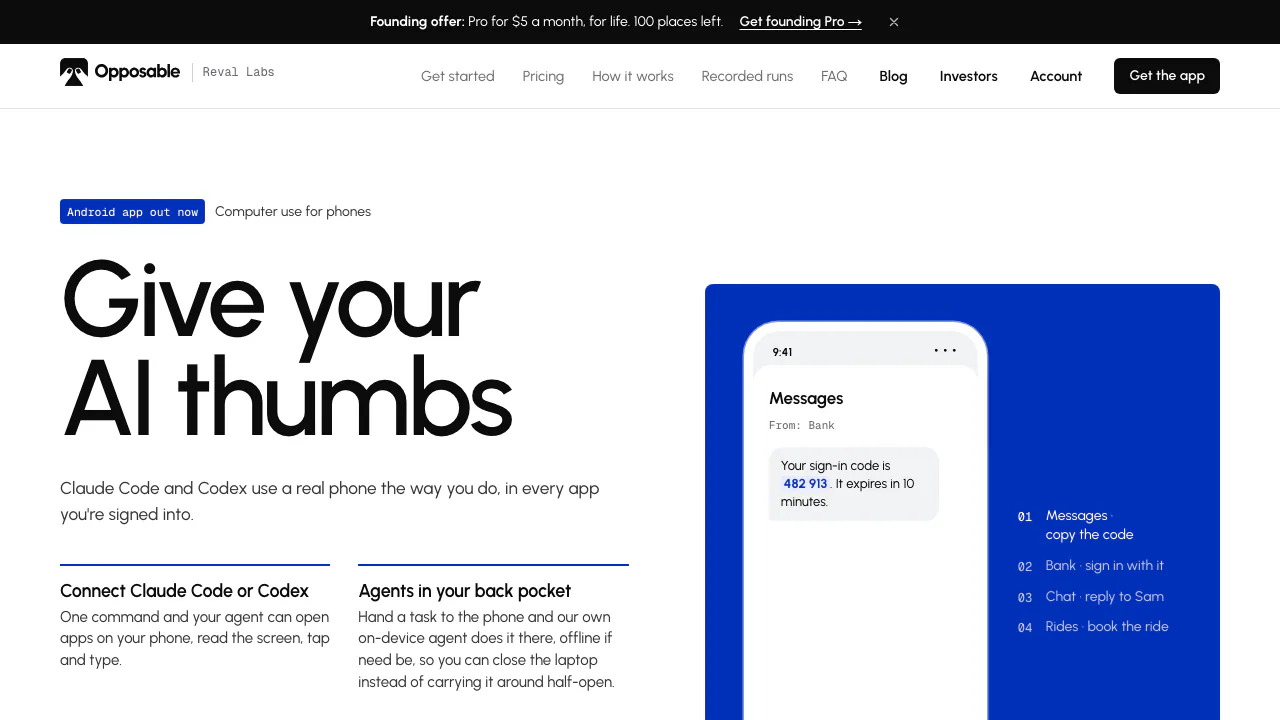
Opposable is an Android AI agent and phone-control tool from Reval Labs. It gives an AI access to the phone screen and actions such as tapping, scrolling and typing. A request like “set a five-minute timer” can become a sequence of actions inside the Clock app, with a result you can check on the device.
It suits people automating repetitive mobile tasks and developers connecting MCP clients to apps that lack a convenient integration. The product also offers an iPhone route through a Mac and rented cloud phones. Compatibility depends on the device, app and connection method.
Connect Android and complete a first task
- Download the APK from the official website onto an Android 11 or newer phone.
- Open Opposable and enable its service under Settings → Accessibility. This permission lets it inspect and operate the interface.
- Tap Pair and enter the displayed code on the official pairing page. Use the connection instructions generated for your chosen client.
- Connect an MCP client such as Claude Code, Codex or Cursor, or use the built-in agent.
- Start with a five-minute timer. Check that the timer appears on the phone and review the reported result before trying a longer workflow.
The connector setup guide explains account authorization for the hosted connector. That route currently requires Android. Keep the phone unlocked, powered on and online for remote actions; a locked phone refuses actions. Treat connection tokens like passwords.
Choose a physical phone, iPhone or cloud device
For an iPhone, the Mac beta requires an Apple silicon Mac, macOS 14 or later and iOS 18 or later. Bluetooth carries keyboard and pointer actions; USB or AirPlay provides the screen. Setup includes pairing and enabling AssistiveTouch. No iPhone app or jailbreak is required, but the Mac application is beta and is not yet notarized by Apple.
Cloud phones provide a separate virtual Android environment. Install apps and sign in through the browser viewer, then connect the agent. Some banking apps reject virtual phones, so confirm your essential workflow before relying on this option.
Run tasks locally and reuse routines
The built-in agent can run inference on the phone. Its screen model is approximately 1.4 GB; model-free paths handle common device tasks, while recipes replay saved sequences. Offline inference does not make network-dependent apps work without internet.
MCP and REST let developers integrate the phone into wider workflows. Remote scheduling and webhooks belong to paid features. Recipe repair marked “coming” on the site should not be treated as available.
Free use and paid access
Checked on 12 October 2026: local USB or same-Wi-Fi use, the app, MCP/REST and the built-in agent are free. Hosted remote access has a 14-day trial per phone.
The public dollar pricing lists Pro at $8/month or $79/year, alongside a founding offer of $5/month with conditions to verify. Power is $29/month for up to ten phones. Cloud Starter starts at $19/month with 60 active hours and $0.15/hour overage. External AI subscriptions or API charges are separate considerations. Check current plans and conditions before choosing.
Understand where screen data goes
Local inference, the relay and cloud phones have different data paths. The privacy policy says the relay transmits requests and responses, potentially including screen contents, without storing those screen contents. Metadata and optional backups are handled separately. Cloud phone storage and snapshots live on provider servers and are deleted within 30 days of cancellation.
The company says it does not train models on screen contents. This is not a blanket promise covering any external AI provider you connect. Official payment approval controls still require you to check actions and outcomes. Follow the usage terms, including the rules of the apps being operated.
Common questions
Is Opposable free?
Local phone use is free. The remote relay becomes paid after its trial, and renting a cloud phone has a separate subscription.
Do I need another model API key?
Not necessarily. You can use the built-in on-device agent or a supported AI client with its existing account. Optional external model access may have its own costs.
Does my screen stay on my phone?
With on-device inference, screen processing stays local. Remote agents and relay connections can transmit screen information; cloud phones also store app data remotely.
Official setup and support
- Cloud phone setup: installation, login and connection instructions.
- Product blog: official updates.
- Product questions: hello@getopposable.com, listed in the official footer.
Related tools
AI Automation Tools →
OpenBotFreemium
Persistent AI teammates with shared work, local files and your choice of model.
Fuse AIFreemium
Find suitable prospects, enrich contact data and review AI-written outreach in one sales workflow.
CoreSpeedFreemium
Connect your existing agent to business apps, durable memory and metered tools.
ZooWorkPaid
Turn expertise, operating rules and connected tools into agents that carry out reviewed business tasks.
SaiFreemium
Sai AI Computer Agent for Repeated Tasks