

Teamily AIFreemium
People and AI agents work together in one messenger
Testifly: AI test automation for web apps
Discover web-app flows, generate tests and investigate regressions with AI.
What does Testifly do in plain English?
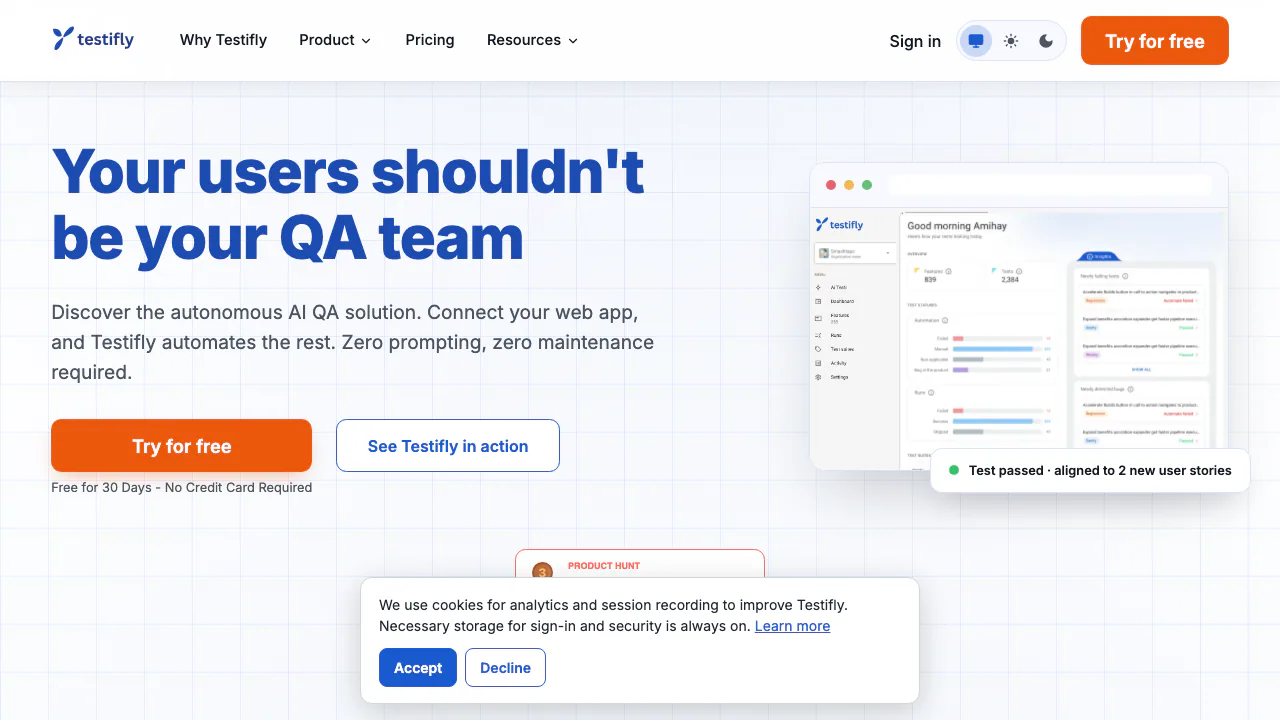
Testifly is an AI test automation service for web applications. Give it your app's URL and a suitable test account, and it explores the screens, turns user journeys into tests and runs them. A team changing its sign-up or checkout experience can use those checks to investigate whether an existing journey still works.
Provided by Testifly Ltd., it suits developers, SaaS teams and QA staff who want end-to-end coverage with less test authoring. Its advertised autonomy is a product capability, not evidence that every bug will be found or that business requirements no longer need review.
Discover coverage from your app and specifications
Flow Discovery maps pages, interactions and state changes, including dynamic content and single-page applications. It generates tests from discovered flows and supports authenticated areas when access is configured. Product documents, spreadsheets and PDFs can also supply flows and expected behaviour.
Built-in UX checks look for conventions such as Escape closing a modal and focus returning correctly. These checks help investigate usability defects; they do not constitute an accessibility certification. Exact upload size limits, extension support and export formats were not established in the reviewed pages.
Set up your first web-app test
Use the official setup guide for the current controls:
- Prepare a dedicated test environment, resettable data and a test account. Agents can add, change or delete app data.
- Sign in, enter the Base URL and choose Verify web app to check access, bot protection and login requirements.
- Supply the appropriate login details. Social-login test users must have two-factor authentication disabled.
- Review IP allowlisting, parallel sessions and rate limits; add restricted areas under Settings → Exclusions, then create the project.
- Follow discovery and automation on Jobs, inspect generated coverage and review the first run's failures.
Email-link authentication requires additional test-user setup. VPN-only apps need a connected Remote Runner before discovery starts. Initial setup may take about two minutes; the first discovery, automation and run can take minutes to hours.
Review regressions and reduce test maintenance
Self-healing adapts broken selectors and flows after UI changes, with changes visible in reports. Testifly attempts to separate interface drift from actual behavioural regressions. Failure reports include root-cause analysis and session video.
Compare those findings with the intended behaviour. An updated locator and an incorrect checkout total require different decisions; an automatically repaired test does not by itself prove the product is correct.
Connect release checks to the team workflow
The Test Execution API connects runs to CI/CD release gates. Scheduled checks and different environment URLs support testing between deployments. Jira, Linear, Notion and Slack integrations connect planning and reporting; suites and email reports organise results.
Blast radius identifies flows affected by a change. Tessa answers questions from project data and drafts tests for confirmation. An MCP endpoint exposes project queries and supported edits to compatible assistants. Consult the integration instructions and plan conditions before connecting tools.
Trial, paid plans and execution limits
Checked November 4, 2026: public monthly prices are USD before location-dependent taxes.
| Plan | Monthly price | Tests | Executions/month | Projects / environments |
|---|---|---|---|---|
| Starter | $29 | 50 | 5,000 | 1 / 1 |
| Growth | $89 | 225 | 50,000 | 1 / 3 |
| Business | $249 | 750 | 200,000 | 2 / unlimited |
| Enterprise | Quote | Custom | Custom | Custom |
The 30-day no-card Discovery trial includes 30 tests across three live features, one project and 4,500 monthly executions. It also caps suites at 10, email reports at 150, and Tessa and Blast radius at 100 sessions each. Live testing pauses after the trial.
Stored tests and monthly executions are different limits. Paid integrations and Blast radius start at Growth; Starter includes 100 Tessa sessions. Subscriptions renew automatically; cancellation ends future renewals. Review current pricing for annual billing and full conditions.
Handle test data and credentials carefully
Testifly describes encrypted test-password storage using project keys and Azure Key Vault. Its policy also covers generated code, logs, screenshots and recordings, and AI providers process content needed for test generation and repair. Customer content is not used to train public AI models, according to the policy.
No fixed universal retention period was established. The terms contain ownership language for test cases/results/logs and a separate-agreement condition for commercial use; clarify rights before commercial delivery. Read the privacy policy and service terms.
Cloud, on-prem execution and self-hosted options are advertised. A VPN runner provides private-network access; confirm deployment scope and data flows rather than assuming everything remains local.
Frequently asked questions
Do I need to write test scripts?
Not for the basic discovery and generation workflow. You still supply working access and review whether generated tests reflect the required behaviour.
Is Testifly free forever?
No permanent free plan was verified. The public offer is a limited 30-day trial, followed by a paid subscription for continued live testing.
Can I point it at production?
Environment URLs can include production, but the setup guide recommends a test environment because agents can modify data. Use dedicated accounts and appropriate exclusions.
Official resources
- Documentation: setup, runs and integrations.
- Contact Testifly: access, deployment and contract questions.
- Testifly on X: the account linked from its About page.
Related tools
AI Coding & Developer Tools →
SynterFreemium
Connect your AI assistant to ad reporting, campaign drafts and governed execution.
kwantFree
Run your own AI team with handoffs, schedules and approvals.
ScalekitFreemium
Connect agents to user accounts with managed OAuth, scoped tools and attributable execution logs.
FluentPaid
An AI assistant inside your Mac apps, with your choice of cloud or local models.
AgentMashFreemium
A shared workspace that tells coding agents what teammates are changing before their work overlaps.