
TestiflyPaid
Discover web-app flows, generate tests and investigate regressions with AI.
Scalekit: connect AI agents to apps with scoped MCP access
Connect agents to user accounts with managed OAuth, scoped tools and attributable execution logs.
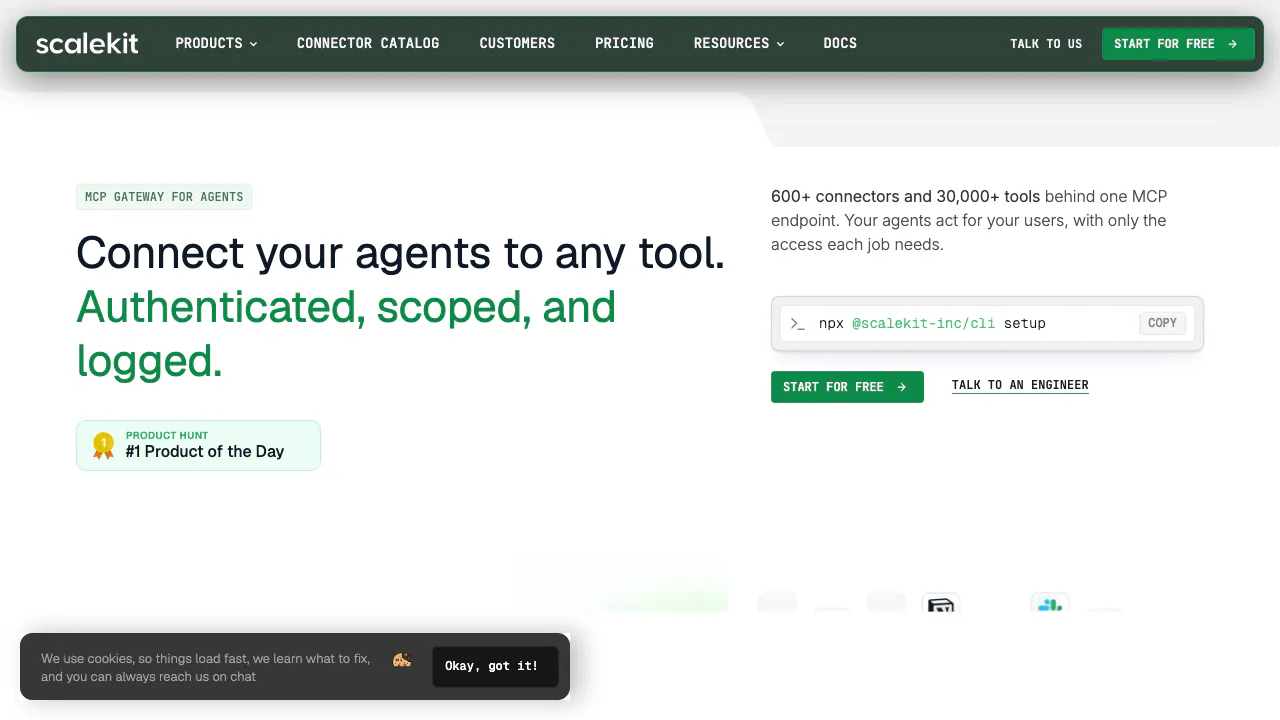
Scalekit helps development teams connect AI agents to users’ business applications. Its AgentKit product manages third-party authorization and tool access so an agent can use the right person’s account when working across email, CRM, documents or developer services. The platform also offers a separate identity stack for SaaS applications.
What does Scalekit actually do?
Imagine building a sales assistant that reads a customer’s CRM record and checks their email. Each customer connects their own accounts, and the assistant should operate only within that customer’s permissions. Scalekit supplies the integration layer: account connections, credential management, tool execution and logs. Your team still builds the assistant’s behavior and chooses its model.
This makes Scalekit useful for SaaS teams adding actions to agents and developers maintaining many app integrations. It is infrastructure to integrate into a product, rather than a finished assistant that automatically understands your business process.
Connect user accounts without rebuilding OAuth
AgentKit stores and refreshes provider tokens and attaches them to authorized calls. Connected accounts are associated with individual users, which helps separate one customer’s access from another’s. Third-party credentials need not enter prompts or your tool implementation; the Scalekit server credentials used by your backend still require secure handling.
The homepage advertised more than 600 connectors and 30,000 tools when checked on November 4, 2026. Check the individual connector’s actions and required scopes before committing: an application logo does not guarantee every endpoint or operation is supported. Tool-call logs provide attribution, while advanced SIEM streaming is an Enterprise feature.
Give each agent a small, explicit MCP tool set
A Virtual MCP Server combines selected tools from different connections behind a stable endpoint. A sales workflow can receive a few relevant tools instead of an entire integration catalog. Configure that set per agent role, check each user’s authorized accounts and issue a session token for each run.
The documented default session lifetime is approximately one hour, with configurable expiry. Session tokens cannot be extended in place; mint another when necessary. Keep user identifiers consistent. Restricted tool exposure reduces the available action surface, while business approvals and output checking remain application responsibilities.
Start with a verifiable GitHub call
The official quickstart uses a read-only GitHub profile lookup. It supports Python 3.10+, Node.js 18.14+ or cURL with jq.
- Create a Scalekit account and obtain the environment URL, client ID and client secret from the developer settings. Store them in backend environment configuration.
- Find the GitHub connection under AgentKit Connections; new environments normally include github-connect.
- Install the SDK and create or find a connected account using a stable application user identifier.
- Generate an authorization link if needed. Let that user approve access and verify that the account becomes ACTIVE.
- Execute github_user_get_authenticated and check that the response identifies the intended GitHub user before adding model decisions or write operations.
For event-driven automation, Triggers can start runs from app events, webhooks or schedules. Documentation currently marks Triggers as Beta, so confirm connector-specific event support. A new-email invoice workflow, for example, still needs your processing logic and suitable permissions.
Agent access and SaaS login solve different jobs
AgentKit connects agents to external user applications. SaaSKit provides login, organizations, roles, SSO and SCIM for your own application. BYOA adds enterprise auth modules over an existing identity and session stack. Evaluate the separate SaaS authentication plans if login is your actual requirement; AgentKit call allowances do not describe SaaSKit entitlements.
Free limits, usage charges and Enterprise options
Public USD monthly prices were checked on November 4, 2026. Free plan cards and the FAQ state 10,000 tool calls and 10,000 trigger events per month, but a legacy comparison table on the same page still states 5,000 calls. Confirm the actual account allowance because these statements conflict. Free usage stops at the limit rather than continuing with overage billing.
Growth is listed at $99/month with 100,000 tool calls and 50,000 trigger events. Listed overages are $0.50 per 1,000 calls and $3 per 1,000 events. Enterprise uses custom pricing and offers private deployment, BYOK and advanced logging or contractual options. Private hosting is an Enterprise arrangement. Review current AgentKit pricing for taxes, add-ons and terms; a multi-step agent run can consume several billable calls.
Read data policies at the right scope
The privacy policy specifically says Google user data is used for authorized actions, Google API response content is not logged or retained, and encrypted Google tokens are deleted when disconnected or when the platform account is deleted. It also excludes using that Google data to train generalized AI/ML models.
Those statements do not automatically cover every connector, your application or a downstream model. General policy provisions describe US/India processing and business-need retention; customer data is also governed by customer agreements. Check the actual region, logging, retention and deployment terms before sending sensitive business information.
Common integration questions
Where should a developer start?
Complete the read-only GitHub quickstart and verify the returned identity. It separates authorization problems from later model and workflow behavior.
Must provider tokens be placed in an agent prompt?
No. AgentKit manages and injects those credentials at the integration layer. Keep your Scalekit backend secret out of prompts and browser code as well.
Can an existing login system remain in place?
Evaluate AgentKit for external app access and BYOA for adding enterprise authentication to an existing stack. They address different parts of the architecture and have separate commercial conditions.
Official developer resources
- AgentKit implementation guide: setup, authorization and a first tool call.
- Scalekit on GitHub: SDKs and examples; inspect each repository’s license separately.
- Service status: incidents and maintenance.
Related tools
AI Automation Tools →
Teamily AIFreemium
People and AI agents work together in one messenger
SynterFreemium
Connect your AI assistant to ad reporting, campaign drafts and governed execution.
FluentPaid
An AI assistant inside your Mac apps, with your choice of cloud or local models.
AgentMashFreemium
A shared workspace that tells coding agents what teammates are changing before their work overlaps.
Riverside AgentsFreemium
A native AI production team for preparing, editing, clipping and publishing recorded conversations.