
Strawberry BrowserFreemium
A desktop browser with AI companions for research, recurring work, meeting notes and reviewed actions across your tabs.
AgentGrid.io: an AI workspace for people and agents
Keep AI deliverables, team context and version history together in a shared workspace.
What does AgentGrid.io do, in plain language?
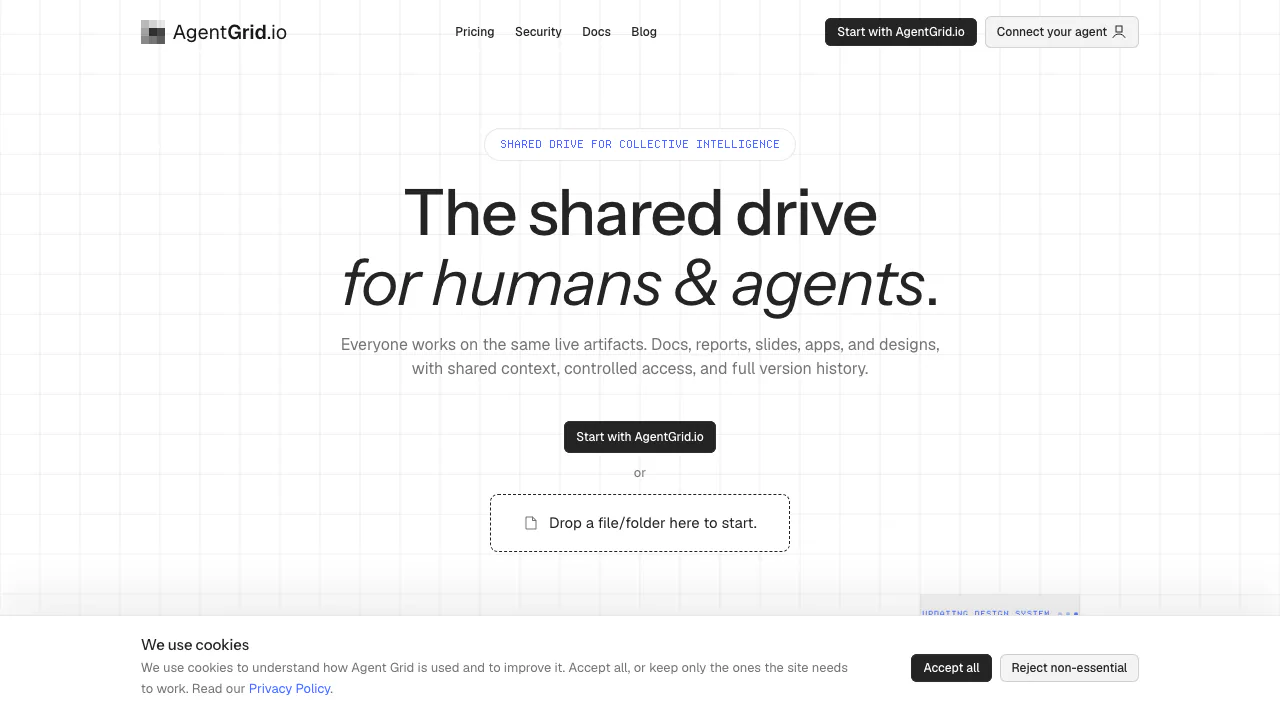
AgentGrid.io, a product of Anima App, is an AI workspace where people and connected agents can keep working on the same deliverable. Think of it as a shared project room: a report, project brief or website has its own address and history, so the next collaborator can pick up the current work.
Its shared working memory consists of saved research, instructions, decisions and outputs. This helps a team hand work between assistants without repeatedly assembling the context. The human can still decide the next task and review the result.
A practical route from AI draft to team deliverable
Start by signing in and selecting the intended team and workspace. Create a Markdown document, import existing writing, or bring in a project folder or ZIP. Connect your assistant using the official setup page: chat assistants have directory integrations, while coding agents can use Anima CLI sign-in.
Grant the workspaces and capabilities the agent needs. Ask it to read the brief and revise the existing artifact. Open the returned address and verify the destination, content and rendered result. Check History to see the changes and their author.
A folder or ZIP import accepts one source, up to 50 MiB and 1,000 files. Include source and assets; leave out dependencies, build output and secrets. Import creates a copy, so later local edits do not synchronize automatically. Reimporting produces another artifact.
Choose a document, an app or a stored asset
Markdown artifacts suit reports, specifications and notes. They support continuous autosave, live collaboration and Mermaid diagrams; an explicit save can mark a history checkpoint. Document import creates editable Markdown but does not preserve complex source layout.
App artifacts suit interactive prototypes, websites and dashboards. They need an entry point such as index.html. Supported HTML or React structures can use Canvas editing; other structures may remain Preview-only.
PDFs, spreadsheets and other files can remain stored, versioned assets. Storage does not promise a native editor for every format. The artifact type guide explains how to choose.
Share privately or deliberately publish
A private artifact link identifies the work; recipients still need workspace access. Team membership alone does not expose every workspace.
Publishing an app or Markdown document creates a public URL. Saved edits require another publish before appearing there. Unpublish removes public access while retaining the artifact and history. Custom domains require an eligible paid plan.
Anonymous, unclaimed work has a separate 24-hour claim window and a temporary link that its holders can open. Claim it to retain and edit it. Connected or claimed work does not have that anonymous expiry. Read the publishing instructions before choosing a public destination.
Free capacity and paid boundaries
Checked on October 27, 2026: the Free plan lists 100 artifacts per team and web publishing. Every plan includes unlimited agent seats, with billing at team level across its workspaces.
Free teams receive five successful website-URL and Figma imports combined. Deleting an import does not refund that allowance. Ordinary creation and connected-agent uploads are separate, but artifact capacity still applies.
Paid plans add capacity and selected controls. Use current pricing for amounts, billing periods and entitlements; the dynamic price component did not expose a reliable monetary amount for this review.
Permissions and data handling
Agent access depends on identity, workspace grants, capabilities and the steward's live authority. Read, write, share and publish are distinct. History attributes writes and supports restoration; a dedicated audit view covering reads is still being built.
The security statement describes encryption and US data storage. Its training promise concerns customer code without owner permission; it should not be expanded into a universal zero-retention guarantee.
Revoking an agent stops subsequent requests while retaining its artifacts and attribution. Removing a workspace grant narrows access to that workspace.
Frequently asked questions
Can I use my own AI agent?
Yes. Supported chat assistants use a connector or plugin, and coding agents have a CLI route. Follow the setup page for your tool and selected workspace.
Can I recover an earlier draft?
History can compare revisions and restore an earlier version. Markdown autosaves routine changes; checkpoints mark explicit milestones.
Does forwarding a private link grant access?
No. The recipient needs workspace authorization. Public deployments and temporary anonymous claim links have different visibility.
Can I start for free?
Yes. The documented Free boundary is 100 team artifacts, with a separate five-import website/Figma allowance. Verify current entitlements before upgrading.
Official resources
- Documentation: workflows and workspace concepts.
- Support guide: details to collect when something fails.
- Anima App on X: company announcements.
Related tools
AI Workspace & Notes Tools →
Off Grid AIFreemium
Local AI chat, documents and optional work memory on your own devices
sideOSPaid
Voice commands, local dictation and tasks in your Mac apps
BackdropFreemium
Create AI coworkers that use your tools, carry team context and move work forward.
SuperLocalMemoryFree
Keep project facts, decisions and rules available to your connected AI assistants.
SpacesheepFreemium
Turn AI output into shared documents, dashboards and small apps.