

NavigeFreemium
Measure agent spending, then enable controls for the calls you route through Navige.
Llama: local LLM chat and APIs on your computer
Run open models on your computer, chat with files, and connect your apps to a local API.
What does Llama.app actually do?
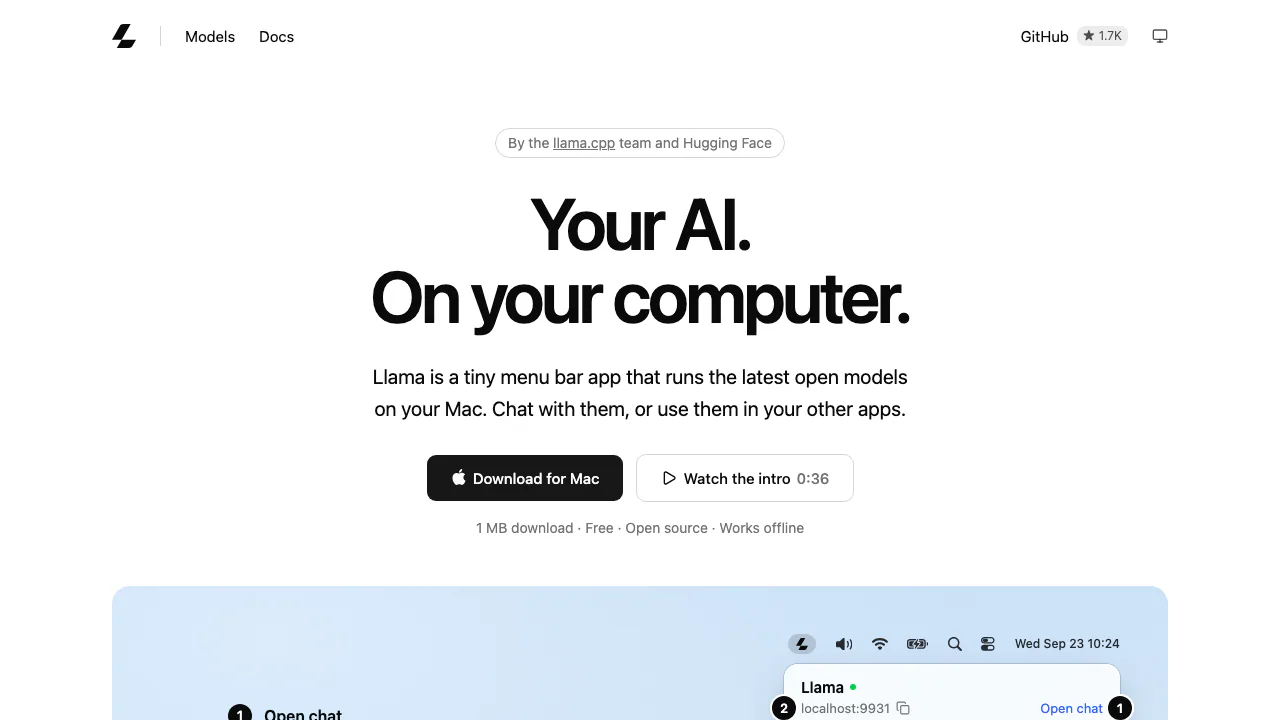
Llama.app is the download and documentation site for Llama, a free, open-source application that runs language models on your own computer. Think of it as a home for local LLMs: choose a model, download it, then ask questions in a browser chat or let another application use it through a local API. The project is presented by the llama.cpp team and Hugging Face.
It suits people who want local writing and analysis, and developers who want one model service for several apps. The model supplies the intelligence; Llama handles running and connecting it.
From download to your first local chat
- Download the Mac app or Windows 11 app from the official site and launch it. Mac users can also use
brew install --cask llama-app. - Open its menu-bar or system-tray icon and download a recommended model using the download arrow.
- Select the downloaded model. Choose a context window suitable for your memory and conversation, then open chat.
- Send a short test prompt, check the answer, and try your actual task.
The official quickstart shows this sequence. Linux users have a command-line installation path; the site does not present a Linux desktop app equivalent.
Choose a model your computer can handle
Available memory, model size and conversation length matter together. A longer context uses more resources, so a model that loads successfully is not a promise of unlimited document length or fast answers.
Llama recommends models and configures settings for the machine. The model catalogue gives memory guidance across different model sizes; use the recommendation for the specific model rather than treating one number as a universal minimum.
Models share the Hugging Face cache with other tools and unload while idle. The advertised small Mac application download excludes model weights, which need additional disk space.
Use files and keep useful conversations
The built-in Web UI supports image and PDF input with vision-capable models, and MP3/WAV with models that accept audio. A text-only model does not gain vision merely because it runs in Llama.
For a document task, attach a supported file, ask for a focused result such as a summary or extracted dates, then compare the answer with the original. Conversation search, branching and JSON import/export help revisit or back up useful work.
Connect editors and agents to a local API
Compatible clients can use http://localhost:9931/v1. Check GET /v1/models for the actual model ID before selecting it in your client. The service documents streaming chat, structured output, tool calling and an Anthropic-compatible Messages endpoint.
The API reference covers request formats. For coding agents, Llama serves the model while the separate agent manages actions and tools; a local model alone does not execute your development workflow.
Free software, local data and practical limits
Verified on October 27, 2026: the application is free, with no advertised per-token local API bill. Your computer still supplies memory, storage and electricity. The app's MIT license does not replace each model's license; check model terms before commercial use.
Local inference can work offline once software and models are available. Downloads, updates and external tools may still need a network connection. The Windows repository states that it sends no telemetry. The local server is device-only by default; enabling network access changes who can reach it. Connected clients and tools have their own data behavior.
Frequently asked questions
Is Llama free to use?
The app is offered free. Hardware costs and any separate services you connect remain your responsibility.
Can it run without internet?
Local inference works offline after the required downloads. Online tools and updates are separate.
How much RAM do I need?
There is no single published minimum for every model. Choose from the hardware recommendations and leave room for context.
Are all my connected apps private too?
Llama's local execution does not establish the privacy behavior of another app, agent or remote tool. Review that complete workflow.
Official resources and developer community
- Web UI guide: supported attachments and conversation controls.
- Agent setup guide: connect a coding client to the local server.
- Mac repository and Windows repository: source, releases and issue reporting.
Related tools
AI Model APIs & Infrastructure →
EdgeeFreemium
Route coding agents, compress tokens and track model costs.
Together AIPaid
Connect AI models to your app, customize them with your data, and scale deployment on cloud GPUs.
JevModelFreemium
Turn text or JSON into labels, scores and probabilities with Jev.
ReflectionFree
Build with Beam through an API, Mirror CLI, or your own infrastructure.
shimFreemium
Mask sensitive AI traffic, track spending and inspect coding-agent exposure.