

MitraPaid
Delegate incoming and outgoing calls with Mitra
CALL-E: AI Phone Call Assistant for Everyday Tasks
Calls for bookings, quotes and everyday errands
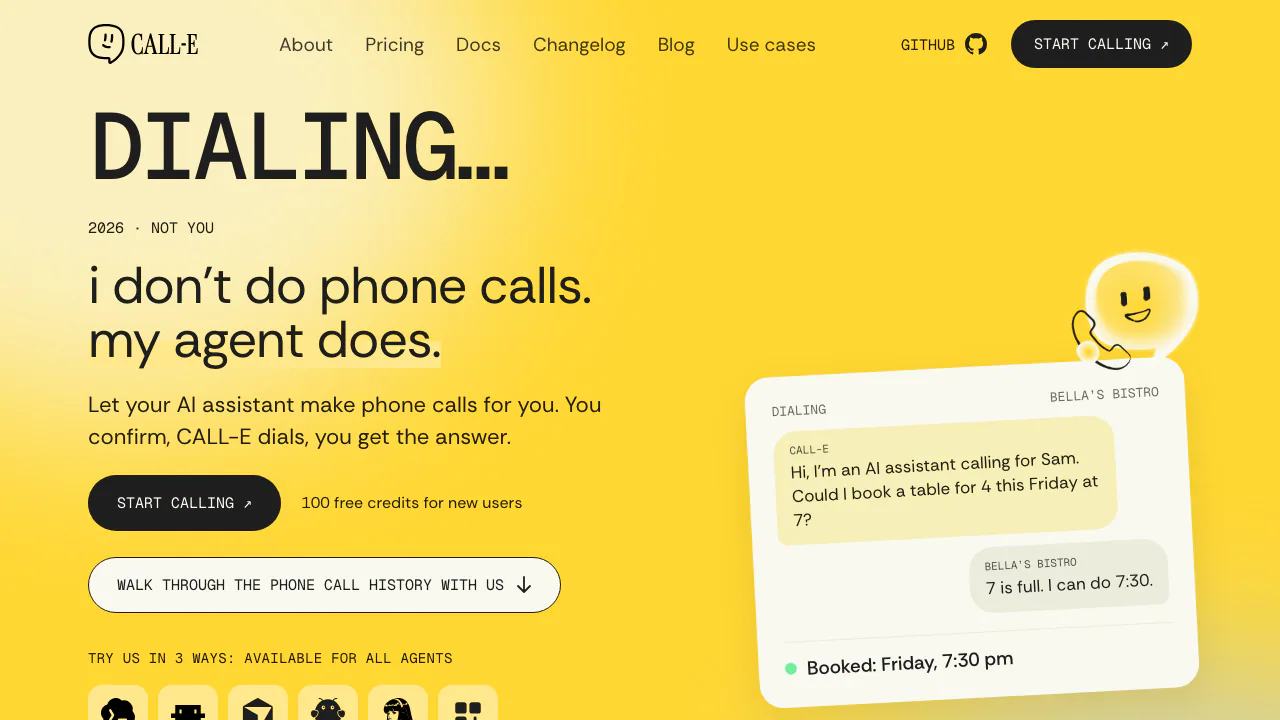
CALL-E is an AI phone call assistant that lets your existing assistant handle practical telephone errands. Describe the outcome you want, review the proposed call, authorize it, then read what happened and what the other person actually said.
What CALL-E does, in plain English
Think of CALL-E as the part of an AI assistant that can pick up the phone for a task. You might ask it to reserve a restaurant table, move an appointment or ask a store whether an item is available. It has the conversation on your behalf and reports back, rather than simply giving you a number to call yourself.
The consumer experience centers on outbound calls to real US and Canadian numbers. It suits people who already use assistants such as ChatGPT or Claude and developers who want their agents to complete a phone-based step. A confirmed booking still depends on the business having availability and accepting the request.
Turn a request into a confirmed phone call
- Choose the assistant integration or account route linked from the CALL-E website.
- Describe who should be called and what you want to achieve. For a table booking, include the date, local time, party size, booking name and acceptable alternatives.
- Answer any clarification questions. Missing details should be resolved before the call plan is ready.
- Review the recipient and the request. Authorize dialing only when the plan reflects your instructions.
- Read the returned outcome and transcript, checking the agreed time, price, conditions and anything you still need to do.
For example, a useful request would specify a preferred reservation time and whether a later table is acceptable. Those boundaries help the agent handle a real reply without leaving an important choice undefined. Provide only the information needed for that errand and follow the service’s calling and usage terms.
Get answers from businesses without staying on the line
CALL-E’s examples cover restaurant bookings, appointment changes, service quotes and stock checks. Each starts with a concrete result: an agreed reservation, a changed time or an answer you can use to decide what to do next.
The phone handling includes listening to automated menus, entering keypad choices and waiting on hold. The homepage also demonstrates voicemail and transfers. These capabilities reduce the manual phone work, but they do not guarantee that a person answers, that stock remains available or that a business agrees to a request.
Read the result before taking the next step
The consumer result includes a summary of what happened and a transcript, with evidence and a confidence label described on the homepage. Use the transcript to check whether the business confirmed the exact request, proposed an alternative or left a condition unresolved.
Developers should make the same distinction in code: a technically completed call is not proof that the business task succeeded. The current API documents a separate result-readiness field, and a transcript can be empty. An application should handle missing or unavailable business results explicitly.
Connect phone calls to your own agent
The official routes include compatible agent Skills, MCP, a REST API, and TypeScript and Python SDKs. The homepage names Claude Code, Codex, Cursor and OpenClaw among supported installation hosts.
For a direct integration, the official quickstart uses a server-held API key, an authorized phone number, a task and a result schema. Keep the request’s idempotency key and returned Call ID. Wait for result_status to become available before consuming the business result; completed alone is insufficient. After a timeout, query the same call or retry the unchanged request with its original key to avoid accidentally creating another call.
The documentation also distinguishes One-shot-call from reusable published Goals. Choose and test the appropriate route before building a production workflow.
Free credits, usage charges and supported destinations
Verified on November 13, 2026: the homepage offers new users 100 free credits. This is starter credit, not a promise of unlimited or recurring free calling.
The developer billing page prices usage in USD as model fees plus carrier fees. For domestic outbound US/Canada calls, One-shot-call lists $0.0296 per 10 model seconds plus $0.0400 per carrier minute; Goal lists $0.0148 plus $0.0200 respectively. Model usage is billed in 10-second periods, while domestic carrier time rounds up to whole minutes. The official 30-second examples total $0.1288 and $0.0644 respectively. These are mode-specific examples, not a universal flat price for every call. Preparation can incur model charges even without a connection.
Check the regions and languages guide separately from the interface language. The additional international destinations are primarily for development and testing, may use shared international numbers and may cost more. Actual availability also depends on the account and line configuration.
Frequently asked questions
Is CALL-E free to use?
New users receive 100 starter credits. Continuing usage is metered; the number of calls that credit covers depends on preparation, duration, destination and calling mode. Check current billing rather than assuming a fixed number of free calls.
Does CALL-E answer incoming calls?
The consumer homepage describes an outbound assistant that does not answer or screen incoming calls. Developer billing separately lists inbound Goal usage. Confirm account, line and setup requirements before treating that as an incoming-call solution.
What happens to phone numbers and call transcripts?
The privacy policy describes processing numbers, instructions, metadata and call records, including recordings where configured. Telecom and AI providers may participate, and retention varies by data type, settings and purpose. The policy does not establish one deletion deadline or an unconditional no-training guarantee. Read the applicable settings before sharing sensitive information; the policy also provides a support and privacy contact.
Official guides and community
- CALL-E on GitHub: official code and integration projects.
- Official Discord: product and integration questions.
- CALL-E on X: product announcements.
Related tools
AI Voice Agents →
EditsFreemium
Edit on your phone or Mac, add captions and share a clean 4K export.
TellPipPaid
Live answers from your own documents, with client commitments ready for the next call.
VaaniPaid
Build multilingual calling agents with business knowledge, tools and memory.
EclatiraFreemium
Build voice and video AI agents for web and phone.
UnoRouterFreemium
One key for multiple AI models, with provider routing and browser chat