

Superhuman GoFreemium
AI help for writing, email and connected work
Eclatira: AI voice agent platform
Build voice and video AI agents for web and phone.
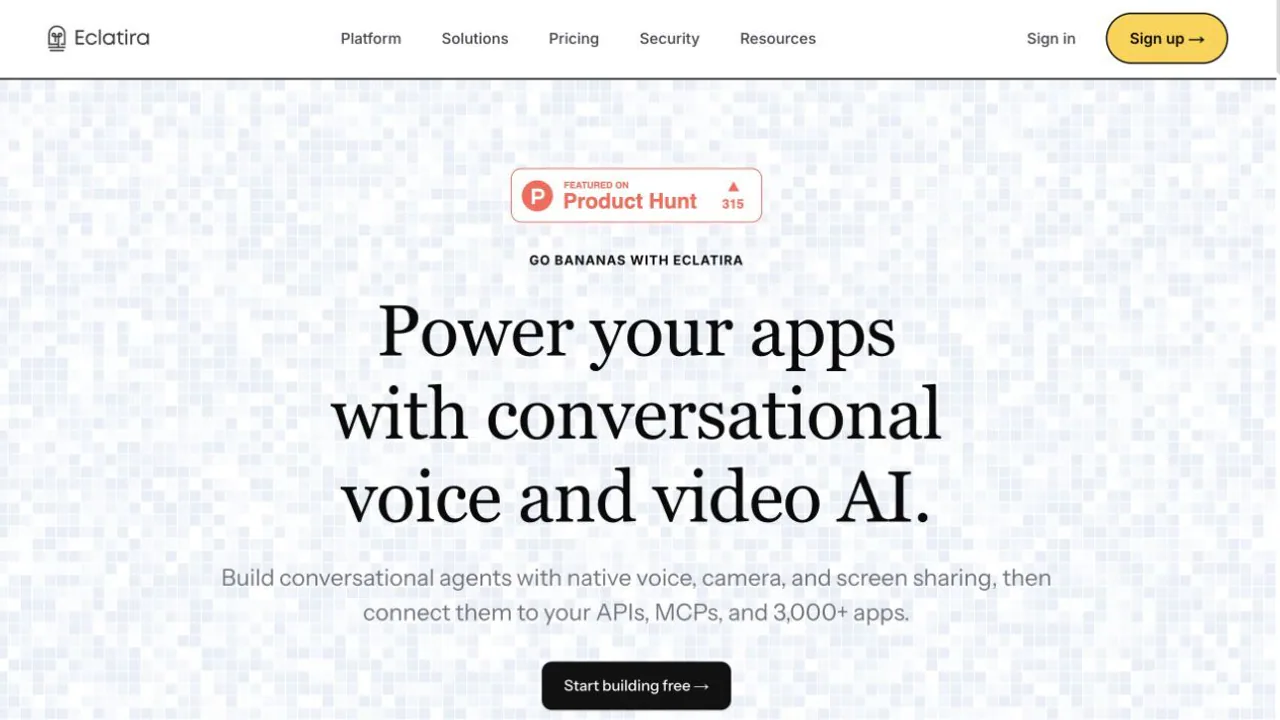
Eclatira is a platform for teams building conversational AI agents for their own websites, applications and phone workflows. It combines spoken dialogue with text chat and live camera or screen input. The key question is whether you need an agent that can act during a conversation, rather than only generate an audio file.
What does Eclatira do? A plain-language explanation
Think of Eclatira as a workshop for creating an AI receptionist or guide. You tell an agent what job it should do, select its voice, give it instructions and connect the tools it may use. A visitor can then talk to it on a website; a caller can reach it by phone after telephony is configured. When camera or screen sharing is enabled, the agent can discuss what the person shows it while the conversation continues. That makes it useful for support, lead qualification, onboarding and guided troubleshooting. It is a platform for building these experiences, so your team still designs the task, tests the answers and owns the customer workflow.
Build and test a website conversation
Start by creating an account and an agent in the dashboard. Describe the job in plain language, then refine its prompt, voice and tools. For a first website test, open the agent's Deploy → Web Widget → Embed Code area and copy the two script tags into an HTTPS page. The official widget guide shows the exact snippet; the widget does not put a secret API key in the browser. Open the page, accept the required data notice, grant microphone permission and check that the agent can handle a realistic question. If you enable camera or screen share, test those permissions too. Compare its answer with your source material before exposing it to customers.
Add live vision and connected actions
Eclatira can use a live camera or shared screen to read visible text and recognize objects, then respond in the same conversation. A screen-guidance agent can talk someone through a form or an application. Separately, its tool calling and REST/WebSocket interfaces let a developer connect business actions and receive post-call webhooks. Define exactly which systems an agent may access and test the failure and handoff cases. The platform overview describes these routes. Do not treat visual understanding or an AI answer as an independent verification of a customer's identity or a business transaction.
Move from browser testing to phone calls
For outbound phone calls, the phone-call documentation requires an agent with a Twilio or Telnyx number, its agent ID and a server-held API key. Start a test call, then inspect its completed result or a webhook before scaling up. Keep the key off the web page because it grants access to the workspace. Phone deployment also requires your own calling, disclosure and review process; the platform's included telephony feature does not remove the carrier-configuration step.
Free credits, paid plans and usage limits
On 28 September 2026 the official pricing page lists Free at US$0 with 1,350 credits per month, about 30 voice minutes or 54 text messages as estimates, and two simultaneous sessions. It lists Solo at US$35 per month billed monthly, with more credits and concurrency. Voice averages about 45 credits per minute and text about 25 per message, but actual consumption varies, especially when a knowledge base is used. Credits reset each billing cycle. Check the current page and checkout for local currency, taxes, top-ups and plan limits before budgeting a production workload.
Recordings, data location and consent
The privacy policy says every voice session is recorded and recording cannot be turned off. Recordings and transcripts remain until deleted. Camera and screen-share frames are sent live to the AI model, at most once per second, and are not stored. Customer data is stored and processed in the United States with no region selector. Eclatira says customer content is not used for model training, while the model provider may briefly retain inputs for caching and abuse monitoring. The web widget shows a mandatory data notice; for phone and API channels the customer must arrange any required recording notice and AI disclosure. Check these conditions before handling sensitive conversations.
Frequently asked questions
Is Eclatira free to try?
Yes. Free has a monthly credit allowance and two concurrent sessions. The published voice-minute and message counts are estimates, so test a realistic call and monitor credits rather than assuming a fixed cost per conversation.
Can the agent see a camera or shared screen?
Yes, when the feature and browser permissions are enabled. It can talk about visible material during a live session. The policy says camera and screen frames are not stored, but voice sessions are recorded.
Can I add it to a website without writing a backend?
The Web Widget can be embedded with two script tags and does not need a backend or browser-side API key. A custom interface or server API workflow needs development work and a server-held key.
Where are call recordings and customer data kept?
The policy says voice recordings and transcripts are stored until deletion, and customer data is processed in the United States. Review the official policy and your own notice requirements before launch.
Official resources
- Eclatira documentation — quickstart, API reference and troubleshooting.
- Security details — controls and data handling statements.
Related tools
AI Voice Agents →
HarmonyContact
AI ITSM for employee requests, access and service workflows
SaleSmartlyFreemium
AI customer support across messaging channels
IntellAgentsPaid
AI agents for customer calls, messages, and handoffs.
NOANFreemium
Approved company facts for agents, apps and teams.
TypeSafe AIPaid
A decision model API that returns typed answers and probabilities for software workflows.