

OpusClipFreemium
Clip and reframe long recordings for Shorts, Reels and TikTok.
Videco — AI Video Repurposing and Hosting
Turn recorded demos and webinars into campaign content.
What does Videco do, in plain English?
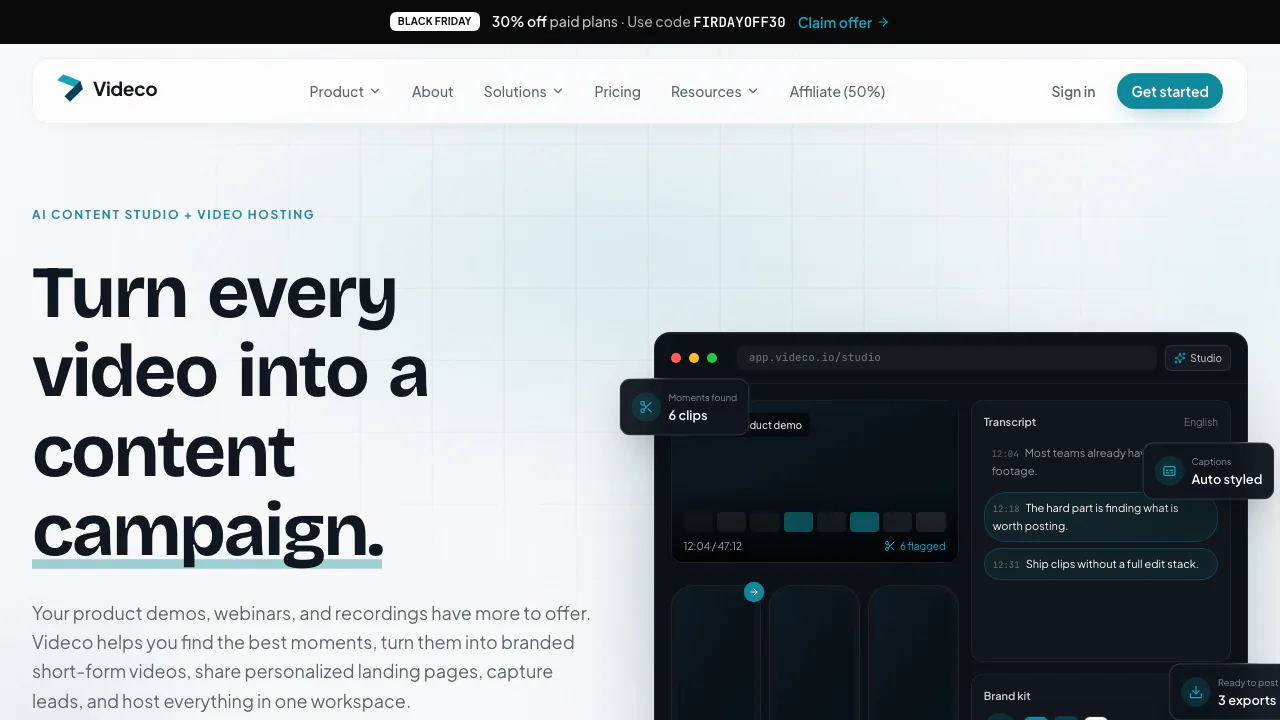
Videco is an AI video repurposing and hosting workspace from ZapDigits. Give it an existing product demo, webinar recording or interview: its Content Studio is designed to help find useful moments, turn them into branded short clips and draft supporting blog or social copy. The same workspace can host the full recording and give viewers a campaign page with a next step.
Check readiness before committing a campaign. On November 4, 2026, the official roadmap still lists Content Studio as work in progress, and its clip preview is labeled a prototype. The published feature descriptions should therefore be checked against access in your own account.
From one recording to a reviewed content pack
Start by creating an account, opening the video library and uploading a recording you have permission to use. Wait until its status is ready. Organize the source into a project or folder so you can keep the recording and its follow-up assets together.
Where Content Studio is enabled, open the source, review suggested moments, trim the start and end, refine captions and framing, then apply brand colors, a logo and caption styling. The homepage also describes article outlines, blog drafts, social posts and hooks from that recording. Review names, numbers and meaning against the source before exporting; a good excerpt needs enough context to stand alone. Client review links let recipients approve shorts and copy or request changes without a Videco login.
Keep the full video connected to your campaign
Share the watch page or embed the player on your website. Video visibility can be private, unlisted or public. Public watch pages generate VideoObject structured data from the title, description, thumbnail and duration; this describes the video to search engines without promising a ranking improvement.
For a sales follow-up, open Landing page for a video with a share slug. Enable it, write the headline and body, configure CTAs and optionally a lead form, then use Save & publish. Name and company merge tags can use URL parameters. Calendly or Cal.com can provide a booking step. Form submissions enter Leads and export as CSV; that is a handoff to a CRM, rather than a verified native CRM sync.
Understand subscriptions and AI credits separately
Checked November 4, 2026: the pricing page advertises a 7-day trial with 500 MB storage, a 10-minute video-duration allowance, 5 GB monthly bandwidth, one personal project and no API. Trial access does not include AI credits, and continued workspace use requires a subscription afterward.
Pro is shown at $9.99/month with 2 TB storage and 100 GB monthly bandwidth. Business is $49/month with 4 TB storage, 1 TB monthly bandwidth, a custom domain and 100 monthly AI credits. The page uses $ without specifying country or tax treatment. Confirm checkout conditions and the meaning of its duration allowance before purchase.
Trial and Pro users buy AI credits separately. A 100-credit pack is $9; project generation costs 10 credits, preparing a vertical short with animated burned-in captions costs 4, and rewriting copy costs 1. Generating a project and preparing one short therefore uses 14 credits. Purchased credits do not expire; included Business credits reset each billing period. Ordinary hosting and playback do not spend AI credits. Delivery bandwidth is a separate ceiling: reaching it blocks playback until the next calendar month or an upgrade.
Who should consider it, and what are the limits?
Videco suits marketing teams reusing recordings, agencies sending content for client approval and product teams hosting demos. It is not a live-event or live-webinar platform. Developers on Pro or Business can use the public REST API for videos, folders, metadata and upload credentials. Do not assume it exposes every Studio operation: transcription and caption routes are outside the documented public API.
Check data handling before uploading
The privacy policy states that account data and uploaded content are stored in the EU. It describes operational data collection and retention while an account is active, with deletion or anonymization within a reasonable period and legal or security exceptions. It does not give an exact deletion deadline or an explicit exclusion of AI model training. The brief terms also do not establish a detailed commercial license for AI outputs; verify rights for source footage and sensitive client material.
Frequently asked questions
Is Videco permanently free?
No permanent free workspace is advertised: the offer is a 7-day trial. Trial and Pro also have no included AI credits.
Can it turn a long recording into shorts today?
That is the advertised Studio workflow, but Studio remains listed as work in progress. Check actual account access and rendering before planning delivery dates.
Should I review AI-selected clips and captions?
Yes. Videco provides trimming, caption and framing adjustments. Check these, and make sure generated copy accurately reflects the speaker, before sharing.
Official resources
- Help and upload tutorials: first upload, embeds and in-app support.
- Public REST API reference: authentication, video and folder endpoints.
- ZapDigits on GitHub: the organization linked by Videco, without implying the entire hosted service is open source.
Related tools
AI Marketing & Sales Tools →
EditsFreemium
Edit on your phone or Mac, add captions and share a clean 4K export.
ClipsPalPaid
Turn multiple takes into an editable video with captions, then cut vertical shorts.
Riverside AgentsFreemium
A native AI production team for preparing, editing, clipping and publishing recorded conversations.
PlasticFreemium
Capture musical ideas with DOT and turn finished songs into lyric clips with Clips.
Genjutsu AIPaid
Recast a short video or replace a selected subject using reference images.