

Z.aiFreemium
A GLM-powered web assistant for chat, files, slides, apps and agent tasks.
Visual Studio Code AI editor for coding with Copilot
An extensible code editor with Copilot suggestions, chat and agents
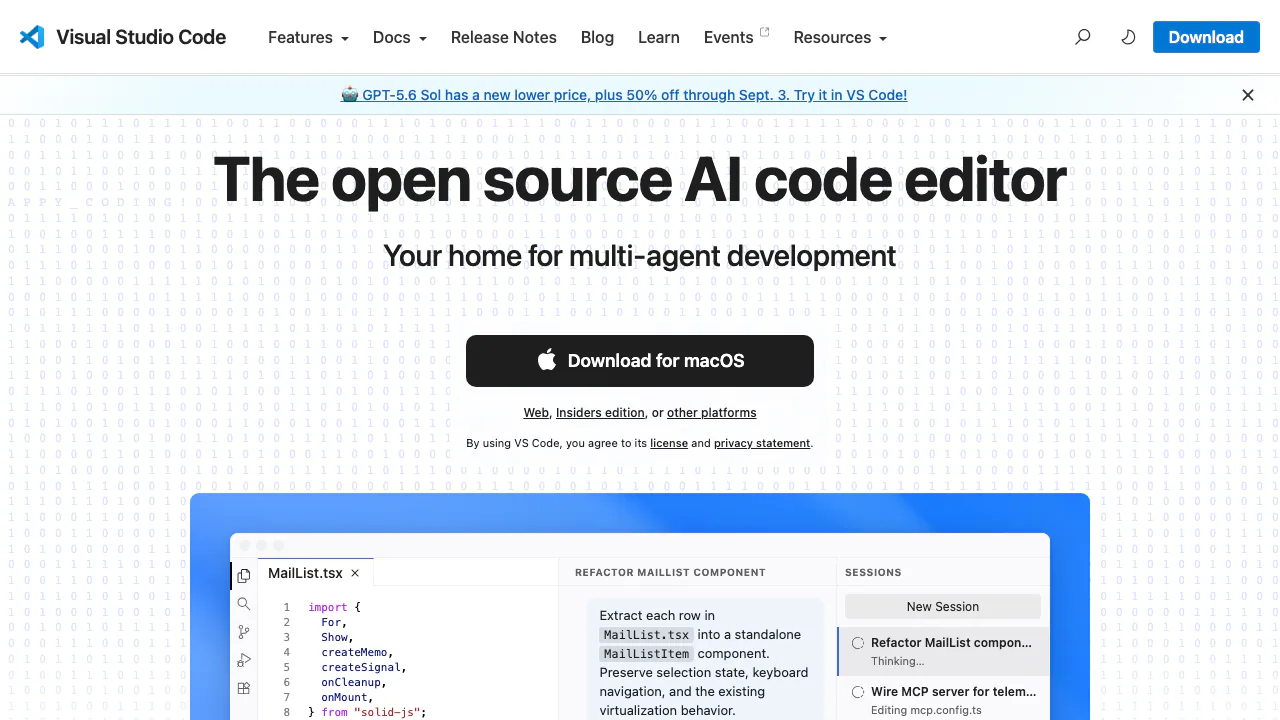
Visual Studio Code is a free, cross-platform code editor from Microsoft that now places AI-assisted development alongside its familiar editing, debugging, source-control and extension workflows. With GitHub Copilot enabled, you can accept inline suggestions, ask questions about a codebase, request focused edits or hand a multi-file task to an agent. It is a good fit for developers who want AI inside an editor they can still configure and operate manually; it is not a reason to skip code review, tests or security checks.
Choose the right level of AI help
Inline suggestions are the least disruptive option. As you type code, comments or tests, Copilot proposes ghost text that you can accept, ignore or revise. Chat is better when you need an explanation, a debugging hypothesis or a change scoped to selected files. Agents are intended for outcomes such as implementing a feature across several files, running commands and iterating after errors.
That range matters because not every task deserves an agent. Use a suggestion for a predictable line, Chat for an investigation and an agent when the work genuinely requires planning and coordinated edits. VS Code keeps the files and diffs visible, so you can inspect what changed before treating the task as complete. The official chat and agent overview also explains custom instructions, reusable prompts and MCP tools.
A safe first workflow with GitHub Copilot
- Install the current desktop build for Windows, macOS or Linux and open a real project rather than an empty scratch file.
- Select Use AI Features from the Copilot item in the status bar, then sign in with the GitHub account that owns your Copilot entitlement.
- Begin with a small, testable request. Ask Chat to explain one function, or let inline suggestions complete a unit test.
- For a multi-file task, state the expected behavior, relevant constraints and the command that verifies success. Review the proposed plan or tool actions before allowing broad changes.
- Inspect the diff, run the project’s formatter, type checker and tests, then check security-sensitive paths manually. Keep or discard changes file by file.
The official Copilot setup guide reflects the current sign-in flow. You can disable and hide the built-in AI surfaces for a user or workspace with the chat.disableAIFeatures setting. Third-party AI extensions need to be managed separately.
Free editor, separately metered AI
VS Code itself is free for private and commercial use. Its product license is not identical to the MIT license used by the source repository, so teams with licensing requirements should read the VS Code product license.
Copilot is a separate GitHub service. Copilot Free offers a limited allowance, while paid plans change the available credits, models, agents and review capabilities. These details can change, and billing or taxes can differ by account and market. Check the current GitHub Copilot plans instead of assuming an old quota or US list price still applies.
Desktop, web and extensions
The desktop editor is the practical choice when you need a local runtime, integrated terminal, debugger or the full extension ecosystem. VS Code for the Web is useful for browsing a repository and making lightweight edits without installation, but it does not provide the complete desktop runtime and only a subset of extensions can run in the browser.
Extensions can add language servers, debuggers, formatters and agent tools. They also run with substantial editor permissions. Confirm the publisher, review the extension’s documentation and treat its privacy policy separately from VS Code’s own settings. MCP servers similarly expand what an agent can reach; connect only tools you are prepared to authorize.
Privacy and review boundaries
VS Code collects crash, error and usage telemetry, and its telemetry documentation explains how to set the telemetry level to off. That setting does not govern data collected by every extension or online service.
Copilot has its own account policy. Under the current individual-plan terms, interaction data such as prompts, outputs, code snippets and related context may be used for model improvement unless the user opts out in Copilot settings. Business and Enterprise accounts follow different data-protection terms. Before using proprietary code, check the active billing entity, organization policy and the current Copilot data controls. Never place secrets in prompts, and assume generated code can contain mistakes or insecure patterns.
Frequently asked questions
Is Visual Studio Code free for commercial work?
Yes. VS Code is free for private and commercial use under the product license. GitHub Copilot is separate: its Free plan has usage limits and paid plans add different allowances and capabilities.
How do I start using Copilot in VS Code?
Open the Copilot status menu, select Use AI Features, sign in with GitHub and try a small inline or Chat task. For agents, define the expected result and verification command, then review every diff and test the outcome.
Does Copilot use my code for training?
The answer depends on your account and current GitHub policy. Individual-plan interactions may be eligible for model training, with an opt-out in Copilot settings; organization-managed plans use different terms. Check the active account rather than relying on a general statement.
Can I use the full VS Code experience in a browser?
No. vscode.dev is excellent for navigation and lightweight edits, but the browser sandbox does not provide the complete terminal, runtime, debugger or extension support of desktop VS Code.
Official resources and developer community
- VS Code documentation — setup, editing, agents, remote development and troubleshooting.
- Microsoft’s VS Code repository — source, issue tracking and feature discussions.
- GitHub Copilot plans — current allowances, models and account options.
Related tools
AI Coding & Developer Tools →
MuleRunFreemium
AI agents, cloud workspaces, and repeatable workflows
RevolteFreemium
Agentic software delivery from engineering intent to reviewed code and production workflows.
DevinFreemium
Autonomous coding agent for repository questions, code changes, tests, debugging, migrations and pull requests.
DeepSeekFreemium
Free AI chat, reasoning, web search, file analysis and coding with token-priced developer API access.
v0Freemium
Build editable full-stack web apps from prompts, screenshots and repositories with GitHub, databases and Vercel deployment.