

CALL-EFreemium
Calls for bookings, quotes and everyday errands
Stiro: AI onboarding agent for SaaS
An in-app AI agent for onboarding and customer success
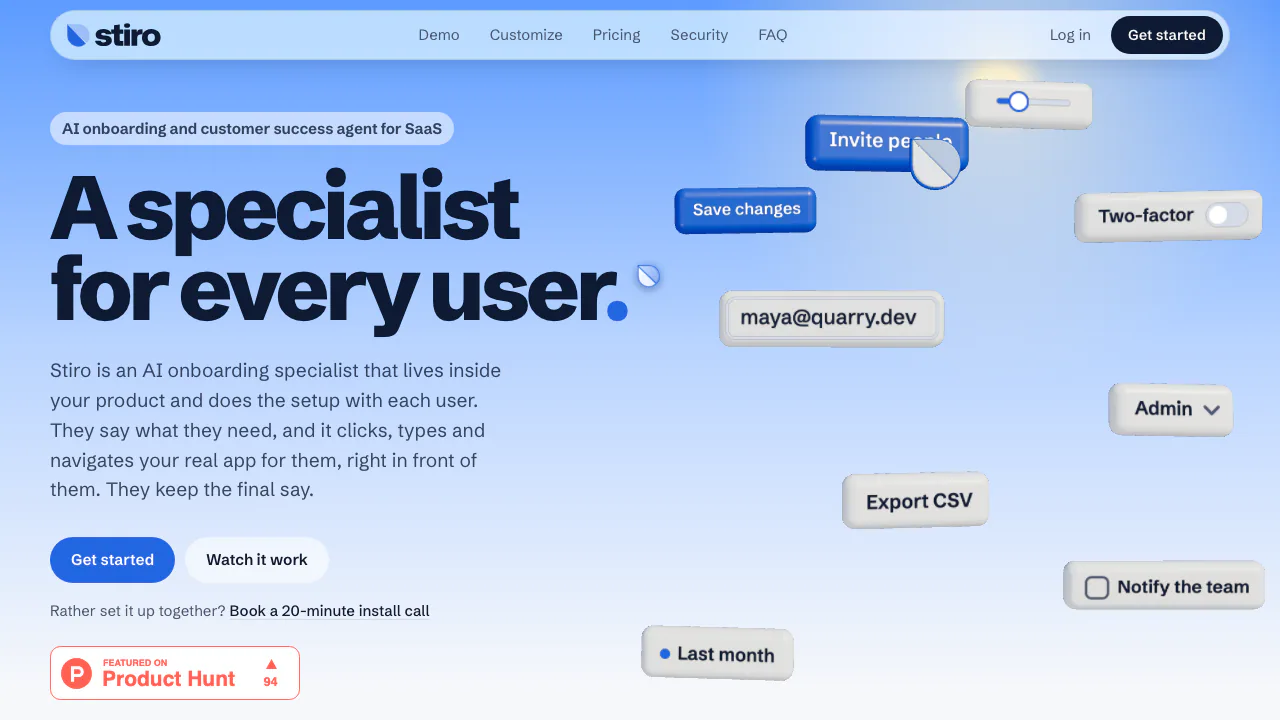
Stiro is an AI onboarding agent for SaaS products that turns a user's request into actions inside the application. Product and customer success teams install it in their own web app; users then ask for setup help, a setting change or an export while watching the agent work.
What does Stiro do, in plain English?
Think of it as an assistant sitting beside a new customer inside your product. If they ask to invite a teammate as an admin, Stiro can find the team screen and prepare the email and role. It is designed to leave the final send to the customer. The useful output is a prepared or completed task in the actual app, rather than a paragraph describing where to click.
This fits products where getting started means navigating settings, adding colleagues and finding features. Your team still handles account relationships, renewals, billing exceptions and judgement calls. Stiro is a business service for owners of web apps, rather than a personal browser assistant that can be pointed at arbitrary websites.
From installation to a checked result
- Create a Stiro account and register the domains it may run on. Start with a staging app and a test user.
- Put the SDK script and public site key in the shared layout before the closing body tag. The official guide covers React, Vue, Svelte, Angular, Rails, Phoenix LiveView and plain HTML; no recorded tour or action-by-action backend integration is required.
- Add optional page context and the signed-in user's ID. Server-signed IDs help protect per-user limits; the signing secret belongs on your server.
- Ask for a concrete task, such as preparing an invitation. Watch the fields and navigation, verify the recipient and role, and check the actual result after confirmation.
- Test a permission refusal and a request that needs human approval before offering it broadly. Keep your app's existing authorisation and confirmation controls.
The embed loads asynchronously. Apps with a Content Security Policy should check the required script, connection and style permissions in the installation instructions and security documentation.
When the agent stops, keep the conversation moving
A signed-in user can contact your team from the same panel, with the request and stop reason attached. Your team replies through the dashboard, and the answer appears in that panel. Existing helpdesks, including Intercom or Zendesk, can receive a handoff instead. Stiro can reuse your team's answers for similar later requests within the workspace.
Paid plans let you choose the assistant's name, colours, font and cursor and remove the Stiro badge. You can control where the launcher appears, set daily user limits and disable a site, including a run in progress. These controls help introduce the agent in a limited part of a product before expanding access.
Free testing, production plans and task billing
Checked on November 13, 2026, the official USD list prices are:
- Developer: $0, 50 runs per month and up to 5 per day, on localhost and one staging address. It includes Stiro branding and requires no card.
- Starter: $149 per month for 2,000 tasks and one production app, with custom branding.
- Growth: $599 per month for 10,000 tasks and three apps.
- Enterprise: from $24,000 per year, with a contractual annual task pool and custom terms.
A task covers a request carried to completion or a correct stop, with up to 25 actions such as clicks, typing and page changes. Longer requests add a task for each further 25 actions. A request can cover up to 25 items before the user needs to ask for the remainder. Paid runs that fail because of Stiro errors are free; a correct stop for missing permission or approval still counts. Every Developer run counts toward its free allowance.
Plans stop at their allowance without automatic overage charges. Team messages and replies are free. Self-service subscriptions renew monthly and can be cancelled from the dashboard for the end of the paid period. Dodo Payments handles checkout and tax; verify your final terms on the current pricing page.
Understand the data boundary before deployment
Stiro sends the request and relevant page content, including ordinary form values, to servers for processing. Recognised password, card, bank, identity and one-time-code fields are masked in the browser and handed to the user. This depends on recognising the fields: use appropriate input attributes and never put secrets directly into a request.
The official policy rules out model training on customer data. That does not mean zero processing or zero retention: Stiro keeps placeholder summaries and operational records, and some AI providers may retain prompts and answers for up to 30 days for abuse checks. Hosting is in the United States. Stiro states it does not yet hold SOC 2 or ISO 27001 certification. Review the data-use policy for the full scope and your obligation to inform users.
Questions before trying Stiro
Can I use Stiro free in production?
The Developer plan is for localhost and one staging address. A production app starts with a paid plan.
What counts as a billable task?
Completion and a correct permission or approval stop count. Stiro's own errors are free on paid plans; long requests can consume multiple 25-action task blocks.
Does Stiro replace the customer success team?
It handles the in-app setup and routine task portion. Human relationships, renewals and exceptional decisions remain with your team, with a handoff when needed.
Can I put customer secrets in a request?
Do not put passwords or other secrets in request text. Field masking applies to recognised page fields, not everything a user writes in their request.
Official setup resource
- Book an installation call: the homepage's official option for help connecting Stiro to your app.
Related tools
AI Customer Success Tools →
MitraPaid
Delegate incoming and outgoing calls with Mitra
VoyagerFree
Browse local folders, save searches and give selected files to your own AI agents.
WatchflowsPaid
Visual Mac workflows for files, apps and AI, with local execution and editable nodes.
AXLFreemium
Bring leads, sales and delivery into one workspace.
Give your existing AI agent product answers and contextual walkthroughs.